The world of surround sound is a new and ever-expanding landscape, developed with the core intention of maximising the depth and fidelity of sound reproduction.
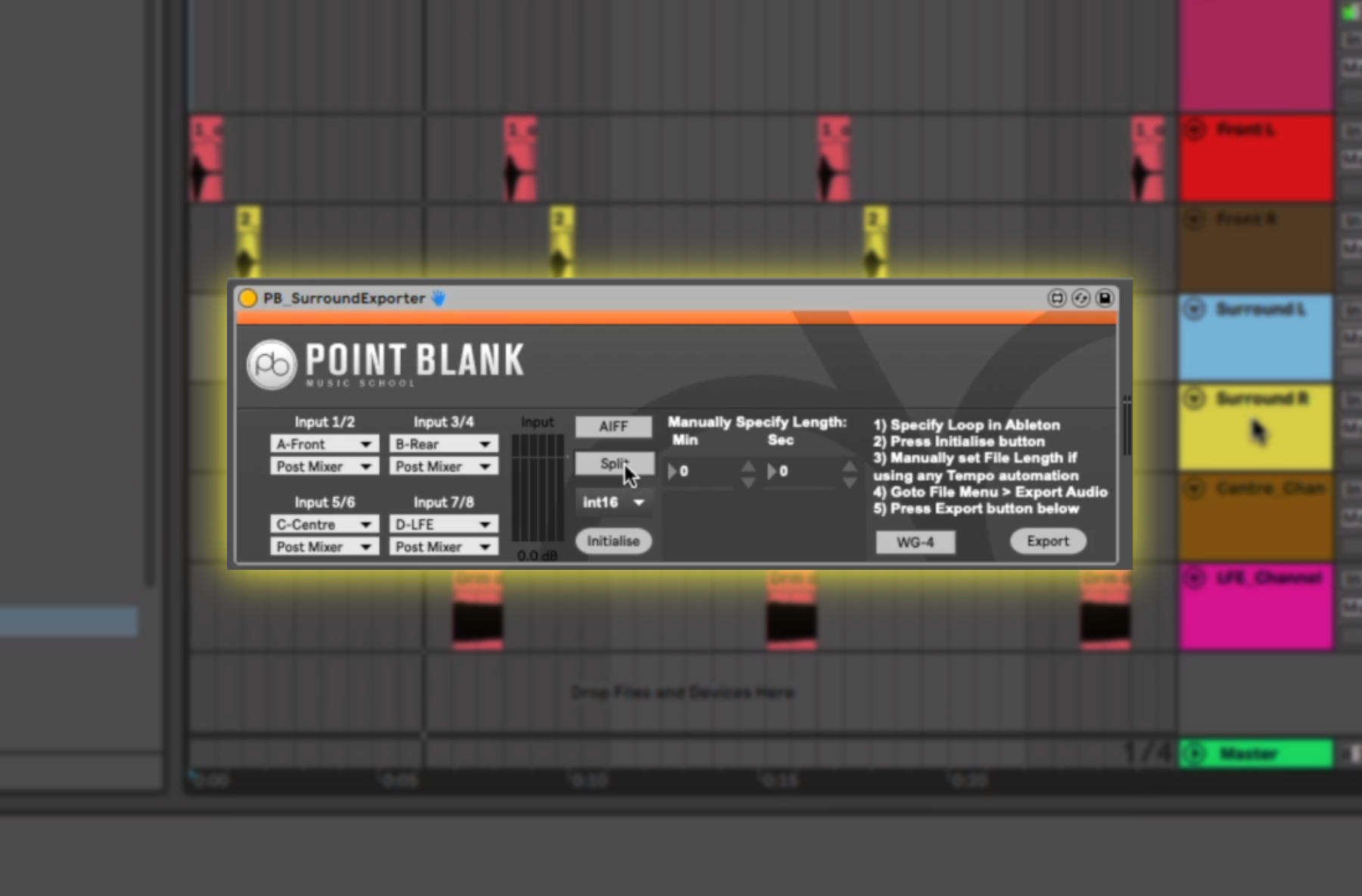
Point Blank like to stay at the cutting edge of technology and consistently look for the best way to utilise different audio workstations. Ableton Live, as it stands, holds a few limitations with its capabilities regarding surround sound, so Point Blank lecturer Daniel Herbert has developed a unique utility plugin to help you smoothly export your 5.1 or quad surround mixes.
If all this talk of Ableton Live has you keen to level up your skills, at Point Blank, they teach an Ableton course ideal to get you going as a professional producer.
Working alongside Audio Routes, a system for multi-channel routing in Ableton Live, Daniel outlines how to best configure the Point Blank Surround Exporter to correctly manage your stems, return tracks, and output settings.
The plugin, capable of exporting six discreet channels, comes with a simple and slick interface and allows you to toggle between 16 or 24-bit depth.
Point Blank is offering this MaxForLive plugin as a free download, available here.
If you’re looking to learn more about the world of DJing or music production, you can enrol on one of Point Blank’s courses in London, LA or online to kickstart your career in the music industry.
Register to Access Free Courses, Plugins, Projects, Samples & More
When you register with Point Blank, you access an array of free sounds, plugins, online course samples and much more! Simply register below and visit our Free Stuff page to get your hands on a range of exclusive music-making tools and tutorials provided by their team. Fill your boots!

Magnetic byline note: This byline is used for staff produced updates and short announcements, often based on press materials and official release information. Editorial responsibility: David Ireland (Editor in Chief) and Will Vance (Managing Editor). About: https://magneticmag.com/about/ Masthead: https://magneticmag.com/masthead/ Contact: https://magneticmag.com/contact/