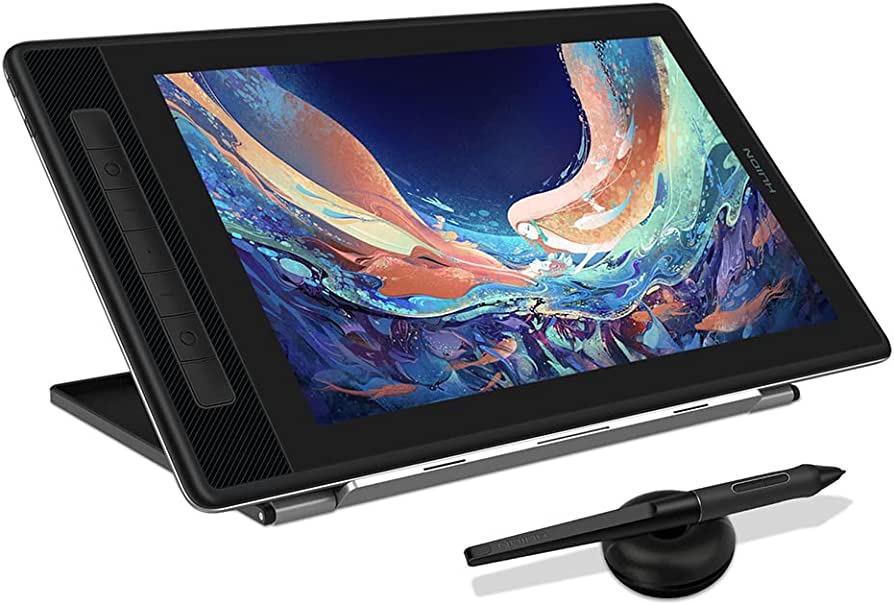
Digital art and the tools available to get the most out of your craft have come a long way since even we started working with the medium six or seven years ago. Back then, pen displays were a pricy luxury rarely available at an entry-level consumer price point. But times have changed and there seem to be plenty of digital drawing tablets and pads for one to access the hands-on and tactile feel of creating, all on your laptop, computer, or tablet.
As a pen display, the Kamvas line by Huion allows you to draw directly onto the screen, making your digital art creation process more immersive. However, it is important to note that the tablet is not a standalone device and must be connected to a computer, Mac, or android device to function properly.
Overall, the Huion Kamvas Pro 13 (2.5K) boasts impressive specs on paper, especially given its affordable price point. Huion is well-known for delivering quality and affordable drawing tablets, making it a great option for those just starting out or looking for an affordable yet high-performing device.
Let’s take a closer look to see if it lives up to its reputation.
Why Purchase The Huion Kamvas Pro 13 (2.5K)
The Huion Kamvas Pro 13 (2.5K) is a popular choice for artists and designers looking for their first pen display. It offers a high-quality drawing experience, which makes it an attractive option for those in the creative field. Despite being slightly more expensive than comparable Wacom products, the Huion Kamvas Pro 13 (2.5K) is worth the investment for its advanced specifications.
While the build quality of the Huion Kamvas Pro 13 (2.5K) may not match that of other pen displays, it makes up for this with its display. Despite having a small screen, it packs in a wealth of features that enhance the user’s drawing experience. This tablet delivers accurate and responsive touch sensitivity, as well as vibrant colors and deep blacks, making it a top choice for artists and designers alike. Whether you are a professional or just starting out, the Huion Kamvas Pro 13 (2.5K) is a must-have tool for anyone in the creative industry.
What I Loved About The Huion Kamvas Pro 13 (2.5K)
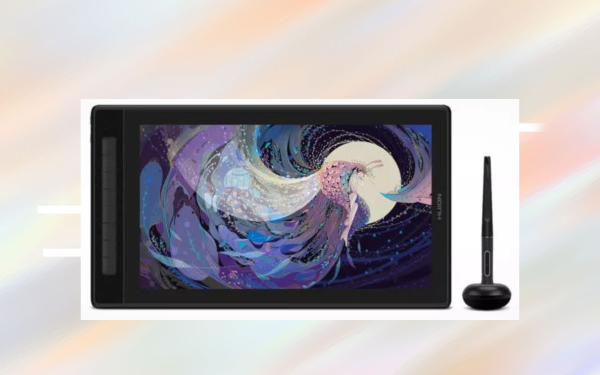
After using the drawing tablet in my studio for a number of projects, both in mixed media for content on the site and for artwork for a few upcoming music releases that we have, I discovered that there is a lot to write home about when using this display.
And while it would be next to impossible to note all of the benefits and boons that this tablet brings to the tablet, I will take a moment to outline my three favorite aspects and qualities about the Huion Kamvas Pro 13 (2.5K).
The Display
The display on the Huion Kamvas Pro 13 (2.5K) is easily its shining feature. Packing a ton of pixels into a smaller display makes the imagery crystal clear and almost overly vibrant (and I mean this in a good way).
The display is shown on its 13-inch screen, which comes with anti-glare quality that helps retain visibility no matter which space you’re working in. I took this thing on the go with me and had no issues working on my art in sunlit coffee shops or my dark and moody music studio.
Overall, I was seriously impressed by the display on this tablet. Wacom has long been the industry standard when it comes to the best tablet displays, but the Huion Kamvas Pro 13 (2.5K) not only gives Wacom a run for its money, it arguably comes out on top.
Its Fluidity
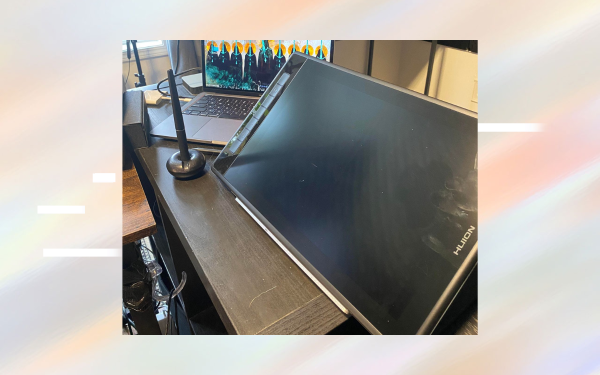
The drawing experience on the Huion Kamvas Pro 13 (2.5K) was second to none. Every stroke, dot, and fill felt fluid and smooth, just like drawing with a pencil or paintbrush would. This is likely caused by the tablet’s hard-wried necessity, which I will dive more into here momentarily. And while there is a need for the tablet to be connected at all times to a computer, the lack of Bluetooth functionality is made up for by its smooth and seamless drawing experience.
This extended out from the drawing surface itself and into the stylus as well. While the stylus isn’t groundbreaking in terms of quality or design, it has got a reported 8192 levels of pressure sensitivity which means that each and every artistic expression you do with the pen is reflected on the surface with even more stunning fluidity.
Its Price
This tablet is designed to go toe-to-toe with the numerous offerings from Wacom. And while its price point is more or less the same compared to tablets like the Wacom One, the features and specs that come standard with the Huion Kamvas Pro 13 (2.5K) give you far more bang for your buck.
This is especially evident in the specs on the display of the Huion Kamvas Pro 13 (2.5K), and if you’re looking for brighter, clearer imagery on your drawing tablet then the Huion Kamvas Pro 13 (2.5K) is the obvious winner at this price point.
What I Wasn’t That Crazy About
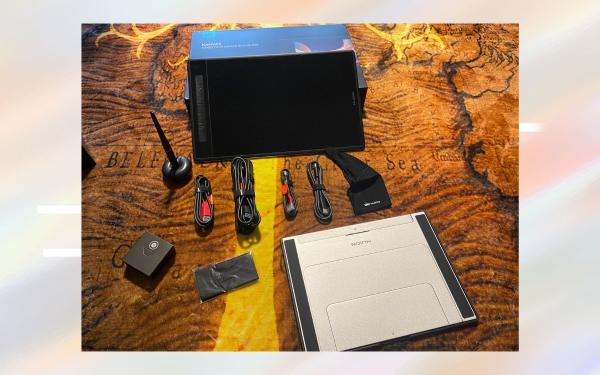
There was one glaring issue with the Huion Kamvas Pro 13 (2.5K) that should be noted here. Bear in mind that we often use tablets like this while on the go and away from the studio where we cannot be working on music and must use the time to get other creative work for the label’s releases done. But therein lies my biggest gripe with this tablet.
Lots Of Wires & The Lack Of Bluetooth
When unboxing this tablet, I was instantly caught off guard by the number of wires and cables that came with it. And when booting up the tablet and starting to get to work on it, the lack of Bluetooth connectivity really was brought to light.
Modern laptops only have a few choice ports in which to plug gear and devices into them, which makes Bluetooth functionality almost essential for any creative tool for creators who do work on the go. And the fact that the Huion Kamvas Pro 13 (2.5K) had to be hardwired into the laptop took one of two invaluable slots for devices in my laptop (and with my charger being plugged into the second slot, I was instantly out of options).
Granted, the hardwiring meant that the connection and fluidity were rock solid as we discussed previously. So the lack of Bluetooth did not come without a silver lining. But in 2023, I would have imagined that having a wireless connection option would be industry standard for a device like this and I was a little bummed to see it lacking in the Huion Kamvas Pro 13 (2.5K).
Corners Were Cut
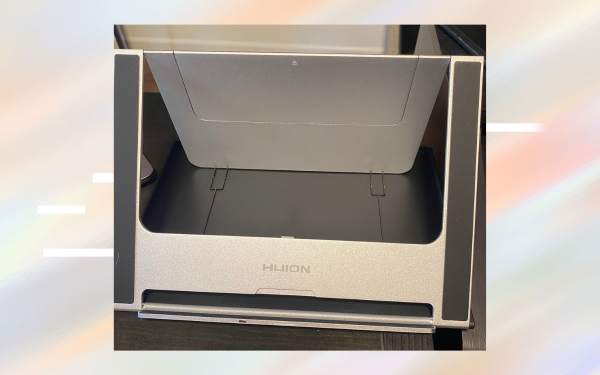
When making any mid-tier, affordable device like this some corners will inevitably need to be cut to ensure that the price is competitive. Some aspects of the Huion Kamvas Pro 13 Pen Display Tablet are easy examples of this, none more so than the stand and the drawing glove that ships with the tablet.
While the idea of the stand is amazing, and it holds the tablet up at varying angles as needed, the build quality of it felt lightweight and cheap to the point where I was a bit nervous popping from legs out of the frame during initial assembly. Once it was assembled and in place at my workstation, I felt no issues with it. But I felt like it should be noted regardless.
Final Thoughts
In conclusion, the Huion Kamvas Pro 13 (2.5K) is a great alternative to Wacom One tablets and other, more popular tablets for those who are looking for a high-quality display at an affordable price. With its 2.5K resolution display and excellent color accuracy, it offers a great experience for artists, graphic designers, and anyone who needs a large display to work on. The pen is also well-designed and provides a smooth and responsive feel, making it easy to create detailed drawings and paintings.
Overall, the Huion Kamvas Pro 13 (2.5K) is a great option for anyone who is looking for a high-quality display at an affordable price, and it’s definitely worth considering as a Wacom competitor.
Specs
- Panel size: 13.3″ (diagonal)
- Resolution: 2560 x 1600 QHD
- Contrast ratio: 1200:1
- Brightness: 220nit
- Viewing angle: 178°
- Gamut: 145% sRGB
- Display color: 16.7M
- Battery-free pen
- Pen pressure: 8,192 levels
- Tilt: 60°
- 7 Programmable shortcut keys
- Full laminationOS Support: Windows, macOS, Android
- Dimension: 12.3 x 9 x .4 inches
- Net weight: 2.2 lbs
What You Get
- Pen display
- Digital pen
- 3-in-2 cable
- USB extension cable
- USB-C to USB-C cable
- USB power cable
- Foldable stand
- Pen holder
- Extra nibs
- Nib clip
- A Smaller Drawing Glove
- Cleaning cloth
- Quick start guide

Will Vance is a professional music producer who has been involved in the industry for the better part of a decade and has been the managing editor at Magnetic Magazine since mid-2022. In that time period, he has published thousands of articles on music production, industry think pieces and educational articles about the music industry. Over the last decade as a professional music producer, Will Vance has also ran multiple successful and highly respected record labels in the industry, including Where The Heart Is Records as well as having launched a new label with a focus on community through Magnetic Magazine. When not running these labels or producing his own music, Vance is likely writing for other top industry sites like Waves or the Hyperbits Masterclass or working on his upcoming book on mindfulness in music production. On the rare chance he's not thinking about music production, he's probably running a game of Dungeons and Dragons with his friends which he has been the dungeon master for for many years.