What We’re Covering
By 2026, the Focusrite Scarlett 4i4 4th Gen is still in that important middle lane between a simple two-input interface and a larger studio hub. That is why this review needed a fresh pass. The question is no longer whether Focusrite made a clean, affordable, compact interface, because it did. The better question is whether the 4i4 still makes sense now that SSL, Universal Audio, Apogee, Audient, MOTU, Arturia, and Steinberg all have credible options in the same general price range.
For DJs and producers, that question matters because an interface like this is not purchased for one job. It might record a DJ mix from a club mixer one day, run a mic and synth the next day, and act as the main output for a small studio setup all week.
The Scarlett 4i4 works because it covers those needs without taking up much space, and features like Auto Gain, Clip Safe, MIDI, loopback, and the updated Air modes make it easier to get usable recordings without spending half the session fixing input levels.
That said, the market around it has changed.
Some competing interfaces give you a clearer analog-color angle, better bundled processing, onboard compression, cleaner software integration, or a smaller form factor. The Scarlett 4i4 still has a clear place, especially for home studios and DJ recording setups that need a compact 4-in/4-out interface, but it is worth comparing it against the closest options before buying.
Quick answer: The Scarlett 4i4 4th Gen is still worth buying in 2026 if you want a compact 4-in/4-out USB-C audio interface with two preamps, two extra line inputs, MIDI, loopback, Auto Gain, Clip Safe, Air modes, and a good software bundle. Skip it if you need four mic preamps, two headphone outs, ADAT expansion, or onboard compression.

How Does The Scarlett 4i4 Compare To The Best Alternatives?
| Interface | Current Price | Main Strength | Main Tradeoff |
| Focusrite Scarlett 4i4 4th Gen | $299.99 | Auto Gain, Clip Safe, MIDI, loopback, four line outputs | Only one headphone output, no ADAT |
| SSL 2+ MKII | $299.99 | SSL 4K mode, two headphone outputs, 32-bit/192 kHz conversion | 2-in/4-out rather than 4-in/4-out |
| MOTU M4 | $279.95 | Great metering, 4-in/4-out, MIDI, loopback | No Auto Gain or Clip Safe |
| Audient iD14 MKII | Around $295 | Audient preamps, ADAT expansion, two headphone outs | Fewer analog line inputs without ADAT gear |
| Arturia MiniFuse 4 | $299 | 4-in/4-out, two headphone outs, USB hub, MIDI | Less level-safety automation than Focusrite |
| Apogee BOOM | $299 | Apogee conversion and onboard DSP channel strip | 2-in/2-out, no MIDI |
| Universal Audio Volt 476P | $469 | Four preamps, Vintage mode, 1176-style compression | Costs much more |
| Steinberg UR22C | Lower-cost tier | 32-bit/192 kHz, DSP effects, MIDI | 2-in/2-out, less routing than 4i4 |
What Is The 2026 Verdict On The Scarlett 4i4 4th Gen?
The Scarlett 4i4 4th Gen still earns a positive verdict in 2026.
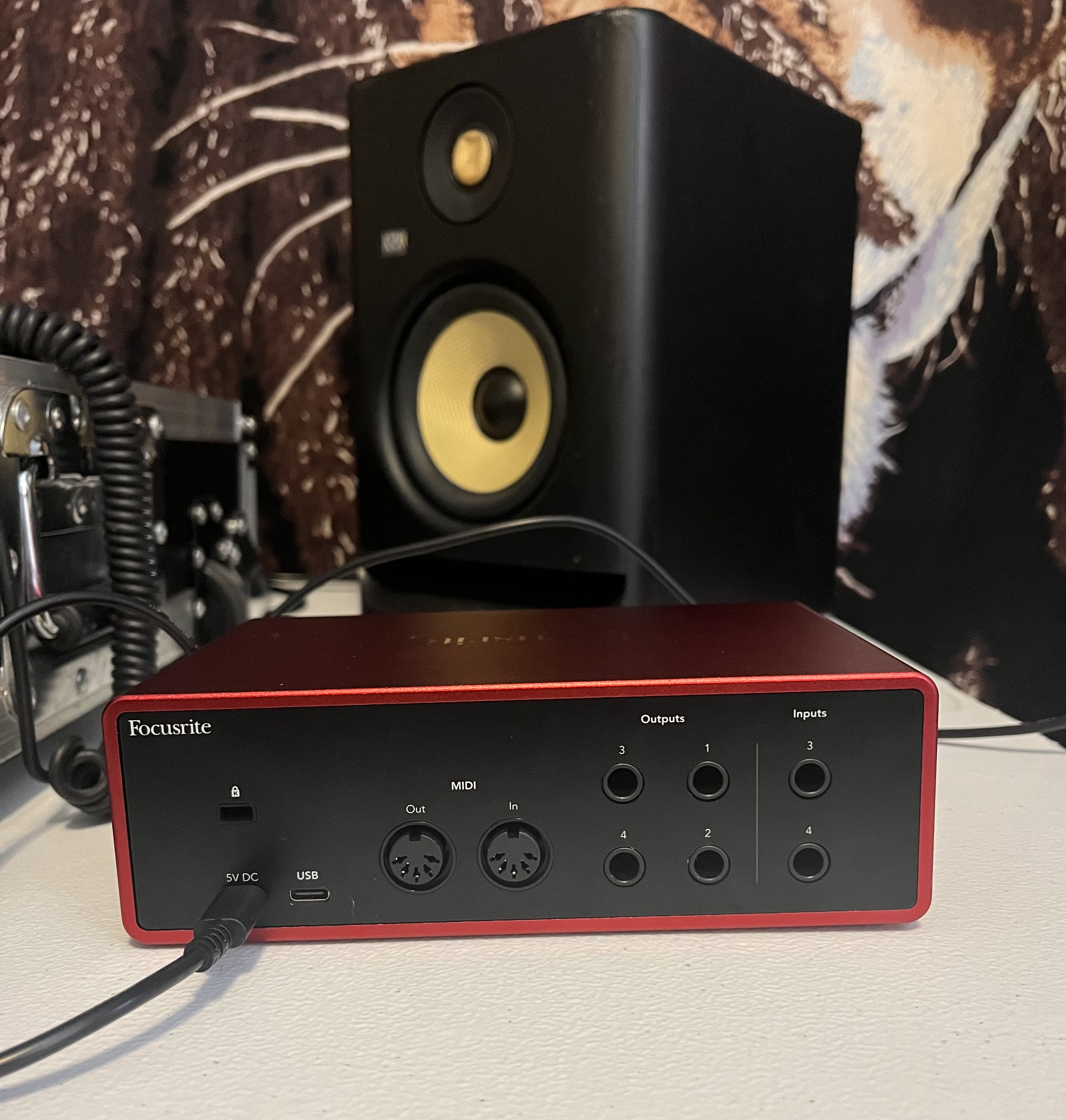
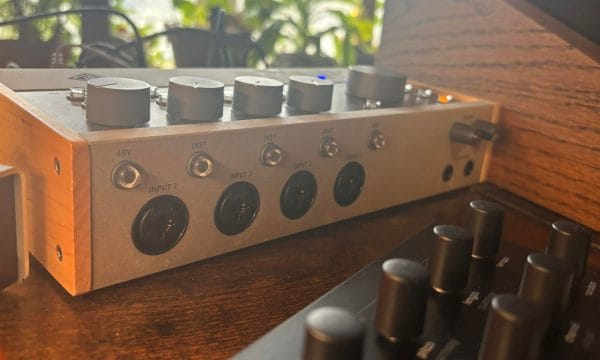
It sits in the exact spot a lot of DJs, producers, small bands, and home-studio users need. It gives you more routing than a 2i2 without making you jump to a bigger rack or semi-pro interface. You get two mic, line, and instrument inputs on the front, two fixed line inputs on the back, four line outputs, MIDI In and Out, one headphone output, loopback, and Focusrite Control 2.
That combination makes it especially good for producers who work with a mic, guitar, synth, groovebox, DJ mixer, or external effects. It is also a good fit for DJs who want to record cleaner mixes than they can get from a laptop’s internal audio output.
The main issue is that the 2026 competition is better than it was a few years ago. The SSL 2+ MKII is now a cleaner analog-color rival at the same $299.99 price. The MOTU M4 gives you excellent metering for less money. The Audient iD14 MKII gives you ADAT expansion. The Universal Audio Volt 476P gives you four preamps and onboard compression, although it costs more.
So the updated verdict is clear: buy the Scarlett 4i4 if you want the easiest 4-in/4-out interface with great setup support and level-safety tools. Look elsewhere if you want analog character, more mic inputs, or expandability.
WHAT IS THE SCARLETT 4i4 4TH GEN?
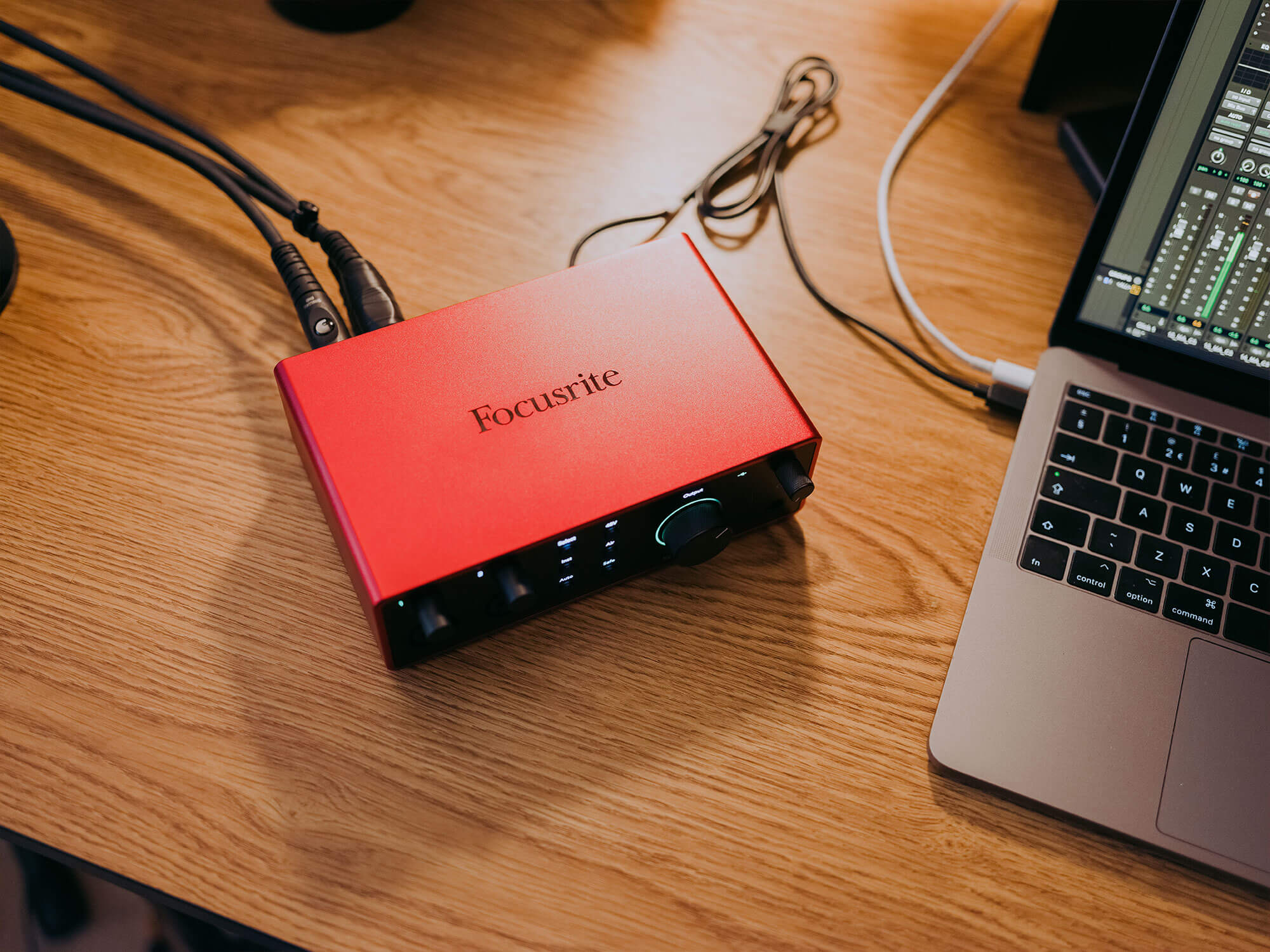
Before I discuss my favorite parts of the Scarlett 4i4 4th Gen, I’d like to explain the less exciting and more technical bits so you can understand what this interface is. This interface is a compact studio hub for musicians and producers seeking versatility and high-quality audio performance.
Featuring two ultra-low-noise mic preamps, it is ideal for multi-instrumentalists and collaborators. With inputs for microphones, instruments, and MIDI devices, the 4i4 provides ample connectivity for all your studio gear.
One standout feature of the Scarlett 4i4 is its Air mode, which adds a touch of analog warmth and presence to your recordings. Combined with Auto Gain and Clip Safe functions, it ensures great recording levels without distortion, allowing you to focus on capturing the perfect take, cut, or just monitor at loud volumes (for a short and safe amount of time of course).
The included Hitmaker Expansion software bundle also offers essential tools for recording, producing, and releasing professional-quality tracks.
Regarding specifications, the Scarlett 4i4 boasts impressive capabilities, including 24-bit/192 kHz A/D resolution and USB Type-C connectivity. Its bus-powered operation adds to its convenience, making it suitable for both studio and on-the-go use.
Furthermore, the Scarlett 4i4 offers intuitive control and monitoring options, with dedicated headphone outputs and individual mix controls for headphones, monitors, and lineouts. This allows you to tailor your monitoring setup to suit the requirements of each recording session, enhancing your workflow and productivity.
Okay, now, with that more technical side of things out of the way, let’s dive into my hot takes and first impressions while getting familiar with this small and affordable interface.
WHAT I LIKED ABOUT THE SCARLETT 4i4 4TH GEN
TONS OF PERKS AND BONUS SOFTWARE
The software my Scarlett came with is more than enough value for the price of the Scarlett 4i4, which is $279.99. It is important to note that while they are currently out of stock due to high demand, Focusrite frequently replenishes their supply of hit products, often adding greater inventory than before to match the scale of demand.
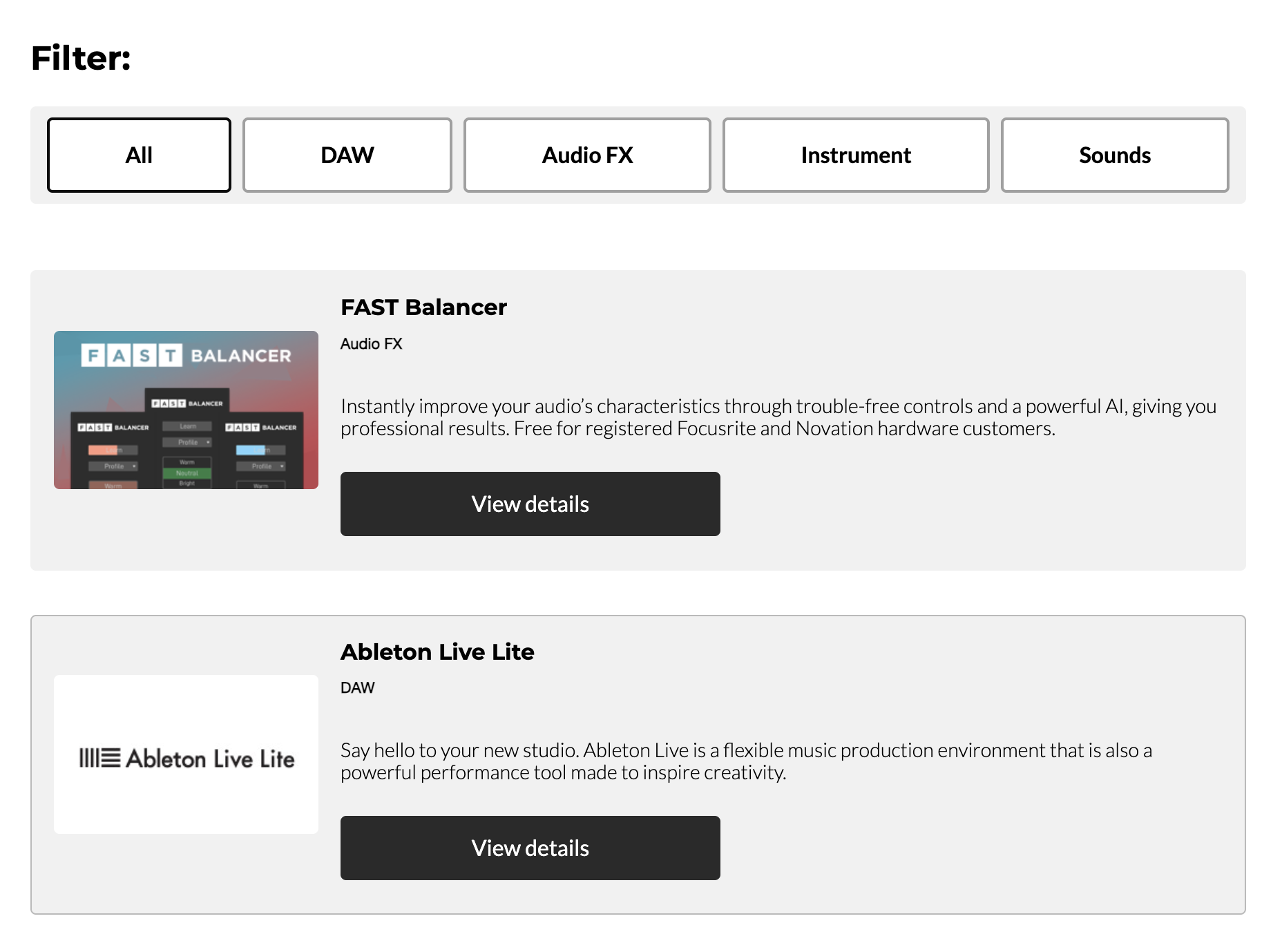
Returning to this product’s software, the hardware is joined by over 15 beneficial plugins, multi-month subscriptions, production bundles, sample packs, and more. This includes a 2-month paid membership with LANDR Studio, a 3-month Pro Tools artist subscription and complete plug-in bundle, Antares Auto-Tune Access, and the XLN Addictive Keys digital instrument, to name a few.
Sure, a lot of gear and hardware is doing this these days to the point where it almost feels industry standard. However, it’s still a nice benefit, especially for the new producers this interaction is made for, who might not have as many bells and whistles in their studio as one who has been making music for years.
HAND HOLDING THROUGH THE ENTIRE SETUP AND LEARNING PROCESS
Companies typically overlook the fact that everyone is not on the same playing field when selling DJ and production gear. Focusrite recognizes that a wide range of artists, engineers, podcasters, musicians, and others are buying their products. They’ve risen to meet these customers where they’re at in their journey, and this is a massive feature that deserves attention here.
My favorite component was the extensive resources they provided for learning how to use the 4i4 4th Gen properly. Their Easy Start program walks you through each step of the process, explaining things meticulously and in a context that anyone who is not a producer or DJ could understand.
I definitely could not have mastered setting up my 4i4 without this. Still, it is nice to see that more seasoned artists also had the option of skipping through steps and being only required to register their product before doing everything else on their own.

Relative to Easy Start, Focusrite has a ton of educational resources for artists and fosters a fantastic sense of community between the artists who work with its product and general customers. They regularly post videos on their YouTube and Instagram of artists breaking down their tracks and using Focusrite products in different ways to amplify their music.
EXTREMELY HIGH-QUALITY SOUND FOR LIVE DJ MIXES
Of course, people are mainly compelled to get an audio interface to enhance their sound beyond the limits of their laptop’s stock sound card or to record outboard gear by converting analog signals into digital ones. I am not kidding when I say the quality of this interface is so clear that I have never heard it from any other speaker, product, or audio equipment.
I’ve only been producing and working with studio-level equipment for four or five years, and I’m far from being a Hollywood-level engineer. But still, for those at the same stage in their journey as I am, trust me when I say there is a noticeable difference in sound quality compared to just your laptop’s sound card.
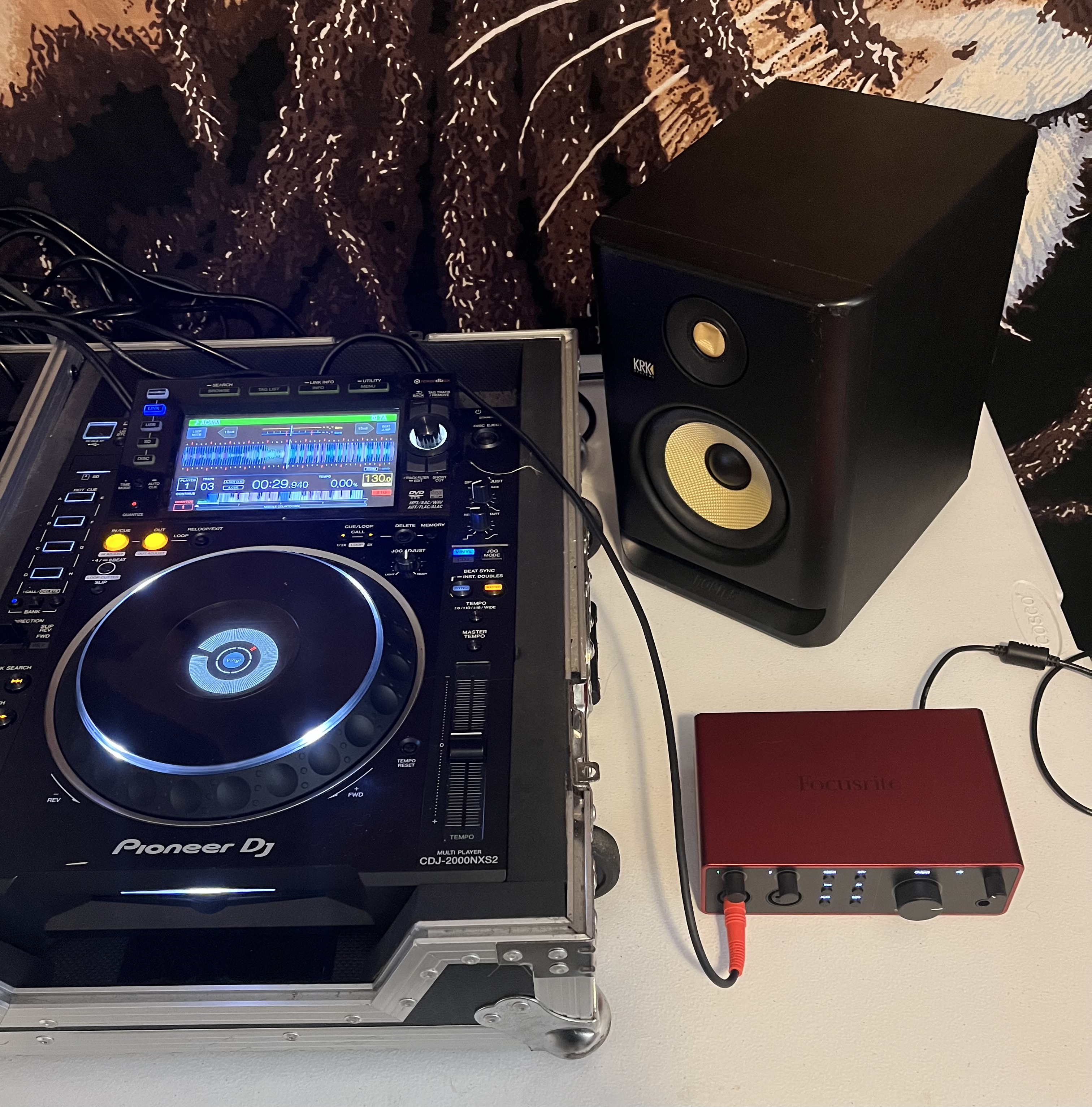
Even just connecting it to my laptop and plugging in my headphones through the interface has made making beats on Ableton and sorting through Rekordbox a completely new experience. Since trying it out, I sometimes use it for casual listening, like YouTube tutorials and streaming, since I don’t have to crank up the volume nearly as much as my AirPods.
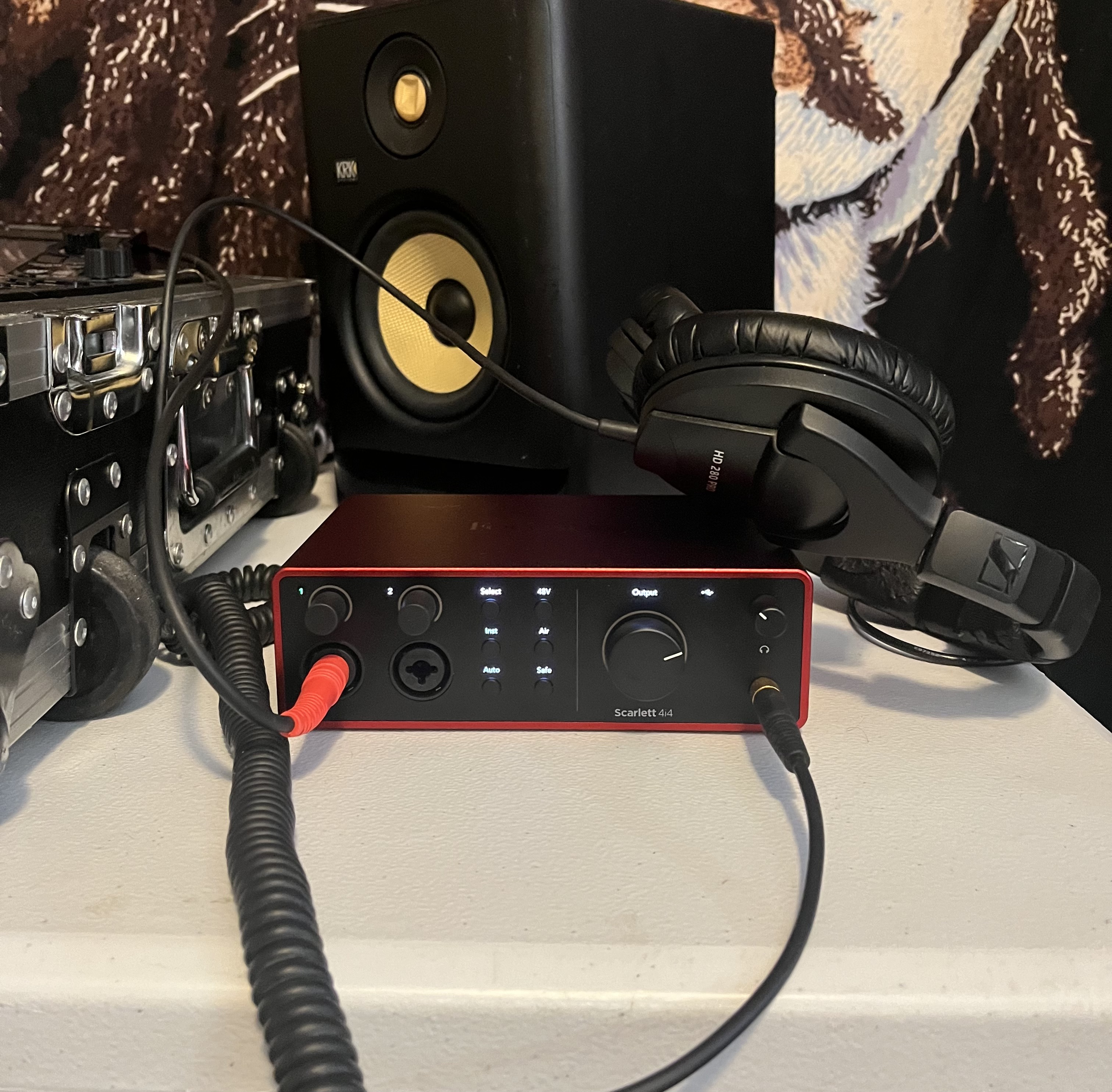
On top of having a simple yet professional-looking aesthetic, the buttons are all labeled and spaced out in an orientation that is for when you need to make fine adjustments or change modes efficiently. I strongly recommend getting used to taking advantage of the Auto gain feature while recording mixes and making music. Overall, it isn’t easy to think of how the sound could be better than through the 4i4 4th Gen.
WHAT I WASN’T CRAZY ABOUT
THE USB CONNECTOR CABLE WAS FAULTY
Unfortunately, the little USB connector my Scarlett came with did not work. I tried messing around by flipping it and putting it into the other USB slot of my laptop, in addition to following the nicely laid out instructions from Focusrite if your 4i4 was not showing up on your laptop.
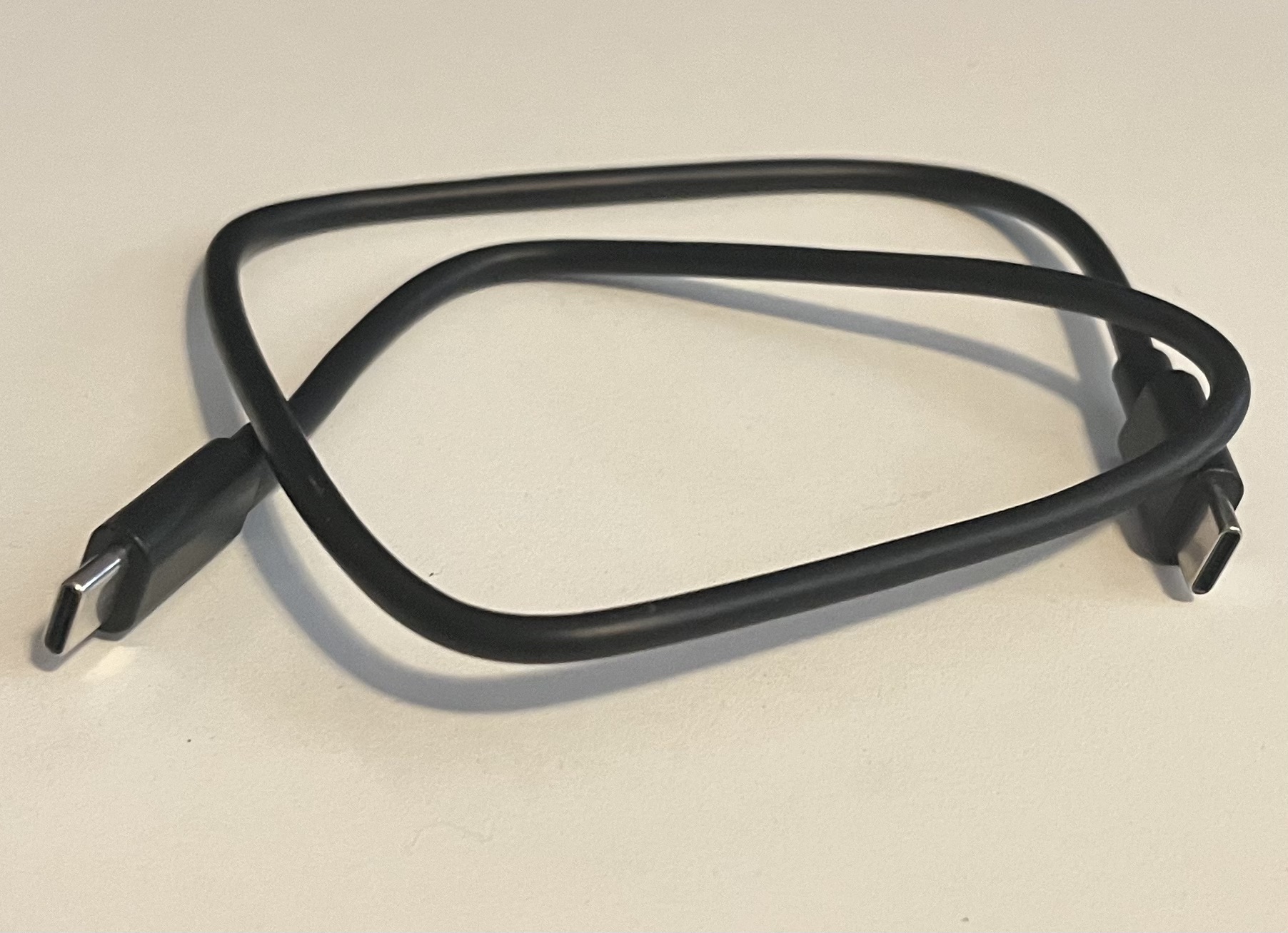
Given that my laptop has never had any USB issues, I switched this cable out with one of my own, and it worked immediately. Focusrite would send you a new cable if something like this happened and you brought it to their attention. It was not a big deal since I have a dozen USB connectors around my house.
It’s also important to note that, while troubleshooting this issue, I didn’t seem to find too many other producers and DJs who had experienced this issue, making this anecdotal evidence a bit of an outlier in the grand scheme. That said, I promised an honest review, and I’d be doing a disservice by not mentioning this.
WHO IS THIS FOR?
DJS AND PRODUCERS LOOKING FOR A CLEARER SOUND
For any DJ and producer, this audio interface is essential to elevate your mixes and tracks, no matter what stage in your career. The boost in assurance I got in my work from using my 4i4 alone makes getting it worth it. Make sure to put in the time to really understand each button on this interface, then decide which of them you can utilize to strengthen the sound of whatever project you are working on.
BANDS AND INSTRUMENTALISTS
It does not apply to my situation, but the Scarlett 4i4 is an outstanding equipment for bands, specifically guitarists and vocalists. It has several capabilities and functions that are catered to having a microphone or live instrument plugged into it. Whether you are recording vocals, guitars, live synths, or drum machines, this studio interface will empower you to bring your musical ideas to life quickly and precisely.
FINAL THOUGHTS
Right behind playing my first gig, getting the Scarlett 4i4 4th Gen was one of my most exciting moments. For the longest time, I have been afraid to post my sets publicly and start to build a base of listeners. This was not because of a lack of confidence in my mixing abilities or sets themselves, but because the audio never came out the way I wanted it to.
Despite smooth transitions and being happy with the song selection, something was always missing from the overall nature of the audio. Now I no longer worry about different parts of my mixes sounding unbalanced and having disparity in the volume between tracks. I have the 4i4 4th Gen to thank for launching me into the next chapter of my career, and I cannot wait to share my mixes with the world very soon.
Scarlett 4i4 4th Gen Alternatives
The Scarlett 4i4 4th Gen sits in a useful middle lane for small studios, DJ mix recording, synth rigs, and mobile setups because it gives you 4-in/4-out connectivity, two preamps, MIDI, Auto Gain, Clip Safe, and Focusrite’s Air modes in a compact USB-C box.
That makes the closest alternatives fairly easy to sort: you want a desktop interface that can handle a mic, an instrument, a couple of line sources, and simple hardware integration without turning the setup into a full rack. These are the closest options from our review archive and related gear coverage, along with where each one splits from the Scarlett.
Solid State Logic SSL 2+ MKII

Our SSL 2+ review focused on the unit’s SSL-style workflow, compact footprint, 2-in/4-out format, MIDI I/O, dual headphone outputs, and the Legacy 4K circuit.
Compared with the Scarlett 4i4, the SSL 2+ makes the most sense for users who want a clear analog-color choice at the input stage, especially when tracking vocals, guitars, or synths through the 4K mode. The Scarlett is still the safer pick for anyone who wants Auto Gain and Clip Safe to reduce setup friction, while SSL gives you a desk-friendly interface that leans harder into brand-specific tone and monitoring layout. Current SSL 2+ MKII pricing also puts it in the same general bracket as the Scarlett 4i4, so this is the cleanest one-to-one comparison for producers who care about the recording path as much as total I/O.
Universal Audio Volt 476P
Our Volt 476P review positioned it as the larger Volt choice for producers who need extra inputs, analog-style preamp color, onboard compression, MIDI, and fast direct monitoring. It differs from the Scarlett 4i4 by putting the focus on hardware compression and UA-style input color, rather than automated gain control and beginner-friendly setup support.
The tradeoff is price and scale: the Volt 476P costs a clear step above the Scarlett 4i4, but it gives you a four-preamp 4-in/4-out layout and a built-in FET compressor that can simplify tracking vocals, guitars, and hardware sources. Treat this as the upgrade pick for someone who likes the Scarlett’s compact studio-hub idea but wants added front-end processing and does not mind spending extra.
Apogee BOOM

Our BOOM review framed it as a smaller 2-in/2-out interface built around Apogee conversion, easy setup, loopback, and onboard DSP through the Symphony ECS Channel Strip. It is not a direct I/O match for the Scarlett 4i4, since it gives you fewer inputs, no MIDI, and a setup aimed at one mic plus one instrument or line source. Where the BOOM makes sense is for a producer, vocalist, podcaster, or content creator who wants clean conversion and built-in EQ, compression, and drive without a larger desk interface.
The Scarlett 4i4 is the better fit for synths, DJ set recording, and small hardware setups, while the BOOM is better for creators who want a tighter two-input setup with Apogee’s processing angle.
Steinberg UR22C
Our UR-C review called out the UR22C’s metal build, 32-bit/192 kHz recording, USB connection, D-PRE preamps, bundled Cubase software, and fast setup.
The UR22C is smaller and cheaper than the Scarlett 4i4, so it makes sense as a lower-cost pick rather than a direct 4-in/4-out replacement. Its main advantage is the 32-bit/192 kHz spec and Steinberg software integration, which can appeal to producers already working in Cubase or wanting a simple portable interface with MIDI. The Scarlett 4i4 has the edge for people who need extra line inputs, dedicated newer-user support through Easy Start, and Focusrite’s Auto Gain and Clip Safe features.

Raised in upstate New York, I was always a big fan of music but never really listened to electronic music. Within the first month of attending Florida State University and meeting some new friends, I was introduced to the rave scene. After seeing Ekali at my first show, I was instantly hooked. Since then, I have dived into every subgenre of electronic music, picked up DJing, and mixed for clubs and different entertainment events in Tallahassee. Once graduating with degrees in marketing and hospitality, I was hired for a sales position. However, I recently decided to leave my sales job to pursue my dream of working in the music industry. Currently, I run Magnetic Magazine's Melodic Techno Charts, along with my role as a PR and marketing specialist for different artists and labels. Some of my favorite artists are REZZ, Kyle Watson, TOBEHONEST, San Pacho, Josh Baker, HUGEL, ARTBAT, Vintage Culture, Ganja White Night, CamelPhat, Green Velvet, Jungle, Milky Chance, Paco Versailles, Franc Moody, and RÜFUS DU SOL. My favorite festivals are Hulaween (by far), EDC Orlando, and all the different venues during Miami Music Week. Outside of music, I love sports (especially hockey, soccer, tennis, basketball, and spike ball), going to the movies, working out, sushi, Chick-fil-A, food in general, and hanging with my dog Maui and my cat Loki. Feel free to reach out to me via my email or on IG, I love expanding my network of friends and business opportunities!