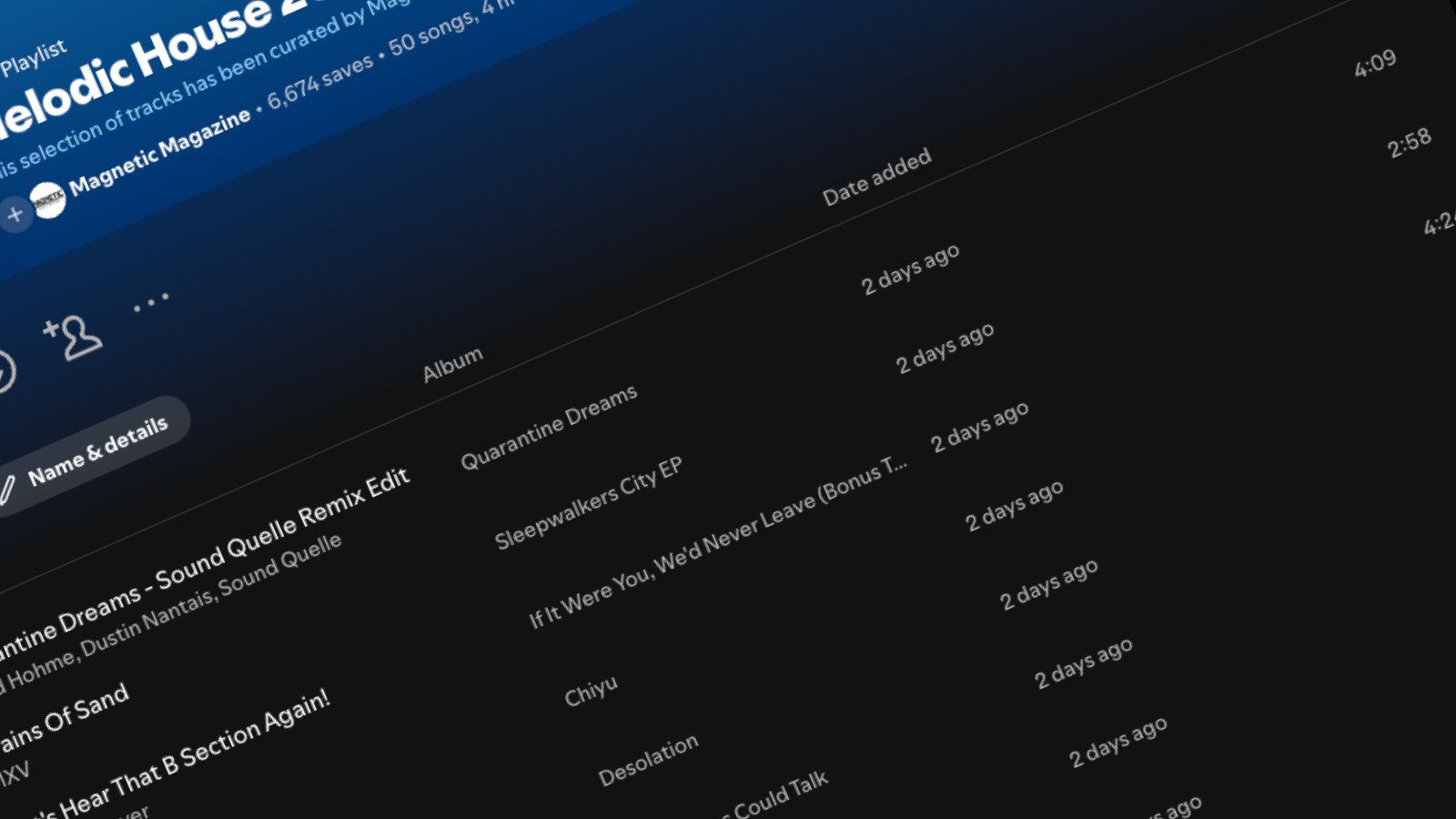
Spotify playlists have ushered in a completely different era of music discovery. The user-generated playlists have kickstarted the careers of countless artists. They have even been a way for independent curators to further their careers and make a healthy income for themselves on the side.
And while building a sizable playlist requires a lot of time and energy, all of it is for naught if we don’t establish an excellent curb appeal for our Spotify playlist in the form of fantastic Spotify Playlist artwork. And while there are many sites where you can download stock playlist art, having it be customized to you and your playlist’s brand can be the difference between attracting thousands of followers vs. being passed over by the masses.
This article will discuss every step you need to know about creating unique, customized artwork for your Spotify playlist. So let’s dive in.
Learn Even More High-Level Spotify Playlist Tips From UOAK Here
First Step: Choose An Image Maker
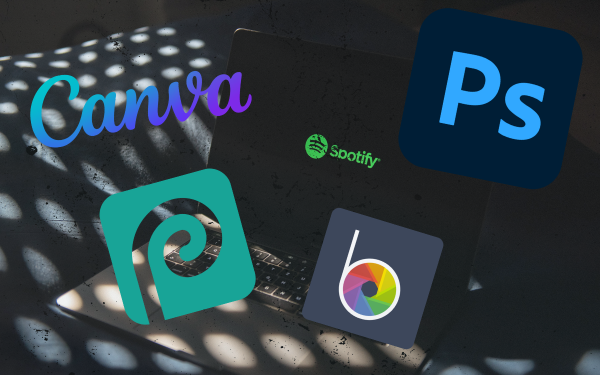
The first order of operations is to choose which app or platform you will be making your Spotify Playlist cover art. You don’t need a master’s degree in digital artwork and media design either, as most of these apps have all the essential features you need to make something that catches the eyes and attention of your potential followers.
Here are a few of the most commonly used apps to create custom Spotify playlist covers.
Throughout this tutorial, we’ll be focusing on using Canva, a free service that allows users to create excellent digital artwork and media for free. A premium account has many extra features that can help elevate the artwork you’re creating, but it’s not required. The free and basic plan has everything you need to follow along with this step-by-step guide.
Second Step: Setting Up The Basics
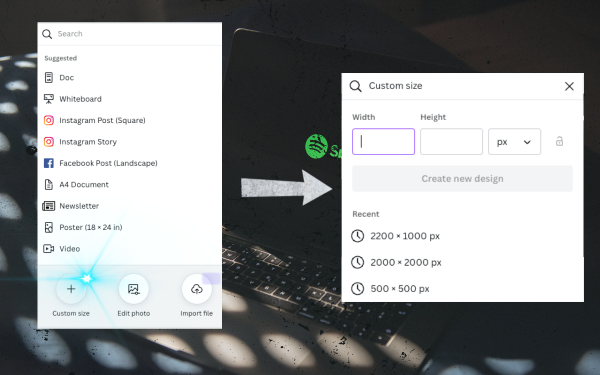
Once the photo-editing app is up and running, it’s time to set up the basics. And while Canva has a ton of unique templates that can help get you customizing your Spotify artwork ASAP, here are a few of the essential things to know before you go too far down your creative rabbit hole.
The Shape Of The Image
The image you are using for your Spotify playlist artwork must be a square or at least cropped to a square upon uploading. This is super easy to set up in Canva and requires you to set the width and height of the image to be the same values when creating the initial canvas.
Snag Hundreds Of Free Playlist Templates Here
File Size
Files cannot be larger than 4MB, or Spotify will stall when uploading the image or flat-out reject the upload. So be cautious of the file size before trying to upload your artwork. There are a few ways to help combat this problem, though.
First, you can shrink the image size so that the file size is smaller. Spotify states that the absolute smallest an image can be is 300×300 pixels, so scaling back the size of the image can be a great way to reduce the overall size of the file before trying to upload it to Spotify.
Another option would be to use a file-shrinking app or website. There are many different options here, but I usually use the app ImageOptim. If you are looking for something solely browser-based, ImageCompressor.Com will likely do the trick.
Third Step: Select A Color Pallete
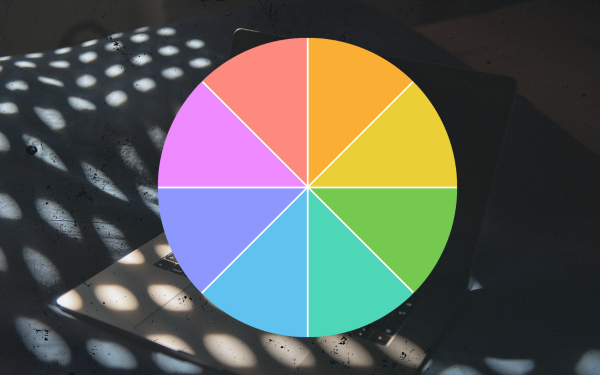
While this step doesn’t require complicated decisions, it’s essential to start thinking of the feeling and mood you want your Spotify playlist artwork to reflect. Naturally, you are going to want the artwork to be a reflection of the music you will wish to be curating.
Bright and flashy color palettes will indicate an energetic and bubble vibe of music meant for summer pool parties and beachside get together. Darker and more natural tones might better suit more somber indie playlists.
The Art Therapy blog did a fantastic write-up about how color affects us, and I highly recommend checking out some of their advice if you want to take the color palette of your playlist seriously. Even a quick scan and initial information on the topic can improve the impression of your playlist exponentially.
Fourth Step: Get Creative; Make It Your Own
Now it’s time to start getting creative and taking your first steps to make your Spotify playlist your own. Here, the sky is the limit. And while there is an infinite number of options that you could do at this step of the process, minimalism is usually the best policy. Here are a few fun ways to make your Spotify playlist artwork pop.
Add An Image
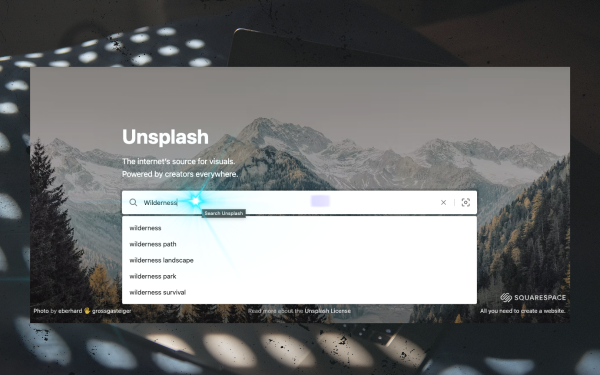
The best Spotify playlist artworks are usually centered around a singular, compelling image. Remember, playlist artwork is relatively tiny, so it’s best to let your followers focus on a single concept than try to cram in all your different visual inspirations.
Finding images that are free to use and royalty-free is easy on sites like Unsplash and Pexels. Just search for a phrase or keyword that matches the vibe of what you’re going for, and you will likely be hit with hundreds of quality images for you to use as you see fit.
Edit The Images
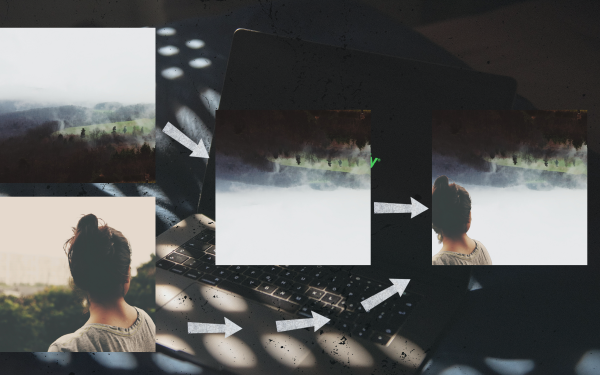
Canva makes it incredibly easy to do some bare-bones editing to the images you download, and once you’ve found a suitable image to use, you can start messing around with the powerful features Canva has.
It’s important to know that you will still want your images and the aesthetic of the images to stay in line with the branding of the playlist and the music included within. Say that you are curating a playlist of psychedelic cosmic rock. You wouldn’t want the playlist art to be cute images of your cat playing with some string.
Canva has tons of extra textures and flairs in which you can help keep any of your images on brand for the playlist. We’ll be covering those here momentarily.
Include Some Extra Flair

Once you’ve found the image(s) to use and done some essential editing work on them, you are likely 80% of the way to being done. But adding a few minor features can help elevate a good playlist cover to being a great way.
Adding a bit of extra flair, like frames or borders, can change a basic image into a professional-looking cover. Canva, for instance, has many of these features tucked away in the ‘Elements’ tab. Try experimenting with some of these options, and you’ll be surprised at how far just one or two extra flairs will take you.
Add Filters & Textures
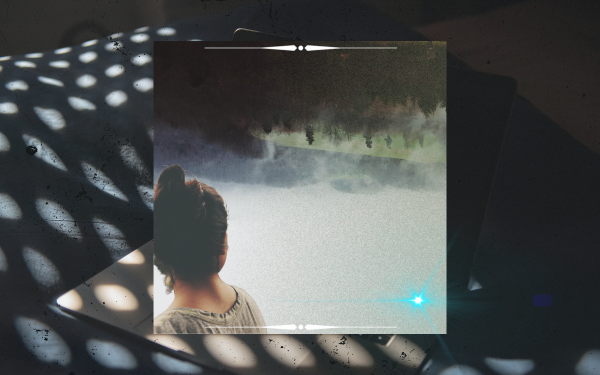
Filters and textures on the larger image can be a great way to help gel all of the previous steps together. Adding a filter or opaque texture over all the different layers of your image helps give the impression that they are one cohesive thing.
Plus, filters and textures can help enforce the artwork’s aesthetic overall, and here are a couple of examples of what I mean.
- A vintage film filter will help the playlist artwork look more retro.
- A cosmic filter might make the image look psychedelic
- A neon filter will help make the image look lively.
- A dusty vinyl texture might give an indie-music playlist a more grassroots vibe.
Discover More Unknown Artists On Spotify Here
Fifth Step: Adding Text
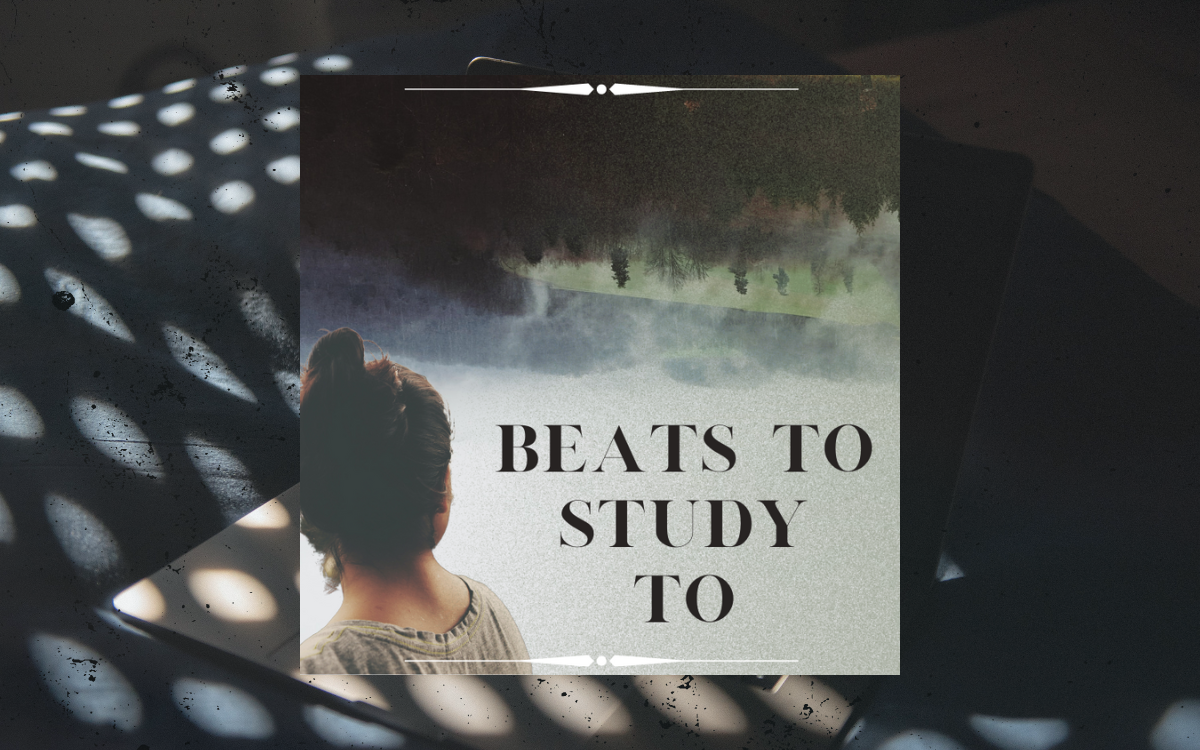
Overall, the text on the artwork should be kept to a minimum, and all you need is the playlist’s name. Maybe having a slogan or a couple of words of a catchphrase might be effective, but overall the name of the playlist is all that is important for branding.
The images are so small, and many of your listeners will be on their phones anyways, that too much text in the image will only clutter up the picture and detract from its punch.
There is no magic number or uniform font size either; it’s just essential that the playlist’s title is legible. It will look unprofessional if your listeners need to squint to read any of the languages on the image!
Choosing The Best Font
Canva has a wealth of fonts for the text on your Spotify playlist artwork. And like every other step in this guide, the font should reflect the vibe of the music. Of course, there is a wealth of fantastic knowledge out there that can help guide your font-making decision, so if you’re feeling lost and don’t know where to start with font selection, check out this article here, which talks about the Psychology of Fonts.
Some Extra Things To Note About Text On Spotify Playlist Covers
Spotify has some complex rules about what types of text you can include on a playlist cover, and you will violate these rules if you try to use the artwork as anything other than intended.
What do I mean here?
You cannot try to sneak URLs to your online shop into the artwork, and you can’t include price tags or contact information. Even the names of brands and logos are against their terms of service. Overall, stick to having your Spotify playlist artwork be an extension of the vibe you are curating and nothing else, and you will be more than safe.
Sixth Step: Download or Export The Final Image
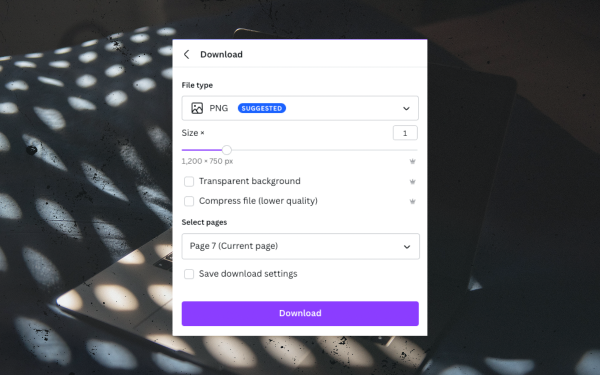
Finally, the last step of the process is to export the image. This is easy on Canva and hardly tricky, even on the more robust programs like Photoshop.
After downloading the image, double-check the file’s metadata to ensure that the file is small enough to be hosted on Spotify. When in doubt, use one of the file-compressors mentioned above to ensure that it is 4MB or smaller.
Seventh Step: Changing Your Spotify Playlist Cover

Changing and updating your Spotify playlist artwork is the easiest part of this whole process. Here’s all you have to do.
Go to your Spotify playlist, and hover your mouse over the artwork at the top. Here you will be prompted to change the artwork. Click that button and find the file on your computer or hard drive and upload it similarly to how you would do any other upload on almost every site and app in the world.
While you’re at this menu, another essential step falls outside the lines of simply creating the Spotify artwork (which is why we’ve included it as one of two bonus steps at the bottom of this article).
Eighth Step: Being An Expert Playlist Copywriter (Bonus)
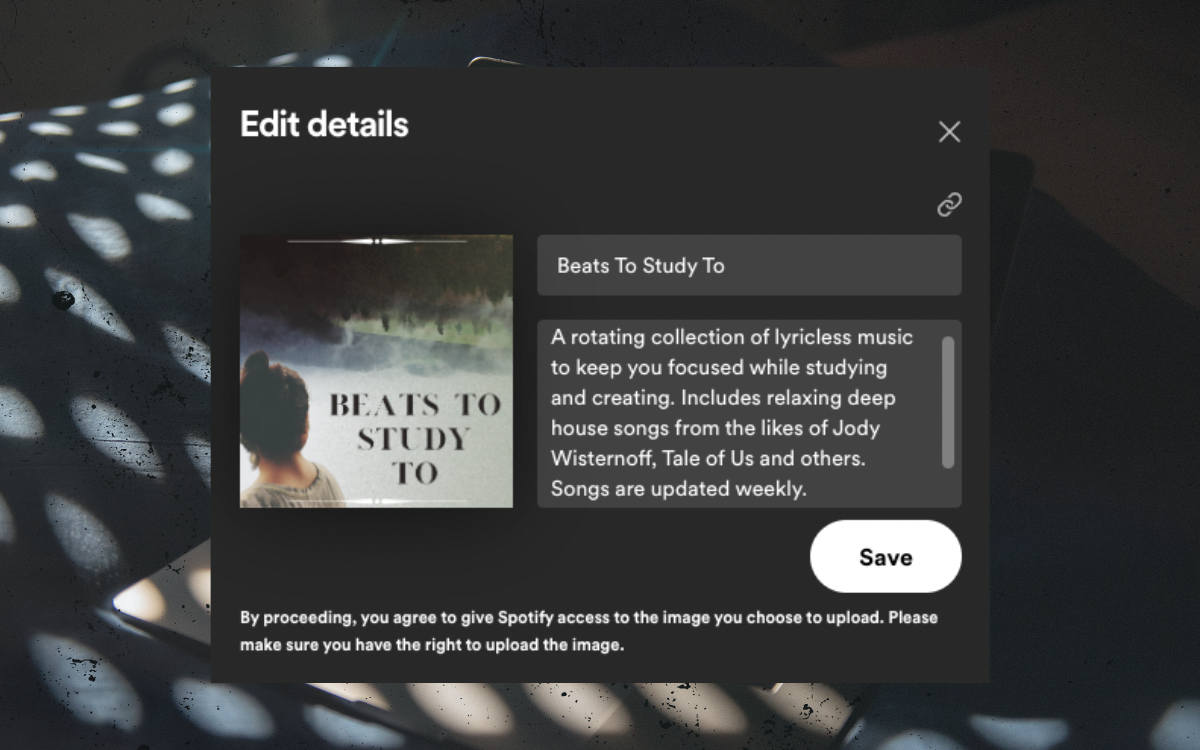
This menu that pops up in the previous step will allow you to change the Spotify artwork but the title and description of the playlist itself. The title and description of the Spotify playlist are important ways for people to discover your playlist.
And you don’t need to be a search engine expert or SEO guru to start using the playlist title and description to have potential fans have a better chance of stumbling upon your playlist organically.
Naming The Title
A great title does two things simultaneously. First, it will set the expectation for the listener about what they will be getting themselves into when listening to your playlist. As such, it’s always wise to name it something similar to the vibe of the music included. Including the music genre, the selections’ emotional vibe, or the ideal listening environment for the playlist can help guide the fans to your playlist.
Secondly, the title has to goad a bit of curiosity out of the listener and be clever and catchy. This is optional, as many of the most common playlists have simple and direct names. But from a branding perspective, having a catchy title can be a game-changer. Below are links to a few playlists that knock the titles out of the park.
- no lyrics – study playlist
- Melodic Deep House
- Brain Food
- Acoustic Nights – A Midnight Indie/Folk/Chill Playlist
- Bedroom pop & Indie vibes – chill music
- Progressive House 2023 – Relaxing Focus Music (Updated Weekly)
Writing The Description
The description should describe a bit more about the playlist and be used as an opportunity to sneak in some keywords that potential fans might be searching Spotify for. Keywords such as genre, similar artists, record labels, and more are perfect here and can help capture the traffic of people searching for those keywords.
On top of that, it’s a great chance to say how often the playlist is updated, so your listeners know how often to check the playlist, plug your artist project, and more.
Don’t get too wordy with the description, but don’t skimp on it.
Ninth Step And Beyond: Growing Your Spotify Playlist (Bonus)

There is a secret art to growing a Spotify playlist. While the quality of your selections certainly helps, it’s more than just curating great tunes and having people miraculously come and follow your playlist. Here are a couple of tried and true methods for growing your playlist apart from keeping your playlist consistently updated with new and exciting music.
Share It With Your Audience
This is the most obvious one, but you should share your playlist on your social media accounts and drive your friends, family, and fanbases to follow your playlist. This is the best way to get an initial following of the playlist and gain some initial social proof to convince potential followers outside your network that you mean business.
Have Others Share It To Their Audience
A great strategy is to start tagging the artists you support in your playlists when you post about playlist updates. Tagging an artist and saying something about their music (alongside a link to your playlist, of course) can hopefully help enough for the artist to see the post and reshare it on their network, thus exposing your playlist to their audience and capturing potential fans that way.
Host Your Playlist On Curator Sites
This method only works once you have a decent enough following, but hosting your playlist on sites like Submithub and PlaylistPush can help expose your playlist to other artists and creators looking to place their songs on your list.
Artists in your niche are often looking for playlists to pitch to and will give your playlist a follow to keep tabs on what types of music you’re supporting in hopes that your taste aligns with their sound.
Run Ads To Your Playlist
This is the old-fashioned way, but it is the best and most streamlined way to build an initial following and reach audiences who have potentially never heard of you.
Running ads on Instagram or Spotify that direct people to your playlist can be a great way to continue to pour fuel on your fire and build a substantial following. It might take some time dialing in the exact ad set you want and the audiences that resonate with your ads the most, but once you lock into a demographic, you can see results.
Get Featured In Lists and Roundups
Websites and blogs often run content on Spotify playlists and featured artists, and finding out which blogs support that type of content can be a great way to get featured in their editorial pieces.
Find blogs and sites covering playlists in your genre, reach out to them and see if they would include your playlist in rounds like ‘Best Hip-Hop Playlists On Spotify” and other similar search terms. The method might take an initial upfront investment of time and energy, but once you’ve locked in an inclusion on such an article, it should constantly attract eyeballs from anyone who reads the post.

Will Vance is a professional music producer who has been involved in the industry for the better part of a decade and has been the managing editor at Magnetic Magazine since mid-2022. In that time period, he has published thousands of articles on music production, industry think pieces and educational articles about the music industry. Over the last decade as a professional music producer, Will Vance has also ran multiple successful and highly respected record labels in the industry, including Where The Heart Is Records as well as having launched a new label with a focus on community through Magnetic Magazine. When not running these labels or producing his own music, Vance is likely writing for other top industry sites like Waves or the Hyperbits Masterclass or working on his upcoming book on mindfulness in music production. On the rare chance he's not thinking about music production, he's probably running a game of Dungeons and Dragons with his friends which he has been the dungeon master for for many years.