Diving into MIDI keyboards, the Native Instruments Kontrol S-Series MK3 stands out as a beacon of innovation and seamless integration. This series, featuring options from the compact 49-key model to the expansive 88-key version, promises a journey into the depths of musical creativity. In this review, we’re set to explore how these smart keyboard controllers, with their Fatar keybeds and cutting-edge features, redefine the experience of virtual instrument manipulation.
As we navigate the nuances of the Kontrol S-Series MK3, you’ll discover the unique intricacies this series of keyboards brings. From the tactile response of the keys to the forward-thinking implementation of MIDI 2.0, there’s a story behind every detail. We’ll delve into the expressiveness these keyboards unlock, the ergonomic design that beckons your touch, and how they effortlessly bridge the gap between digital and physical sound control.
Learn More While Supporting Our Team Of Writers Through Our Affiliate Partnership With Sweetwater Here
What Is The Kontrol S-Series MK3 MIDI Keyboard?

The Native Instruments Kontrol S Mk3 series comprises advanced smart keyboard controllers designed for seamless integration with virtual instruments. Available in 49-, 61-, and 88-key variants, these controllers feature Fatar keybeds developed in collaboration with Native Instruments. The S49 and S61 models have semi-weighted keys and polyphonic aftertouch. In contrast, the S88 model has a hammer-action polyphonic aftertouch controller (something no other keyboard possesses at the time of writing this article, pretty sweet!). The series is designed for comprehensive control over DAWs and is compatible with MIDI 2.0 and USB-C MIDI.
The Kontrol keyboard controllers offer nuanced expressivity with features like onboard polyphonic aftertouch, allowing detailed control over each note. Users can assign modulation wheels for various parameters, and a dedicated Touch Strip adds another dimension of expressivity. The keyboards, developed with Fatar, capture the nuances of expression and are calibrated for high-resolution MIDI 2.0. The interface includes a full-color display, knobs, a 4D encoder, and soft switches. The Light Guide system features RGB backlighting for keys, buttons, and encoders, aiding in key, scale, and switch identification.
Connectivity and integration are key aspects of the Kontrol S Mk3 series. These controllers support USB-C bus-powered architecture and MIDI over USB, facilitating seamless DAW integration. They also offer 5-pin DIN MIDI I/O for compatibility with various instruments and devices. The series includes four 1/4-inch TRS jacks for pedals, one each for sustain and expression, and four assignable inputs for additional control. The controllers are designed for ergonomic use, with pitch and modulation wheels, a bidirectional Touch Strip, and a 4-directional push encoder for efficient sound browsing and project navigation.
Snag Premium House Music Samples Without Breaking The Bank With Our Massive Curated List Of Warm, Punchy Sounds From Across The Internet. Click Here To Get 4k+ Free Sounds and Samples
What I Loved Most About The Kontrol S-Series MK3 MIDI Keyboard
It Made Me An NKS Convert
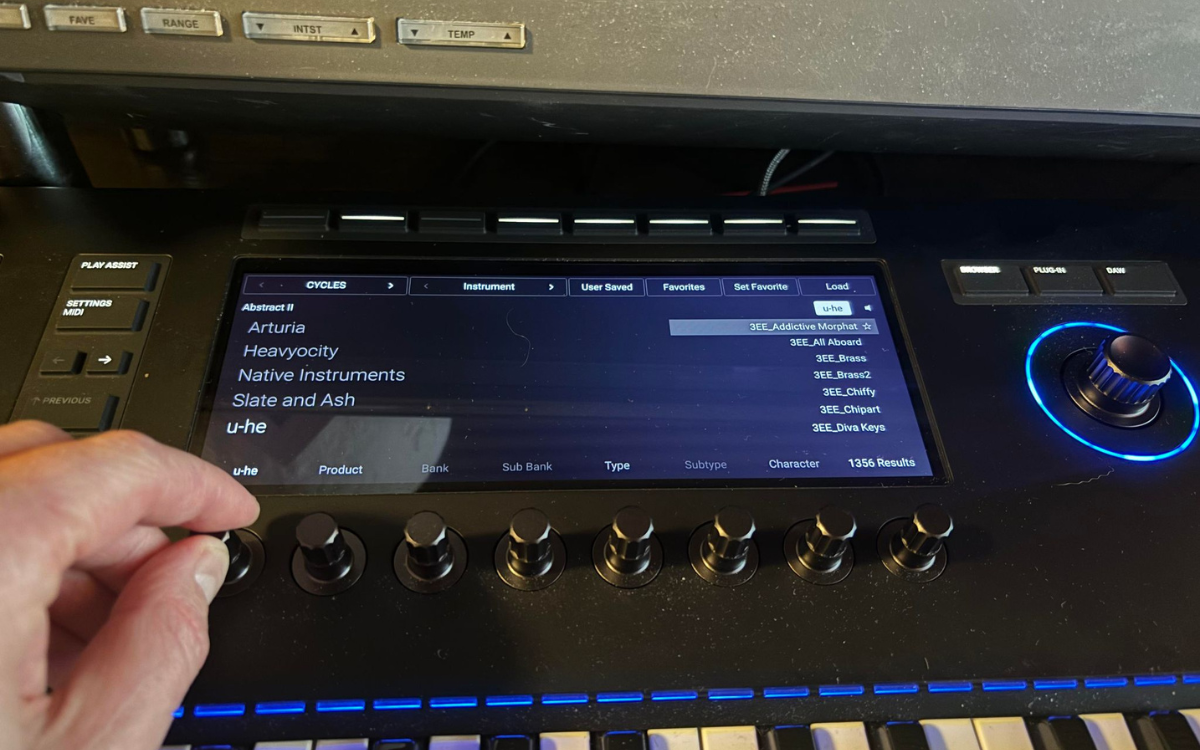
Native Instruments’ NKS technology enables using any NKS-compatible libraries and plugins on Native Instruments hardware, particularly on the MK3 keyboard. The central LED screen on the keyboard, alongside its range of merits (which I will discuss shortly), allows you to control various functions. For instance, the touch-capacitive knobs below the screen can adjust the FX on a Kontakt patch to full sound design control on popular synths like Diva.
The essential advantage of this functionality is its capacity to let you manipulate and access the full range of sound without needing to switch from the keyboard to your DAW using a mouse. This feature is handy when working with complex libraries like those from Slate + Ash, as many essential features typically buried in various plugin menus and windows are now easily accessible on the MK3’s screen.
Additionally, NKS offers significant organizational benefits through the Komplete Kontrol plugin. In my opinion, a standout feature is the ability to tag and ‘favorite’ patches and presets in Kontakt – a functionality notably lacking in earlier standalone versions of Kontakt.
Native Instruments Has A Full Breakdown Of All NKS’ Features On Their Site Here, In Case You’re Still Curious.
It’s The Perfect Combo Of Workstation And Keyboard
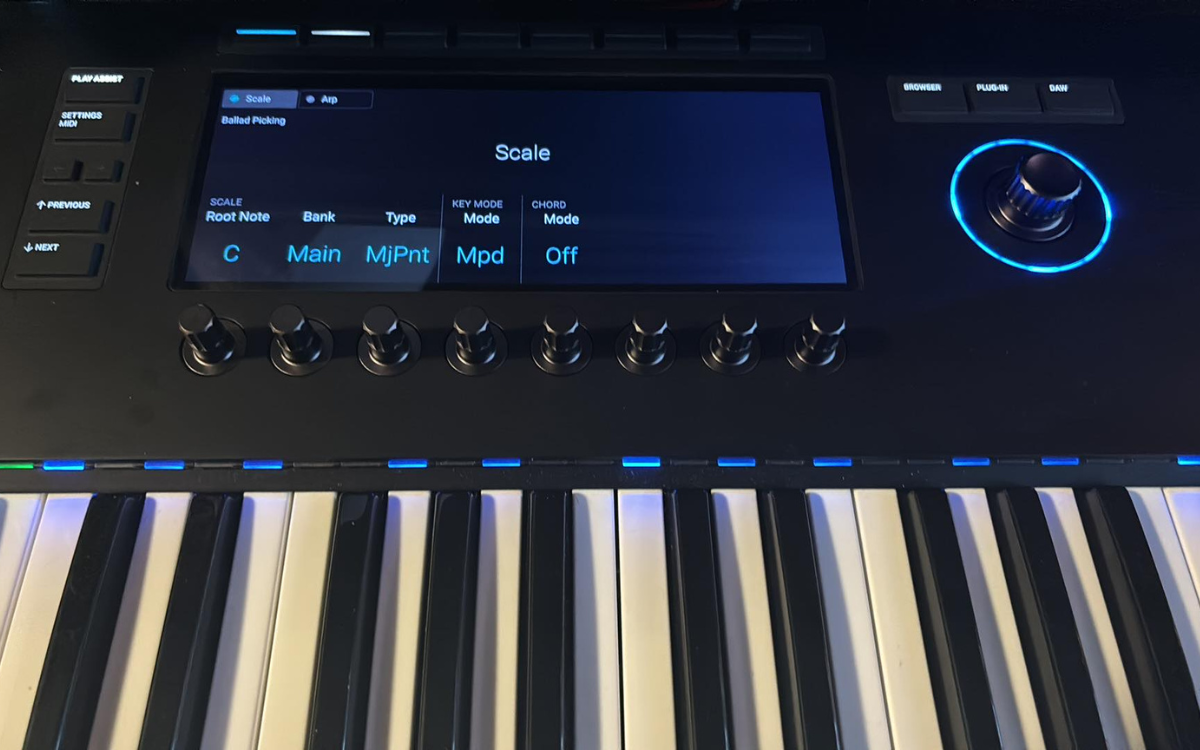
Having reviewed various workstation keyboards, I’ve often noticed their complexity hinders their ambition. However, the S-Series keyboard perfectly balances an intuitive, out-of-the-box workflow and a feature-rich, DAW-integrated experience.
The keyboard has numerous features that boost creativity for all skill levels. One standout feature is the ‘Play Assist’ tab, loaded with scales, arps, and more, enabling you to compose music based on intuition rather than complex theory. Notably, the scale function is limited to the active Komplete Kontrol instance rather than extending across the entire channel.
Furthermore, the S-Series includes functionalities for effortless navigation within your DAW, allowing you to focus on the keyboard instead of constantly glancing at your DAW screen. While it doesn’t support advanced mixing techniques like EQ adjustments, it does offer essential yet crucial tools for gain staging and panning. This helps in creating a preliminary mix and setting instrument levels during composition.
Interested in crafting unforgettable dance tracks? Explore ‘Songwriting in Dance Music: Tim Green Shares How He Writes Music That Stays with You’ – enhance your songwriting skills here.
Not Going To Lie… The LED Screen Is A Massive Flex
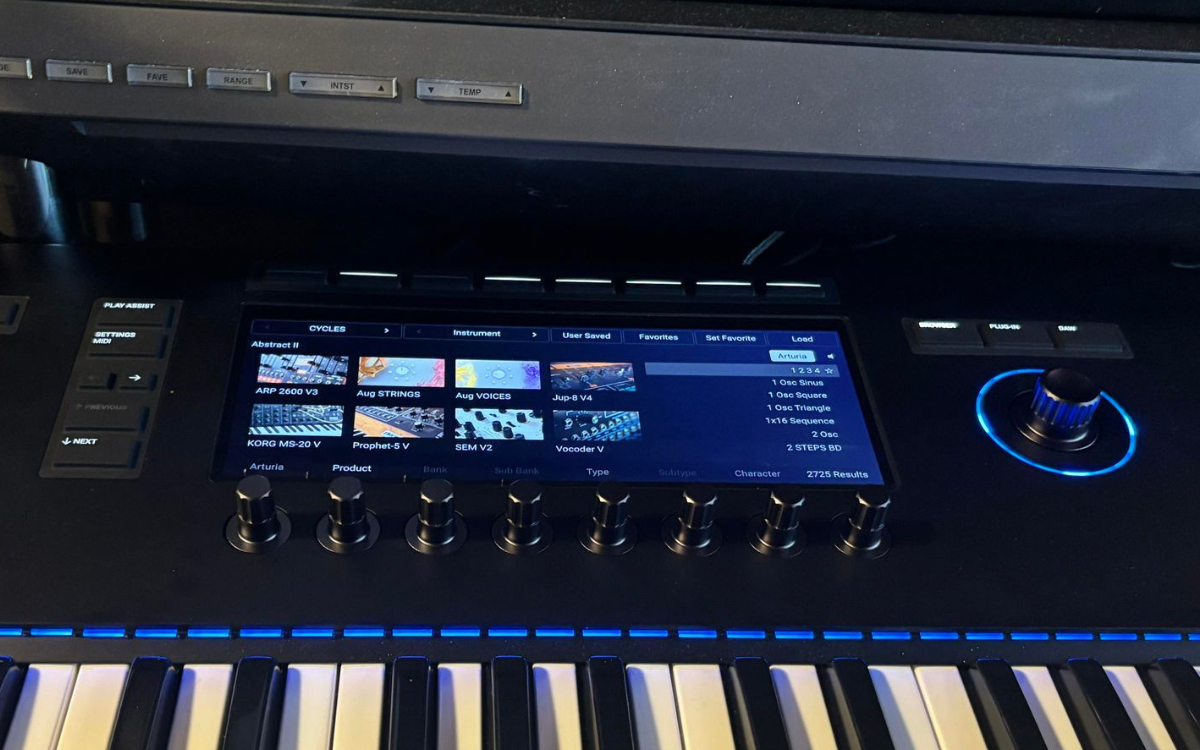
The LED screen significantly enhances the appeal of this keyboard. Its ample size immerses you in the experience, while the brightness adds to its allure. Navigating through most of the keyboard and synth functions is straightforward and user-friendly. Admittedly, some of the more advanced features require a bit of menu exploration, which I’ll delve into shortly. Still, about 80% of the functions are generally easily accessible and straightforward to use.
Beyond its practical functionalities, the aesthetic aspect of the screen deserves mention. When lit up with menus or displaying its array of synths, the screen has an almost futuristic look that’s visually stunning and invites you to experiment with anything and everything it showcases.
What I Wasn’t Crazy About
It Feels Menu Divey At Times
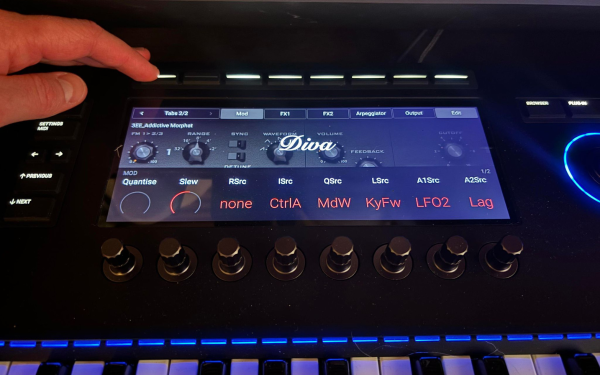
While I previously praised the LED screen for its browsability and user-friendly menus, it’s essential to acknowledge its limitations. The screen’s browsability and user-friendly menus are noteworthy, yet integrating vast customizability into a small display presents challenges. Native Instruments addressed this with efficient quick-scrolling buttons, simplifying access to critical sound-affecting parameters.
Initially, navigating the interface feels like a deep dive into menus.
However, with time, familiarity breeds ease, and muscle memory transforms navigation into a breeze. This experience mirrors the initial overwhelming sensation when approaching complex hardware like my Korg MS20 Mini and/or Behringer 2600. Initially, I underestimated the MK3, mistaking it for just an advanced MIDI keyboard. Yet, a shift in perspective revealed its true potential. Recognizing its flexibility and integration capabilities, comparable to any hardware synth, unveiled its true power, making it an invaluable tool in music production.
Curious about infusing emotion into your tracks? Dive into ‘How to Add Emotion to Music Production: Corren Cavini Shares His Secrets to Writing Dance Music’ – deepen your creative expression here.
More Things Need NKS!!!
This is a small gripe that borderlines on a comedic one, but I wish that more of my favorite software had NKS functionality. If it did, this keyboard would be one of the best things ever to hit the production market.
Before using this keyboard, I was blissfully unaware of this tech in the first place and was incredibly shocked to find that a massive list of companies are all supported with NKS – all of which can be found on Native Instrument’s partner’s page here.
My Favorite Kontakt Libraries For The Kontrol S-Series MK3 MIDI Keyboard
Slate + Ash Cycles
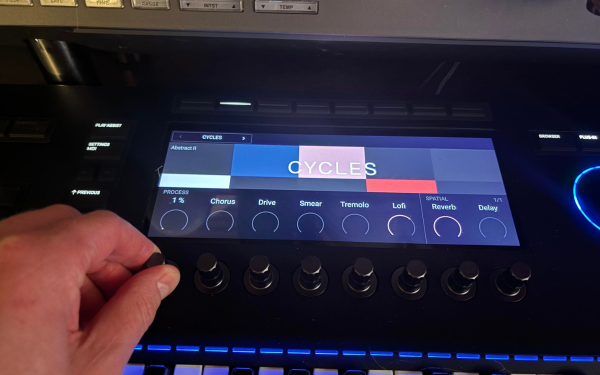
Slate + Ash, known for their highly unique and often revolutionary libraries, seems to have found an ideal match in a keyboard like this. Having used their libraries for over a year, I appreciated the sound potential. Yet, the limitation of modulating only one parameter at a time with a mouse was a drawback, particularly when browsing and playing presets.
However, the integration of NKS functionality in this keyboard transforms the experience. It enables instant access to all crucial sound-shaping parameters upon loading a patch, significantly enhancing the usability of these libraries – a notable advantage given their premium pricing.
Playbox
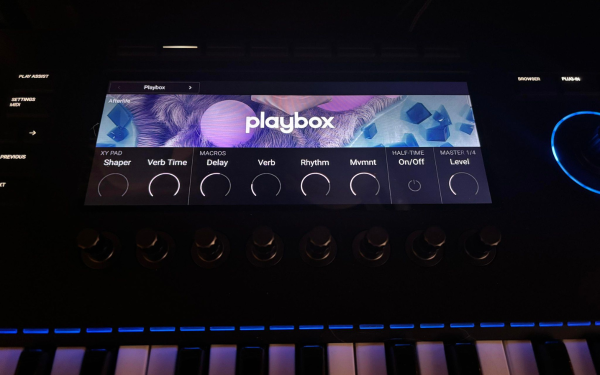
Playbox, a longstanding NI library, has always harbored immense potential, yet accessing its full capabilities has been inconvenient until now.
The library’s design encourages experimentation, but previously, the process was bogged down by the tedious task of automating parameters one by one using a mouse. This method lacked the excitement and dynamism of directly manipulating the parameters. Now, with the major controls auto-mapped to the knobs beneath the LED screen, the experience is transformed.
This setup unlocks the true potential of the Playbox library. It aligns with its intended use – engaging in playful and spontaneous experimentation, making the user experience more intuitive and enjoyable.
Struggling to hit your first 1K listeners on Spotify? Gain insights from ‘5 Tips to Get Your First 1K Listeners on Spotify: Weir Shares His Music Marketing Knowledge’ – boost your audience here.
Session Guitarist Series
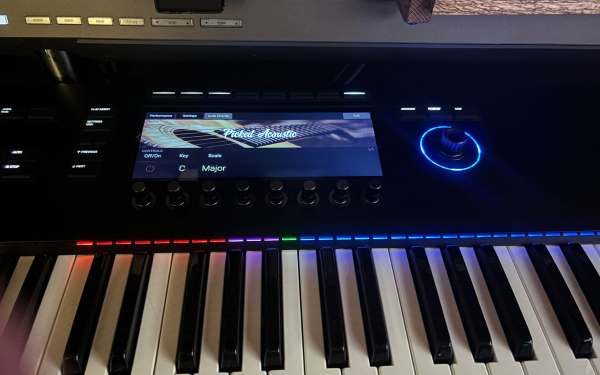
Guitars and strings are notoriously challenging to replicate realistically in MIDI. Still, when used with this keyboard, the Electric Vintage library significantly eases the process of sketching ideas and composing viable parts for commercial music.
While the velocity-sensitive keys and polyphonic aftertouch play a significant role in this enhancement, the color-coded mapping truly stands out. This feature allows for quick identification and playing of riffs and progressions thoughtfully included in the libraries. Before this, playing felt more like a hit-or-miss endeavor, but now, the color-coded mapping transforms these libraries into efficient composing tools, enabling rapid music creation.
Looking for guidance in your music career? Discover ‘Finding Mentors in the Music Industry: Entel Shows How Finding a Mentor Can Define Your Career’ – shape your future here.
Final Thoughts
As we wind this review to a close, Native Instruments Kontrol S-Series MK3, it’s clear that these keyboards are more than just an amalgamation of technology and design; they represent a pivotal shift in how music creators interact with digital instruments. The seamless integration of tactile controls and advanced features like MIDI 2.0 compatibility in each model – from the compact 49-key to the fully-fledged 88-key version – demonstrates a keen understanding of the modern musician’s needs.
The incorporation of Fatar keybeds across the series not only ensures a responsive and satisfying playing experience but also signifies Native Instruments’ commitment to quality and detail.
The ergonomic design, combined with the intuitive interface of these controllers, paves the way for an immersive creative process, transcending the traditional boundaries of digital music production. Whether the precise control offered by polyphonic aftertouch or the ease of navigating through complex arrangements with the multi-functional Touch Strip and 4D encoder, the Kontrol S-Series MK3 caters to both the technical and expressive aspects of music creation. In essence, these keyboards are more than just tools; they are partners in the artistic journey, empowering musicians to bring their visions to life with unprecedented ease and flexibility.
The Kontrol S-Series MK3, therefore, stands out for its impressive feature set and ability to inspire and elevate the creative process to new heights.
Learn More While Supporting Our Team Of Writers Through Our Affiliate Partnership With Sweetwater Here

Will Vance is a professional music producer who has been involved in the industry for the better part of a decade and has been the managing editor at Magnetic Magazine since mid-2022. In that time period, he has published thousands of articles on music production, industry think pieces and educational articles about the music industry. Over the last decade as a professional music producer, Will Vance has also ran multiple successful and highly respected record labels in the industry, including Where The Heart Is Records as well as having launched a new label with a focus on community through Magnetic Magazine. When not running these labels or producing his own music, Vance is likely writing for other top industry sites like Waves or the Hyperbits Masterclass or working on his upcoming book on mindfulness in music production. On the rare chance he's not thinking about music production, he's probably running a game of Dungeons and Dragons with his friends which he has been the dungeon master for for many years.