It’s the jolliest time of the year when the weather gets colder and forces us to stay inside to spend loads of quality time with our loved ones, Playstation, Xbox and Switch, oh and the rest of the family. Behold, our annual holiday gear guide comes filled to the brim with the best gift ideas that the gaming and streaming world have to offer. So don’t miss out on finding that special something for that special someone.
RØDE
RØDECaster Pro II – $599.00:
Last year we featured the RØDECaster Pro (check out Magnetic’s review here) in our annual holiday gamer guide and it was and still is a marvelous monster in the podcasting/streaming world. Fast forward to 2022 with the release of the RØDECaster Pro II (RCP2) (check out Magnetic’s review here), a new redesigned successor filled with more features in an even smaller package.
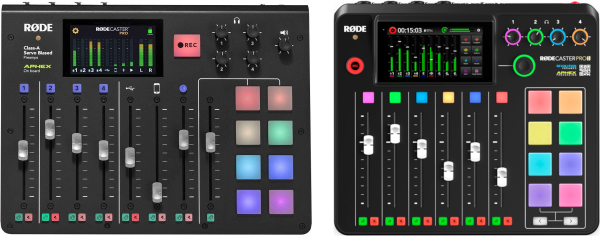
The first noticeable changes to the RCP2 are the missing two sliders, the larger angled touchscreen and illuminated repositioned microphone controls. Oh and can’t forget that smaller LP sized footprint!
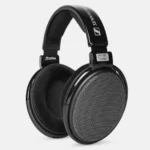
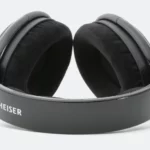


Another closer look at the RCP2 reveals a much more refined solid chassis with smooth beveled edges, zero mounting screws on the faceplate and a reformed color coded button pad system. Flipping the RCP2 reveals that it no longer utilizes the open air panel design giving it the possibility to be mounted on a stand. Finally!
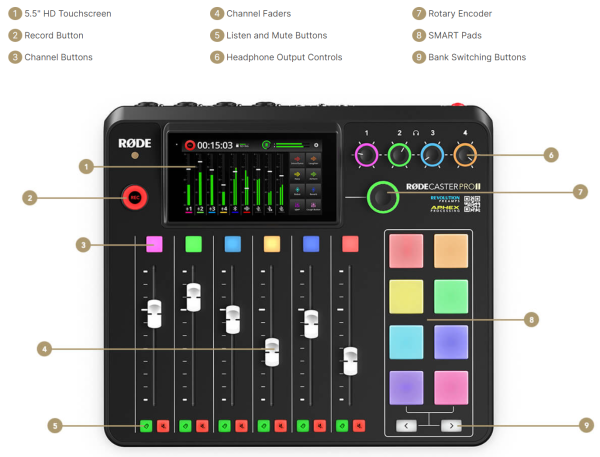
RCP2 also gets a mild control facelift by way of different positioning of the “Record” button (now on the left side), RGB headset controls queued in line and a replacement larger RGB “Rotary Encoder” knob.




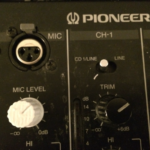
The new 5.5″ high definition touchscreen with haptic feedback is also a welcome change. Bigger is better and the RCP2’s upgraded screen really unlocks an easier interface experience with better graphics and customizable ease. This is also the panel that grants you access to all presets, effects, sounds, voice changers and many more features. Check out the above photo gallery for a glimpse at a handful of function page screenshots that this command center offers with just a touch.
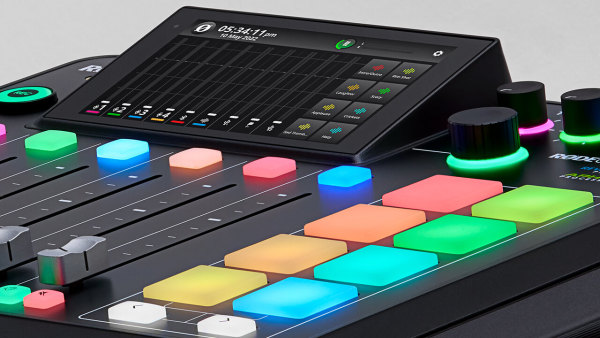
Returning to the RCP2 are the 8 programmable pads but with more functionality than before. Instead of being secluded to sounds, the RCP2 “Smart Pads” now have the ability to hold 64 sounds, 64 functions and/or 64 midi triggers. To further give ample support to these Smart Pads, RCP2 is now equipped with 4GB of internal storage, unlike the meager 512MB in the RCP.
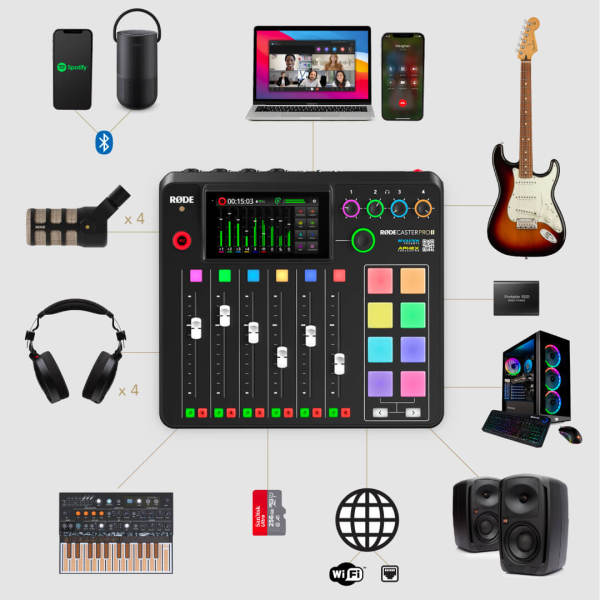
RØDE decided to break down barriers by offering across the board connectivity giving the RCP2 stratospheric versatility. New XLR/TRS Neutrik combo jacks now make it possible to connect microphones, any musical instruments, synthesizers, other line-level devices and whatever else you need to make the magic happen. Monitoring your session is as easy as plugging in up to four pairs of headphones with illuminated controls for each set. Need speakers, no problem via the balanced 1/4 inch line outputs between headphone plugs and mic jacks. RØDE also upgraded to ultra-low-noise, high-gain Revolution Preamps, which now solve the problem of any gain-hungry mics.
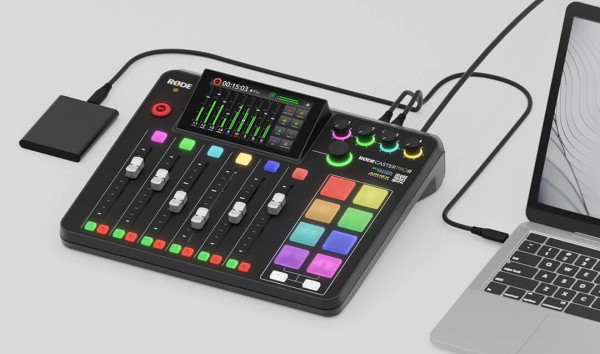
Still need more? How about the ability to connect two computers or any mobile devices using dual USB-C inputs. Advanced Bluetooth connectivity is also available to record high quality phone calls or stream a call with the best clarity and sound.
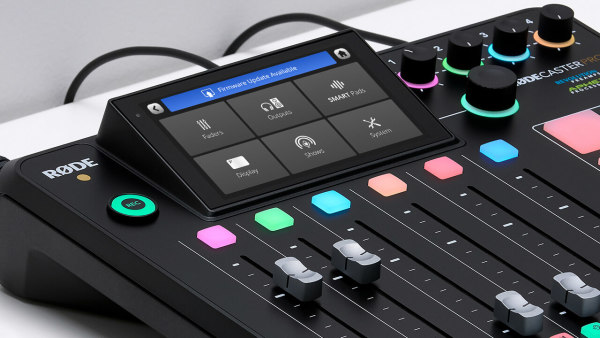
One thing I love is when a company actively works on releasing firmware updates to better equipment that has already been purchased. RØDE is notorious for keeping the updates coming. For this very reason, the RCP2 is equipped with a 100/1000 Ethernet port to quickly get firmware updates downloaded and installed but you can always use WiFi or USB. At the end of the day it’s all about having options and the RCP2 is bursting with them.
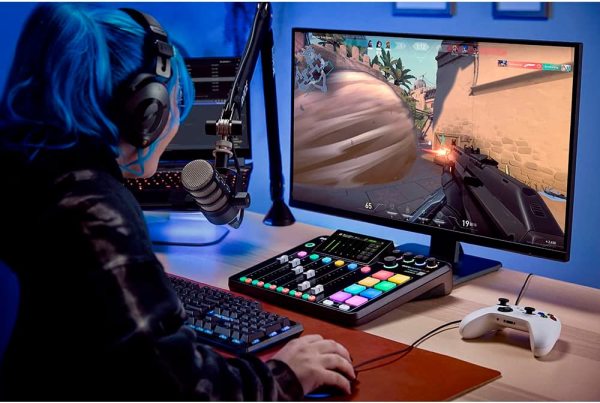
To be honest, I could keep going on and on about this magnificent everything-studio but I’m sure you get the picture. If you’re an aspiring gamer hoping to elevate your streaming presence to a refined professional level or you know someone who is, this might be the gift of a lifetime.
PODMIC – $89.95:
So you bought the RØDECaster Pro II but now you need an XLR mic to make your stream chats happen…say hello to the PodMic from RØDE. Released in 2019, this broadcast ready dynamic microphone is the proverbial workhorse in the podcasting community.

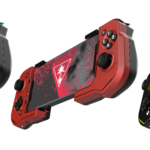
Three colors to pick from, Teal, Red and Yellow
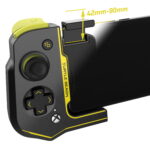
Each controller connects independently on both sides of your phone.
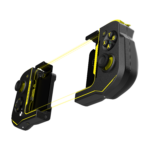
Both controllers connect wirelessly to give you the best mobile gaming experience.
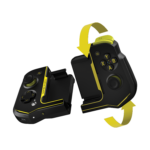
When not in use, both controllers magnetically connect in a ying yang fashion.
With its demure all-metal construction, the PodMic tends to be shy when it comes to showing off what its got. To the untrained eye the PodMic seems like a stripped down and bare microphone requiring additional accessories to bring it up to par, but no no no, the truth is the PodMic is fully equipped with a pop filter and a shock mount, both hidden, both internal and both poised to protect your audio recordings from vibration booms, hisses and plosives. Giving the PodMic added pep in its step is the integrated swing mount that easily mounts to any stand or boom arm like the RØDE PSA1+.
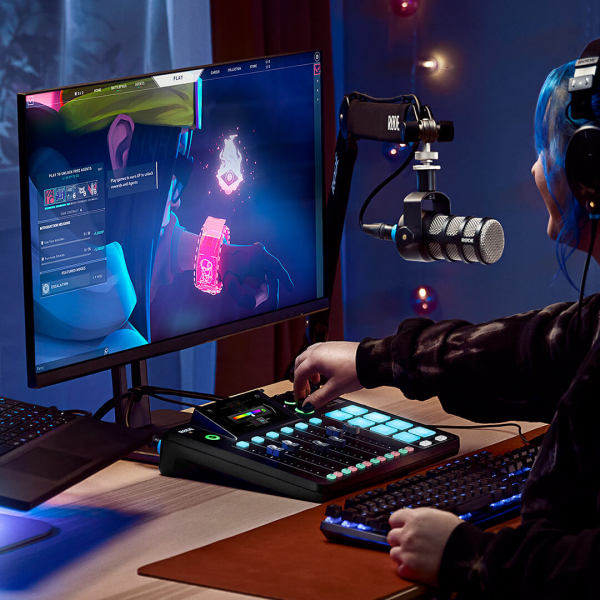
When paired with the RØDECaster Pro I or II the PodMic transmits every inflection and tone perfectly thanks to the dynamic capsule embedded beneath a steel mesh shell. A cardioid polar pattern ensures that the PodMic pointed in your direction is the one you’ll be audibly feeding. After three years on the market the PodMic is still a very sought after and go to choice by many fans of its reproduction excellence.
NTH-100 – $119.20:
RØDE has dipped their toes into the congested market of headphones with the NTH-100. Beautifully engineered the NTH-100 is hands down one of the best looking headsets on the market. On top of being well equipped with custom tuned 40mm drivers, with podcasters and gaming streamers in mind, the NTH-100 also offers amazing comfort with RØDE’s CoolTech gel memory foam, wrapped in Alcantara, the luxurious material that Bugatti’s are upholstered with. This keeps you from getting sweaty ear fatigue after hours of continuous use. Check out our in-depth review for a more detailed look into the NTH-100 here.
RØDE X
XDM-100 – $249.00:
https://www.youtube.com/watch?v=GRsi4uzREsw
The XDM-100 is the first flagship microphone coming from RØDE’s inaugural streaming and gaming division, RØDE X. Released earlier this year, the XDM-100 was designed exclusively with the gaming community in its sights.


The XDM-100 is an all-metal dynamic USB microphone crafted with tactical serration style grips, Louboutin-esque red accents and drenched in a murdered-out black finish. Weighing in at a solid 700g, the XDM-100 is a beast in physicality alone. At the core of this audio monster is a plug-and-play USB-C microphone, featuring advanced DSP and RØDE’s ultralow-noise, high-gain Revolution preamp, delivering a strong signal level for the built-in 24-bit / 48 kHz analog to digital converter.
Outfitted with a dynamic capsule in a cardioid polar pattern, the XDM-100 is perfectly suited for bedroom studios, unfinished basement command centers or repurposed walk-in closets, that lack any professional soundproofing. To further aid in keeping your recordings immaculate, the included slide-on pop filter and suspension shock mount, will prevent disturbing vibrations, uninvited plosives, searing hisses or even that heavy breath here and there.
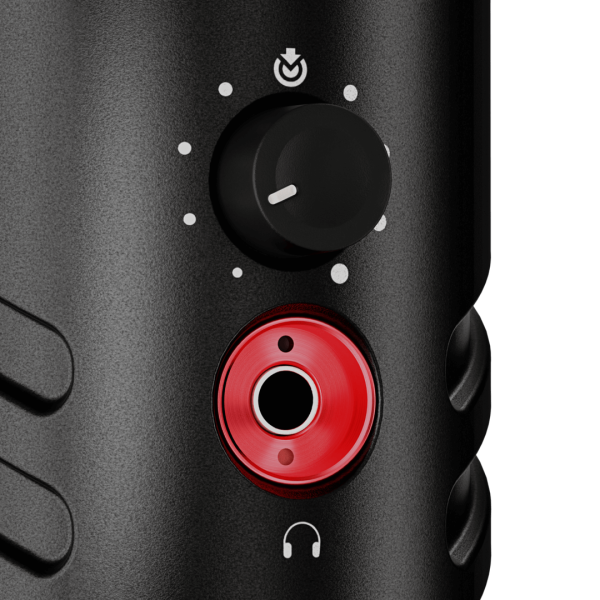
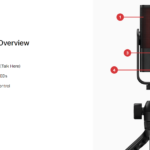
Microphone level is governed by a push-to-mute rotary knob located on the backside of the mic with a red splashed zero-latency 3.5mm real-time monitoring headphone jack right below it.


XDM-100 users will be pleasantly surprised to find a bevy of premium accessories like the slip on pop filter, a 9.8′ headphone cable, USB-C cable, UNIFY software and an ominous arachnid-like RØDE PSM-1 suspension shock mount. And yes, the XDM-100 with shock mount attached does give off black widow vibes.
If you need to find the best for the best this holiday season, the XDM-100 is your champion.
XCM-50 – $149.00:
https://www.youtube.com/watch?v=r0sXcEMYMQs
The XCM-50 is the second USB microphone coming from the hallowed gaming halls of RØDE X. Similar to its bigger sibling above, the XCM-50 is designed exclusively with gaming and streaming in mind.




The XCM-50 is a tiny all-metal condenser USB microphone with refined smoothed out boxey lines, Louboutin-esque red accents and bathed in a matte black finish. At the center of this tiny powerhouse, is a plug-and-play USB-C microphone, featuring a built in advanced DSP chip (accessible via UNIFY software), studio class headphone amp and a high-gain preamp pumping out a solid signal level for the built-in 24-bit / 48 kHz analog to digital converter.

Installed underneath the mesh exterior is an internal red pop filter that shields a tiny but powerful condenser capsule tuned to deliver warm rich audio while retaining crystal clear highs. As added protection, the capsule is embraced by the internal shock mount tasked with hindering any bumps in your stream. Because of the highly sensitive condenser capsule, the XCM-50 is best in an environment that does not echo. If you’re space is plagued by echoes, time to upgrade to the dynamic XDM-100 above.

I could go on about about how amazing it is that Röyksopp gave us three, wonderful albums this past year but for house music’s sake, the truly, generous gift was &ME’s brilliant interpretation of their collaboration with Alison Goldfrapp, “Impossible.” Her breathy, sensual vocals matched up with the moody rhythms supplied by &ME is truly, remarkable.
” tml-embed-width=”100%” tml-embed-height=”166″ tml-render-layout=”inline” tml-embed-viewport-heights=”{"A":166,"B":166}”>
Criminally short at barely three and a half minutes long is “Never The Same” by Aussie producer, Loods. Possibly, the best disco/house fusion this side of 2020 and definitely the best to come out of 2022.
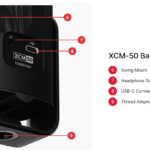
The headphone level rotary control doubles as a push button mute and is installed on the front bottom of the mic. USB-C port and an amplified zero-latency 3.5mm real-time monitoring headphone jack reside in at the rear.


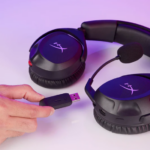
XCM-50 users will be pleased to find a RØDE three-position tripod, a 9.8′ headphone cable, USB-C cable and UNIFY software.
UNIFY – (FREE w/RØDE X):
https://www.youtube.com/watch?v=k-Fmon965Tk
On top of two amazing gaming USB microphones, RØDE X has also released UNIFY, a powerful virtual mixing software designed to work with RØDE X, RØDE and other microphones. UNIFY is free to all RØDE X users and comes included in every box.
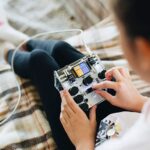


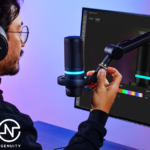
With UNIFY at the helm, you can easily route all mics, games, chat, music and other sound sources through one central virtual mixer. This powerful software will allow you to utilize sound effects, change your voice, control what you and your audience hears independently, unlock DSP processing on RØDE X mics and so much more.
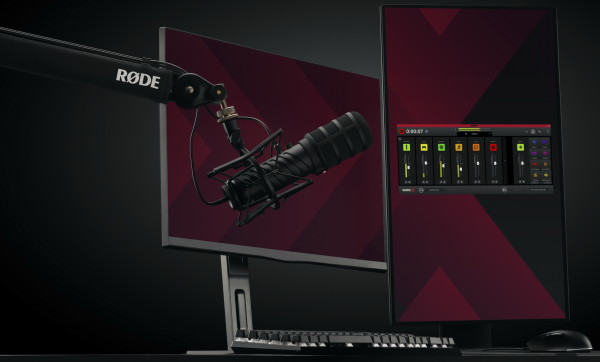
Also available through UNIFY is the Aphex processor (RØDE X mics only) featuring a high pass filter for crystal clean audio, a noise gate to remove or dampen any background noise, compressor to give your voice a smoothed out punch and the aural exciter and big bottom which enriches your audio with broadcast tones. It’s kind of like having a strip down virtual RØDECaster Pro.
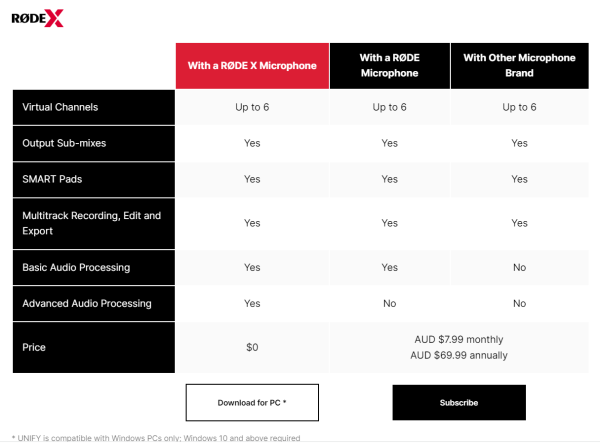
As mentioned before UNIFY comes 100% free with all RØDE X mics. RØDE and other 3rd party microphones will have to pay a monthly or annual subscription with limited audio processing features. For this reason alone, I would stick with RØDE X if you’re in the market for an amazing USB microphone.
TURTLE BEACH
STEALTH 700 GEN 2 MAX (PS & XBOX):
Turtle Beach’s Stealth 700 Gen 2 Max continues to be one of my favorite wireless gaming headsets that is constantly in use on a nightly basis. (Check out my extensive review of the Xbox versions here). At the time of my review, they only had the Xbox branded version but just in time for the holidays, we have the newly released 700 and 600 MAX Playstation versions.
As mentioned in my review, both 700 and 600 “MAX” branded headsets are crossplay beasts that open up audio capabilities to many if not all gaming platforms. With one switchable dongle and Bluetooth connectivity (only on the 700), these “One to rule them all” headsets are a must have if you own multiple gaming setups.
STEALTH 600 GEN 2 MAX (PS & XBOX):
That being said there are some slight differences between the Xbox & Playstation MAX headsets. The Playstation version does not work with Xbox consoles but does work with everything else (PC, Switch and Bluetooth devices). Additionally, the Playstation version is able to natively control some Playstation media controls that the Xbox version cannot. Will this change with a future firmware update? Only time will tell. If you own both Xbox & PS5 and do not want to swap between multiple headsets, my advice is to stick with the Xbox MAX version which runs on both consoles without any quality loss.
Presently you can find the Xbox versions of the Stealth 700 Gen 2 MAX for $139.95 and the Stealth 600 Gen 2 MAX for $129.99.
The, just released, Playstation versions of the 700 Gen 2 MAX is priced at $199.99 and the 600 Gen 2 MAX is priced at $129.95.
RECON CLOUD CONTROLLER – $69.95:
Similar in design to the Recon Controller (featured here in our 2021 guide), the just released Recon “Cloud” Controller (RCC) is new, improved and built for gaming on the go.
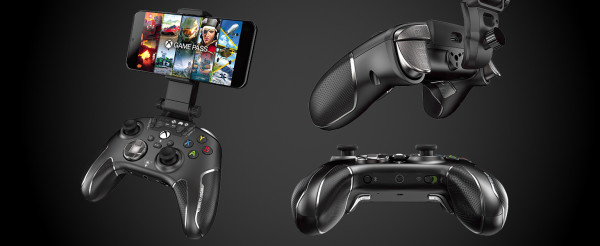
Right out of the box, it’s apparent that the RCC is ready to play hard. With excellent build quality and finely tuned attention to gamer details, it’s surprising that this behemoth of a controller is cheaper than some of the “elite” branded offerings that cost almost twice as much.
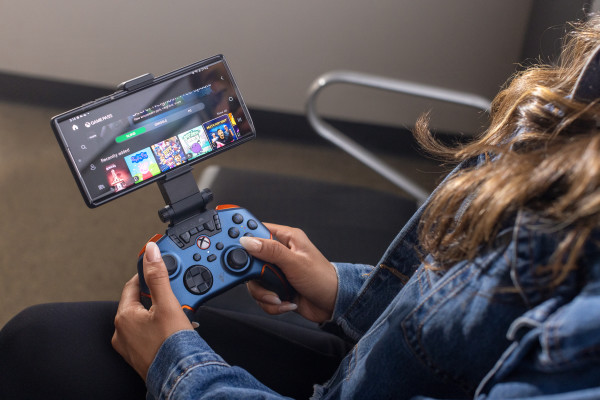
Made exclusively for Xbox (X/S & One), PC and now Android, the RCC easily makes 24/7 gaming a lifestyle. Unfortunately Playstation, Steam Deck, Switch and iOS gamers will not be able to join in on any of these reindeer games.

Because the 2021 Recon Controller is the heart of the new RCC, many of its excellent features are carried over and available for use (check out the 2021 guide for those detailed features). This time the RCC extends your gaming horizons with connectivity to your phone, unlocking compatibility to Android, Geforce Now, Steam Link, Google Stadia, Amazon Luna and Samsung Game Hub games. Xbox Game Pass also gets unlocked, for a subscription fee, but to give you a taste, Turtle Beach includes a FREE 1-month subscription code to Xbox Game Pass ULTIMATE.

Firmware updates are easy peasy.

Setup wizard does a ton of the heavy lifting in helping you get set up.
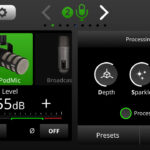
Installed presets of all RØDE mics and some competitor mics makes setting levels as easy as it gets.
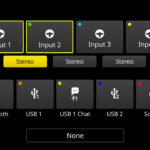
Stereo linking inputs via touch
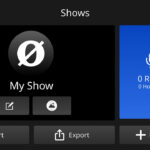
saving and exporting settings page
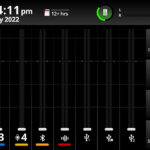
Mixer configuration page
One feature that blows my mind and is a testament to Turtle Beach’s commitment to gaming excellence is the included Smart Phone Clip (many thanks to Turtle Beach for sending us a demo unit). Not only does it hold your phone onto the controller, IT IS ALSO A DETACHABLE KICKSTAND!!! This means you can position your phone (now gaming monitor), anywhere and continue to play wirelessly! Another benefit, once you tire of eradicating zombies or catching Pokemon, is you can use the same kickstand to enjoy some hands free viewing. Talk about a must-have accessory in any travel bag.






Using the RCC with your phone requires the Turtle Beach Recon Cloud app on the Google Play store. Once downloaded the app gives you the ability to firmware update and also monitors any controller dead zones, response times and power management. The app’s Game Discovery mode also pools together all of the ready to play games and makes them easy to access.
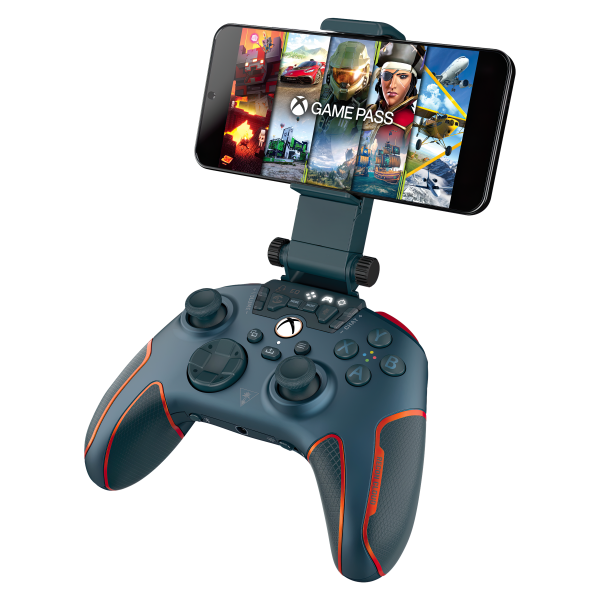
The RCC performed beautifully with mobile play. Gone are the frustrating touchscreen controls once you have the RCC in hand. We do have some good news and bad news. Bad news, mega hits like Call of Duty Mobile and PUBG are not compatible and since there are no settings for button mapping, the RCC will not work. GOOD NEWS, Fortnite, all GTA versions, DOOM, Brawhalla, Roblox, Minecraft and many more are good to go (click here for the growing list of compatible gaming platforms and Android games).
I love this thing, my only comment to Turtle Beach is…When will we see a Recon Controller Playstation edition?
ATOM CONTROLLER – $99.99:
Introducing the Atom Controller ready to convert any Android phone into a Switch/Steam Deck style handheld gaming console.
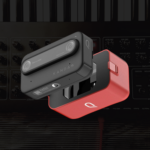
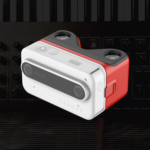
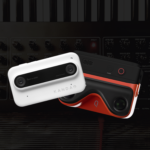

The Atom sports a unique design where right and left controllers are both separate units that connect wirelessly without the need for connection cables or backstraps. With the Atom split in two, installation is a snap using the integrated spring loaded clamps in each controller that can take 67-92mm in width and 6-10.5mm in depth at the ends. If you have a case on your phone, you most likely will be able to clamp the Atom onto both ends of your phone but will not be able to insert the ends into the securing notches. This doesn’t affect gameplay but one flick of the wrist and your phone will pop out of the clamps. If you don’t rock your phone in a case then you will have zero installation issues whatsoever (confirmed with a caseless S22 Ultra & Note 10+).
When your controller needs a charge or it’s time to put down your phone and take a break from whatever adventures you’ve been on, the Atom controllers reconnect to each other in a Ying-Yang way, attaching with magnets. This is also how you will be able to charge the Atom using the suppled USB-C cable. Charging time only takes 2.5 hours for up to 8 hours of game time.

The Atom’s fit and feel is perfect in hand with tactile buttons that are not mushy at all. The thumbsticks and triggers have been given the same ridge and stipple treatments found on the Recon controllers, which is crucial if you’re jumping into a session of Fortnite. I do wish that the Atom’s under carriage had something similar to the Recon’s ergonomic cooling grip or something else to make it less slippery in the hands.

Turtle Beach has also provided a free month of Xbox Game Pass Ultimate for you to enjoy.

Free downloadable app on Google Play

Title screen
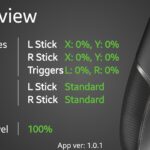
Quick reference overview

Dead zone monitor for sticks and triggers
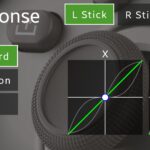
Response time monitor for sticks.

Regularly updated, the Game Discovery section makes finding ready to go games fast and easy.
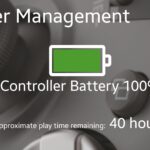
Power management monitor.
The Atom connects and operates through the Turtle Beach Atom app, available for free on Google Play. The Atom app is identical in features as the Recon Cloud app with one tiny difference. In “Power Management” and “Firmware Update” modes, there are two separate controllers listed (left and right).
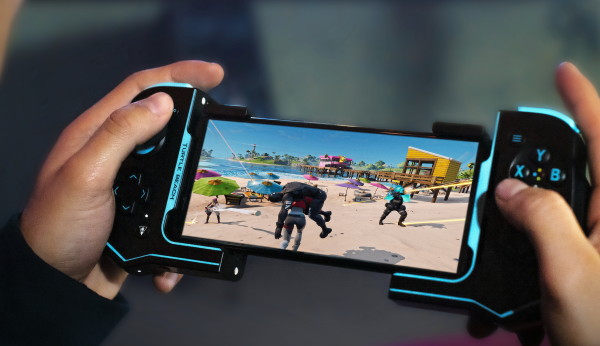
Like the Atom’s bigger sibling, the Recon Cloud Controller (featured above), we have the same good news and bad news. Bad news, mega hits like Call of Duty Mobile and PUBG are not compatible and since there are no settings for button mapping, the Atom will not work. GOOD NEWS, Fortnite, all GTA versions, DOOM, Brawhalla, Roblox, Minecraft and many more are good to go (click here for the growing list of compatible gaming platforms and Android games).
Sadly the Atom is only compatible with phones running Android 8.0 or higher
FUEL COMPACT VR CHARGER – $79.99:
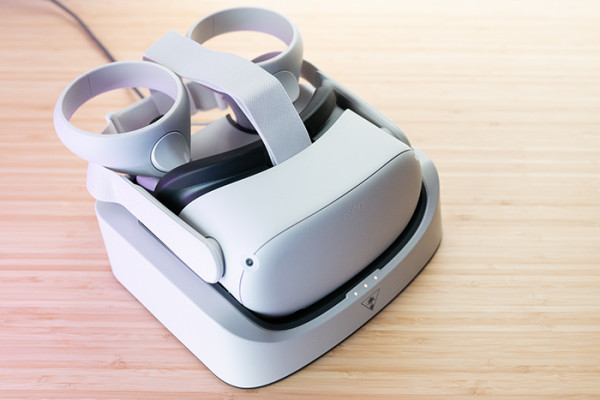
Turtle Beach released just in time for the holidays, a headset charging dock for your Quest 2 VR headset and controllers. Priced at only $79.99, the Fuel Charger offers a compact and perfect solution to getting your VR headsets charged with the utmost ease.
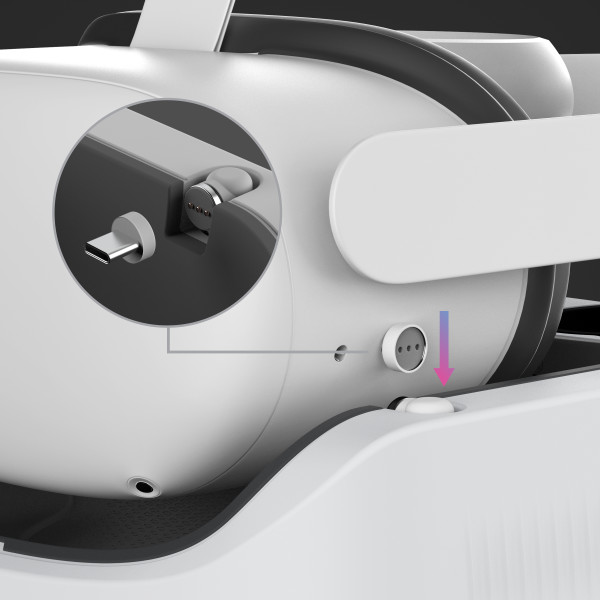
With the supplied USB-C adapter, all you need to do is plug the adapter into the headset port and drop it into the cradle.
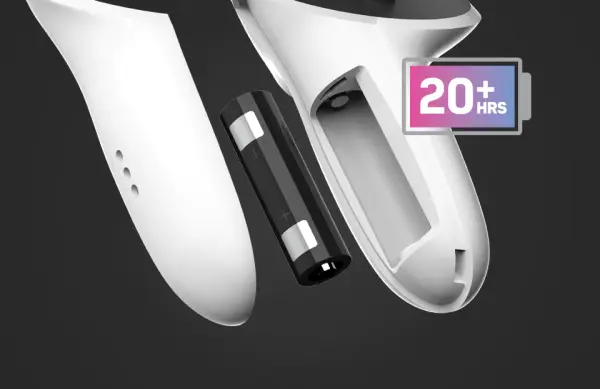
Converting your battery powered wand controllers for quick recharging is also made easy by swapping battery covers with the Fuel’s slotted covers and installing the supplied battery packs rated at 20+ hours each.
This holiday season make sure that that special VR gamer in your life is always fully charged and ready to explore other realities from the comfort of their couch.
ROCCAT
VULCAN II MAX – $179.99 (LINEAR) & $199.99 (TACTILE):
Roccat has released the Vulcan II Max (VIIMax), a new flagship keyboard flaunting a redesign, more robust functionality and industry first features that truly make this a show stopping gameplay dominator.
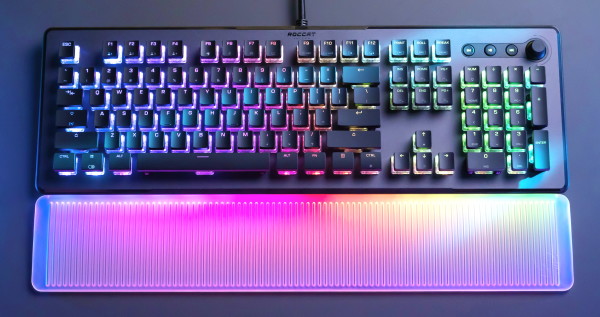
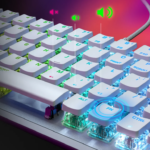
Once you power up the VIIMax it is impossible to miss the tsunami of RGB colors brilliantly dancing and shining through Roccat’s signature clear switches. The VIIMax is easily one of the brightest keyboards in the industry but it also happens to be the first keyboard that has an RGB illuminated palm rest.
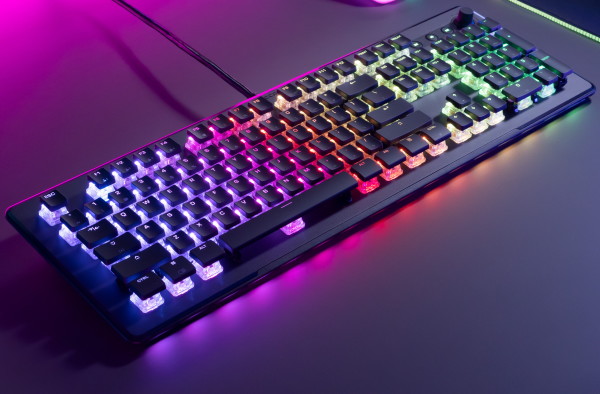
With the translucent soft flexible palm rest removed you can see that the VIIMax is equipped with 16 bottom channels that allow your AIMO lighting to pour through. I have never seen anything like this before and I can happily say that I love it!



In addition to the new orchestration of light, the VIIMax is redesigned with a more refined chassis to house the new tech bubbling inside. Gone are the hard angled corners, incongruent lines, industrial brushed aluminum faceplate and sharp edges. Instead we are greeted with rounded corners, soft beveled edges, clean symmetrical lines and a new micro-stippled matte aluminum top plate that gives off new Audi RS vibes.
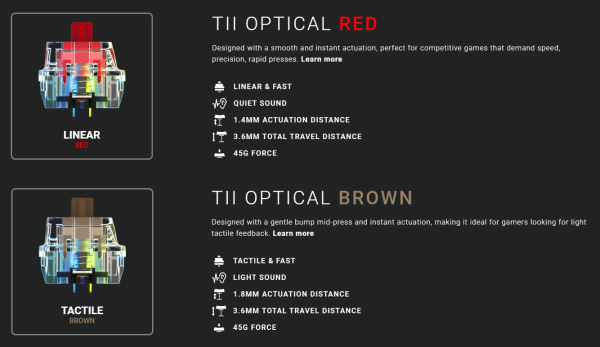
As with most of the top tier keyboards in the Roccat arsenal, the VIIMax comes in two flavors, Linear Red featuring fast instant actuations with quieter clicks or Tactile Brown featuring light mid-press tactile feedback with instant actuation and more of a clicky sound. Lets also note that both red and brown switches are tested and rated for 100 million clicks without fail. Personally I prefer Linear Red because the quieter clicks mean less key press distractions in the heat of battle.
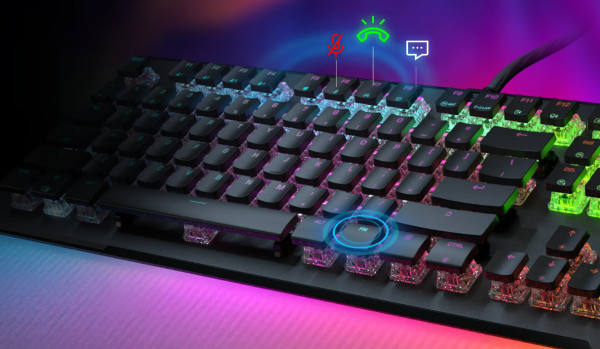
Another industry first, the VIIMax is equipped with dual-LED keys that illuminate simultaneously with their regular color and a different color when its function is activated or in use. There are also 24 multi-function smart keys that are programmable with Easy-Shift [+] button duplicator technology which unlocks a second function layer that is programmable using the Swarm software. If you wanted to keep an eye on your CPU, GPU and RAM, you could even program keys to alert you with specific colors when you’re coming close to exhausting your resources. Another cool feature is the F11 key can be used to alert you about remaining battery life on your Kone XP Air or other Roccat mice. The programmable possibilities are vast and ready for your touch.

For the first time Roccat has made their line of keyboards able and ready for keycap swapping with 3rd party caps. This is amazing news for gamers and streamers that rely on color coded keycaps. Sure you could use Swarm to custom light up keys for your needs but sometimes having an analog colored cap is the way to go. You can even get some cool custom sculpted Pokemon keycaps on Etsy to give bestow your personal touch.
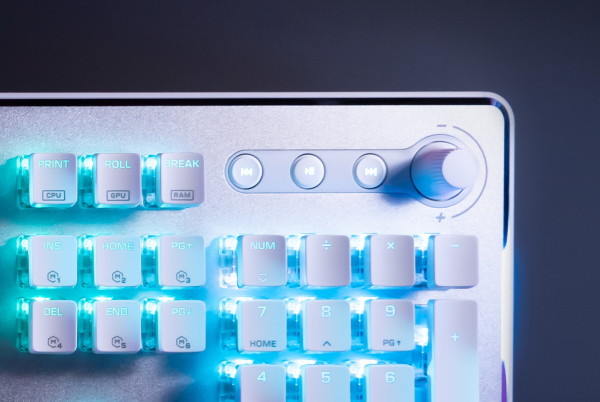
Dedicated media controls are my love language and mean you don’t have to use your mouse to find the digital controls to mute, rewind, fast forward or crank up the volume. All you need is a twist of the analog rotary knob or a press of a button.
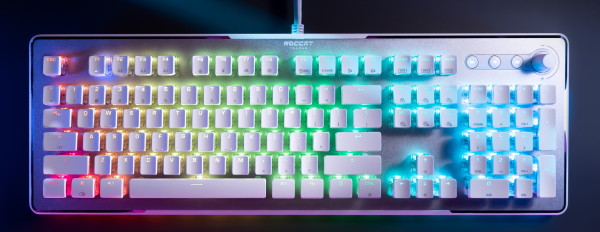
With a ridiculously overpowered and lightning fast 32-bit ARM Cortex M3 processor behind the green curtain, the VIIMax is a beast. With so much power, the VIIMax can allow you to create and save up to 4 profiles of your customized lightning setups, key assignments and more, directly onto the keyboard. This also empowers AIMO illumination to fire up with double the refresh rate producing a smooth monsoon of RGB lighting effects.
And there you have it. One hell of a maxed out keyboard ready to do your bidding. My only quibble is I wish Roccat would have made the USB cable detachable.
VULCAN II MINI – $119.99:
One of my favorite small format gaming keyboards is the Roccat Vulcan TKL Pro (featured in our 2020 guide here). Being the smallest in their lineup at the time, the ten keyless keyboard makes portability and desktop arrangement a breeze. Also the added feature of a volume control knob makes it excellent for working on media projects. So when Roccat announced an even smaller 65% keyboard into their line-up, the Vulcan II Mini (VIIM), I knew it would be a game changer.
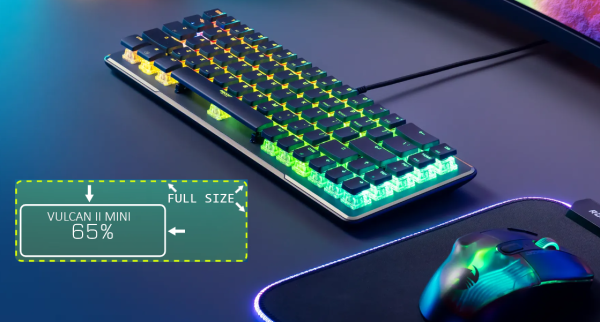
The VIIM is a pint sized powerhouse packed with the best that Roccat has to offer in their smallest footprint. One of the first things you notice is that this is TINY! In comparison with the now 2nd smallest keyboard, the Vulcan TKL Pro, the VIIM is truly a “mini” dropping 1.5 inches in excess width. Sadly we lose the audio controls but we still retain arrow keys, which is the single thing that separates a 65% from the smallest 60% format.
murdered-out in black the XDM-100 is the real bad boy of microphones.

mic too close? slip on the pop filter and say goodbye to disruptive plosives.
The VIIM has been redesigned with a direction straying away from its ancestral Vulcan keyboard roots. We started to see this change in 2021 with the release of the Magma (featured here) and Pyro keyboards. Previous Vulcan keyboards all shared hard angled industrial aesthetics with brushed aluminum top plates and sharp edges. The VIIM and Vulcan II Max now sport rounded corners, beveled edges and a more sophisticated micro stippled matte aluminum top plate.

Like the VIIMax, the VIIM is equipped with industry first, dual-LED keys that light up simultaneously with different colors when activated or in use. Additionally, there are 30 multi-function smart keys that are programmable with Easy-Shift [+] button duplicator technology that unlocks a second function layer which can be programmed using the Swarm software.

Nearly half a decade after he dropped the weird and wonderful, Knock Knock L.P., DJ Koze commissioned two sets of remixes for release in 2022. Each containing brilliant interpretations, including the wildly inventive version of “Drone Me Up, Flashy” by &ME. Not only did the Keinemusik master make it friendly for the floor, he gave it two different movements that each represent his proficiency at setting the mood and drawing the listener in. Truly, a work of art that isn’t just the best house tune of 2022 but practically the best in all of electronic music this past year.
” tml-embed-width=”100%” tml-embed-height=”166″ tml-render-layout=”inline” tml-embed-viewport-heights=”{"A":166,"B":166}”>
Afro and organic house has truly picked up a ton of steam this decade but very few have taken one particular tune to great heights. Kaz James with “Footprints” this past year is one of them. Pete Tong was a big champion of this fantastic floor-filler and shortly after, the entire globe followed. From South Africa, to Ibiza, to Coachella, this blissful tune really picked up some miles. And, rightfully so! The ecstatic qualities of “Footprints” seemingly represents the beauty of what it feels like to dance with one other following roughly two years of isolations and lockdowns.
One of the features that I absolutely love from both of the new Vulcan keyboards are swappable keycaps. Older Roccat keyboards did not give you the ability to pull keycaps and customize them so this upgrade gets high praises in my book. The capable stock ABS keycaps are durable but over time and heavy use, the matte black finish on the caps get shiny. One way to avoid or lessen the dreaded shiny caps is to opt for the white keyboard (less noticeable) or you can switch to other ABS or PBT keycaps, but remember that 3rd party keycaps will inhibit a lot of the VIIM’s RGB lighting.
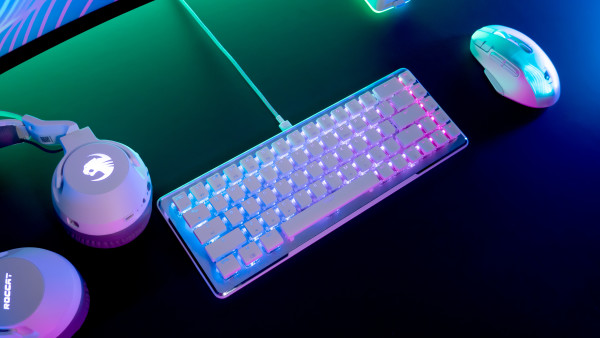
Like the Vulcan II Max, this pint sized performer is also equipped with the same 32-bit ARM Cortex M3 monster processor, ensuring that your AIMO lighting and gameplay will sprint seamlessly and belligerently fast.
KONE XP AIR – $166.43:
Roccat continues to improve and innovate each year and this time they did not disappoint with the illuminated and sniper precise Kone XP Air (KXA).
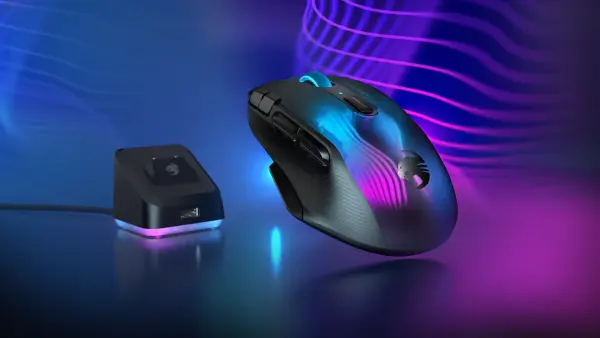
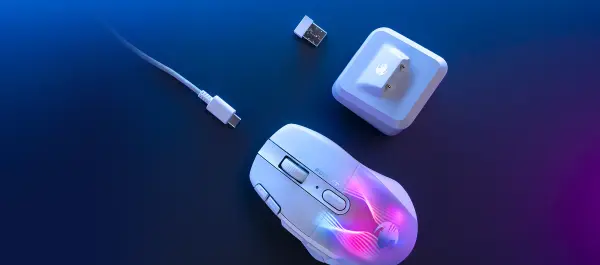
The KXA is a lightweight wireless powerhouse that comes with full RGB, a mini fast charging RGB tower, USB dongle and Phantom Flex USB-C cable that makes the KXA a no-latency wired mouse when needed. The new RGB light patterns in the KXA shell is also an attention grabber with its Tron-esque vibes and hypnotic vertigo lines.
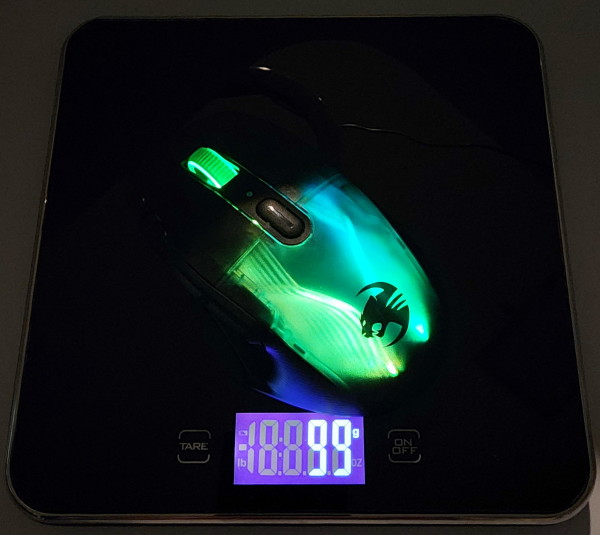
As I mentioned above, this mouse is a lightweight beast. Weighing in at only 99 grams, the KXA is actually lighter than its wired sibling, the Kone XP, which is a heavy 104 grams in comparison. This is a pretty big deal when it comes to wireless mice, considering that with battery weight and full RGB lighting, most competitors easily fall in the mid 100g category.
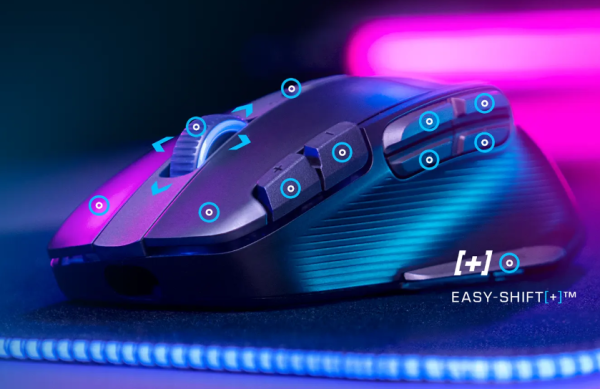
The KXA is meant for the serious PC gamer who demands customizable features in their mice and to appease those demands the KXA comes with 10 dedicated buttons plus a clickable 4 directional scroll wheel that can be programmed with 29 functions thanks to Easy-Shift[+]TM duplicator technology.
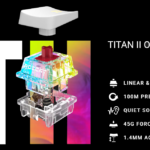
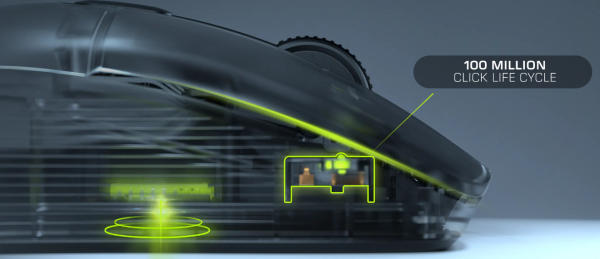
But wait there’s more when it comes to accuracy and razer sharp precision which comes from the Owl-Eye 19K DPI optical sensor and complimented by two Titan Optical Switches ensuring ultra-fast responsive clicks throughout your gaming adventures. It’s important to note that these lightning fast switches are rated at a 100 million click life cycle, each.
Charging the KXA is a breeze with the mini fast charge tower. Simply drop the KXA on the tower and in only 10 minutes the KXA will have 5 hours of playtime. Let the KXA remain on the charger for a full charge and you are gifted with up to 100 hours of game time.
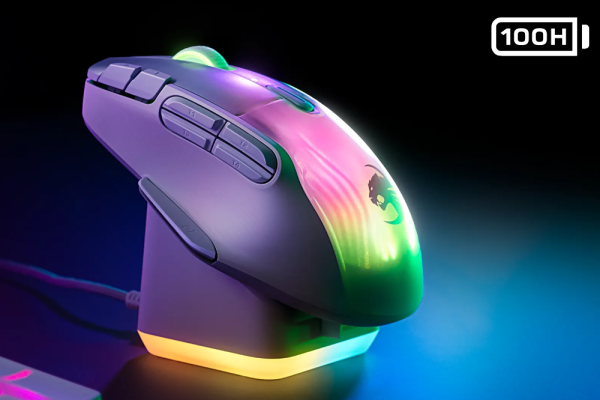
Last, but not least, Roccat’s amazing AIMO system grants the KXA and any other AIMO ready devices the ability to beautifully swim in illuminated synergy. Controlled by Roccat Swarm software, with just a few keyboard clicks you can customize RGB lighting, install updates to the KXA and its transmitter and program functionality to all of the various buttons on the mouse.
NEAT MICROPHONES
BUMBLEBEE II:
The Bumblebee II (BB2), from Neat Microphones, is their first professional USB mic geared for gamers, streamers, content creators, musicians and more.



Making its debut, the BB2 rocks a quirky compact and cute design nestled in a yoke-mounted system connected to a wide-mouth stand that confidently keeps this weighty mic surefooted and stable. At the front of the microphone sits a multi-function knob and mute button for easy access. In an effort to keep the BB2 clean, minimal and void of too many switches and buttons, the knob can be pushed and turned to control headphone volume (yellow light), pushed again for microphone output (green light) and pushed a third time (blue light) for a mixed balance of both.
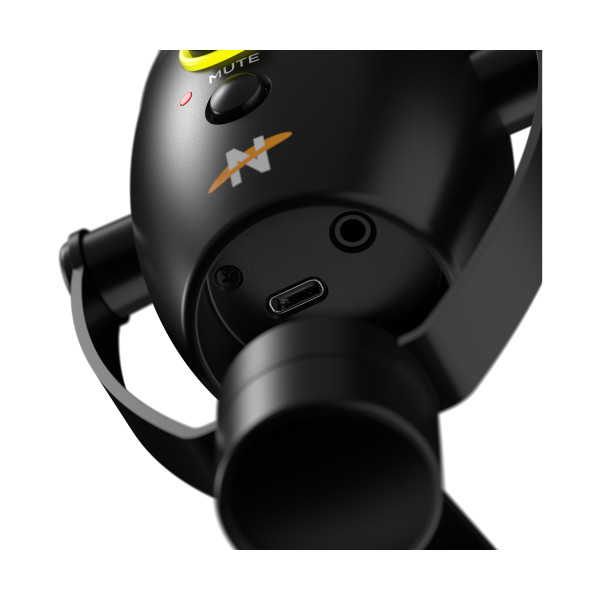
A zero-latency headphone monitor jack along with the power port are located underneath the BB2, which can possibly pose a problem if you use thicker stiffer cables while mounted on the stand.
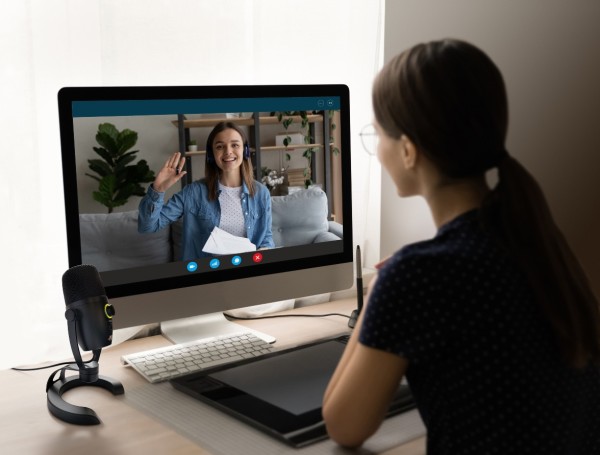
Equipped with a hefty 25mm condenser capsule, which happens to be the largest compared to other mics in this price range, the BB2 flawlessly dishes out pro quality 24 bit/96 kHz digital audio without breaking a sweat. Coupled with a cardioid polar pattern, the BB2 is excellent for a small bedroom or studio and is capable of picking up clear and precise vocals 8-10 inches away. A side note, adjusting levels and using the mute button did register some audible bumps and booms when in use.
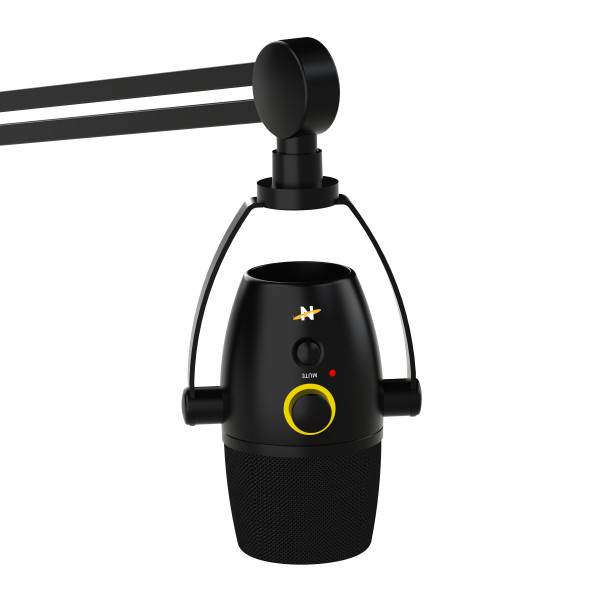
The BB2 comes with a USB-A to C cable, a mount adapter for boom arm use and a hidden built-in shock mount inside the microphone’s shell. Personally I love that you can’t see the shock mount but you still know it’s there, protecting you from any micro vibrations. With USB connectivity, the BB2 can easily plug-and-play right out of the box making this an excellent pro level mic that any streamer would be enamored with.
HYPERX
CLOUD STINGER 2 WIRELESS – $99.99:
HyperX has released an affordable wireless gaming headset with top tier features at an extremely attractive price. Say hello to the Cloud Stinger 2 Wireless (CS2W) gaming headset.
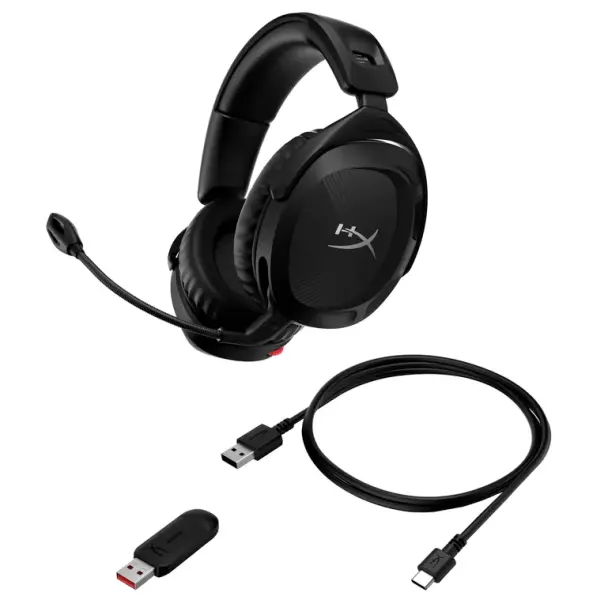
The first thing you notice when you take the CS2W from its packaging is that this is an all plastic budget headset. I’d even go so far as to say kind of flimsy in construction. However, the all plastic construction drops a good amount of weight and coupled with the premium memory foam earcup cushions, this gives the CS2W a gold star for prolonged use.
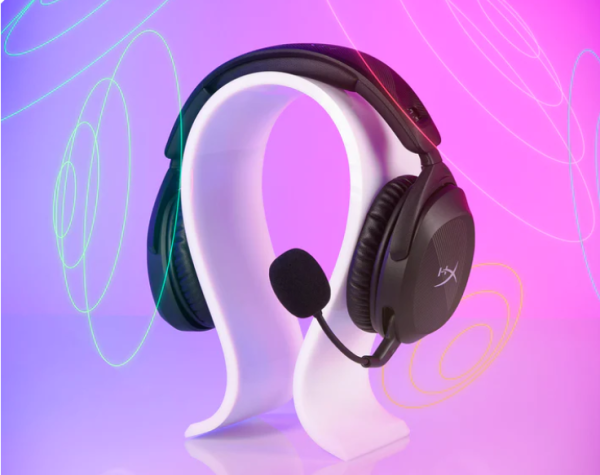
One of the most exciting features in the new CS2W is the audio performance. Premium DTS Headphone:X Spatial Audio delivered by dynamic, 50mm Neodymium drivers means a rich 7.1 sound stage with 3D audio spatialization and localization, which can be tweaked via the NGENUITY software. Preset EQ settings can also be activated with the software to fine tune your audio experience. Not only do you get rich and crystal clear audio but also the advantage of enhanced audio perception, awareness and immersion.
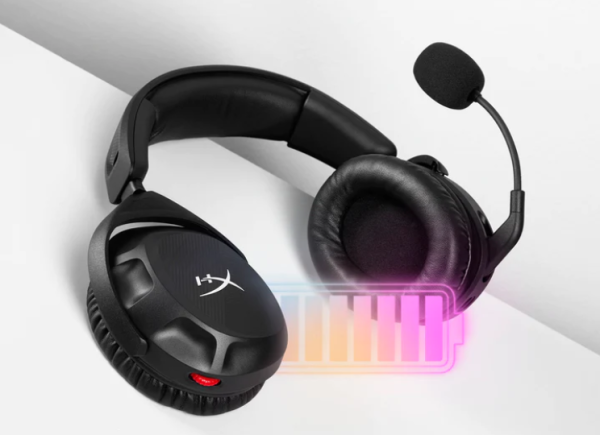
Charging the CS2W will take approximately 3.5 hours for a full charge but then you’re off and running with a runtime of approximately 20 hours at 50% volume which is more than enough time to get through a solid day of grinding through your favorite games.
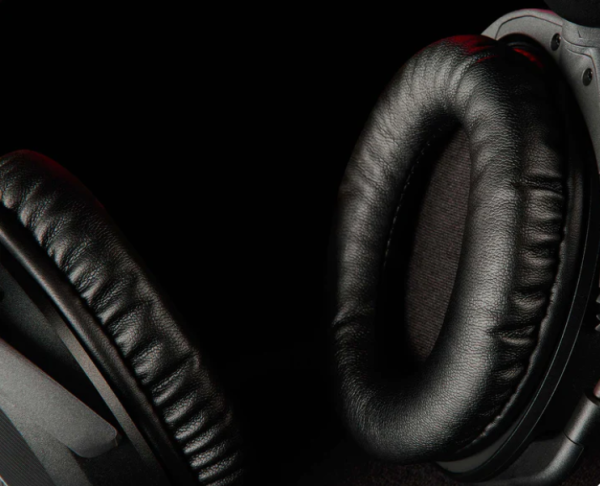
One of the premium features equipped on this budget wireless headset are the leatherette memory foam earcups that are designed to shield you from unwanted ear fatigue after long periods use. In my experience, the leatherette material also tends to aid in your audio experience by channeling audio without absorbing it like fabric earcups do. The only caveat I can confidently point out is during the Los Angeles heatwaves, I NEVER game with leatherette earcups, for the simple fact that my ears always end up super sweaty.
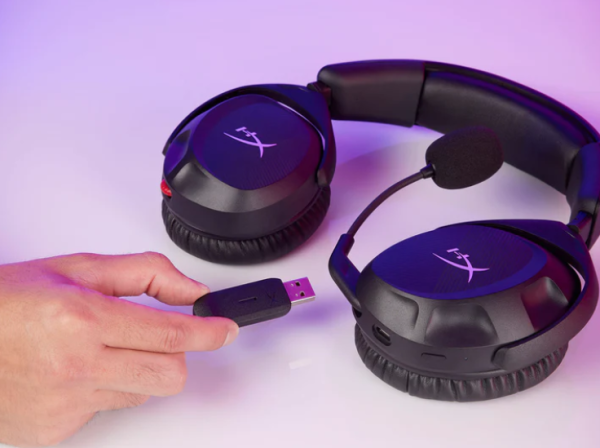
Industry standard 2.4GHz wireless connectivity through HyperX’s proprietary dongle ensures that your audio will never cut out. I was actually pretty impressed with the range, walking from the gaming room to the kitchen for a beer normally cuts out with all of my other more expensive wireless headsets but that wasn’t the case with the CS2W.
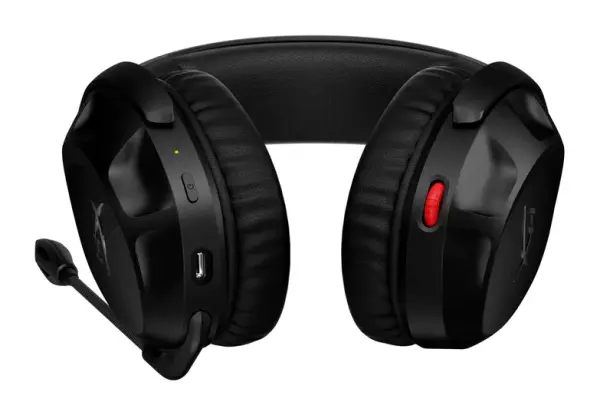
Microphone performance is surprisingly good with a polar pattern electret condenser flip down mic which tends to pick up less background noise and more of your chatter. If you’re a screamer throughout your session, the CS2W mic does a capable job at keeping your outbursts at bay, saving your squad from blown ear drums. If you’re a quiet speaker then you may need to adjust your settings using the NGENUITY software or tweak your mic levels in whatever game you are in. The supplied foam pop filter is also added protection from the dreaded heavy breathing and loud “P” sounds while you game.
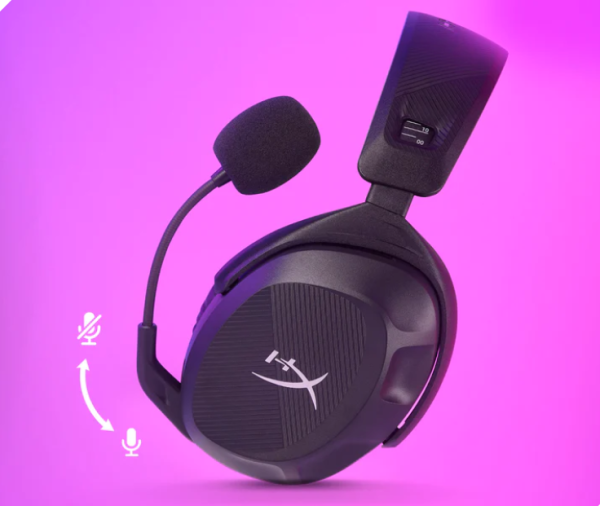
Along with the CS2W’s minimal controls, volume rocker and a power button, the mute function is an easy flip up and pull down system that gives an audible beep through the earcups. This is the most easiest way to mute your mic so your squad can’t hear you explain to your significant other why you’ve been gaming for 5 hours straight.
Overall the CS2W is a really good headset with top notch features in a cheap budget headset’s clothing.
ALLOY ORIGINS 65 – $69.99:
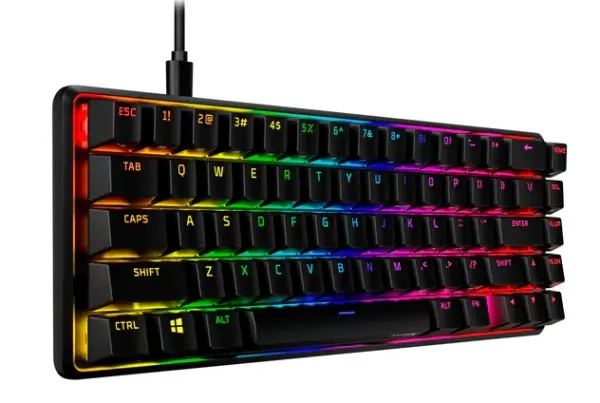
Right off the bat, the HyperX Alloy Origins 65 (AO65) is built like a tank. Weighing in at 1.7 lbs., the AO65 is definitely one of the heaviest small form factor gaming keyboards that truly delivers a solid well built feel when slamming down on the keys.
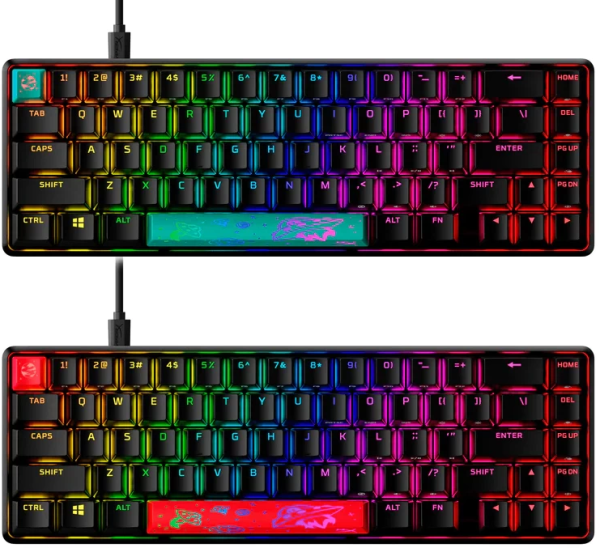
When shopping for a gaming keyboard it’s always important to pinpoint what kind of switches you may need for your gaming endeavors. To help with different preferences, HyperX offers the AO65 in two flavors: Aqua (tactile) and Red (linear) switches. Differences between tactile and linear, the tactile has a tiny bump that you can feel mid click, which some may find distracting, whereas the linear is more of a solid click through. Both versions are pretty clicky so if you’re live streaming you might get a lot of audio feedback while you’re using these keyboards.

The AO65 comes equipped with RGB shine-through double shot PBT textured keycaps which are the best at keeping your most clicked keys from getting “the shiny” after hours and hours of play. Unlit printings on the side of applicable keys also make it easy to figure out what their other functions are.
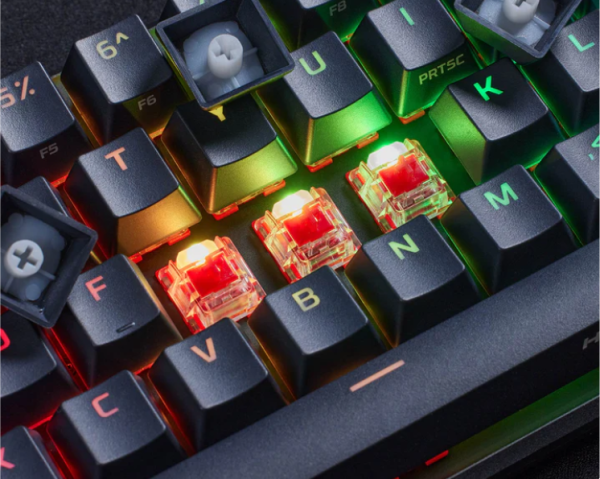
Swappable keycaps mean that customizing your AO65 is as easy as pull and press, with the supplied keycap tool. Keep in mind if you opt for custom keycaps, you will need to get ones that allow for RGB lighting to shine through, or not.
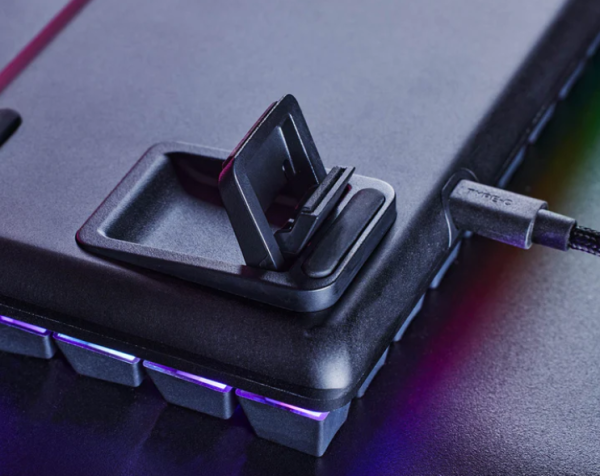
Keeping portability and stability in mind, HyperX outfitted the AO65 with two 3-stage feet that allow you to lay flat or choose between two angled elevations. Detachable USB-C cord also makes the AO65 quick and easy to toss into a bag before heading to a gaming LAN party at a squad member’s basement.
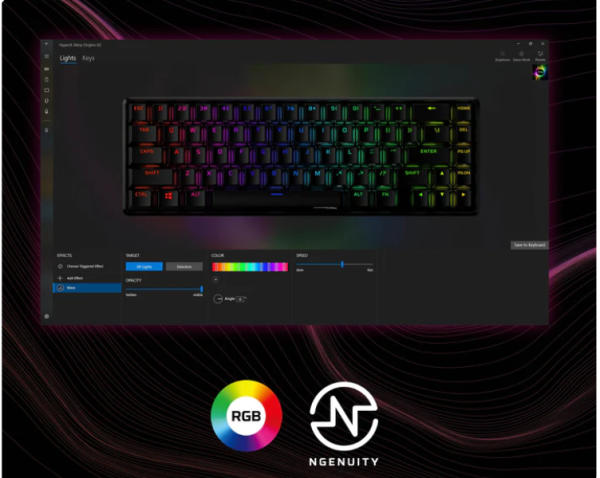
On top of customizable keycaps, you can unlock and fine tune your RGB stage with HyperX’s NGENUITY software. NGENUITY makes it easy to firmware update, customize your keyboard’s game mode, build various macros to fit your different gaming needs and assign RGB lighting to specific keys for easy visual cues. Also, if you own other HyperX RGB powered devices, this is how you can synch them all to color up in unison.
PULSEFIRE HASTE WIRELESS – $49.99:
HyperX has answered the call to many PC gamers that hate wielding around heavy bricks disguised as gaming mice. Introducing the ridiculously lightweight skeletonized Pulsefire Haste Wireless (PHW).
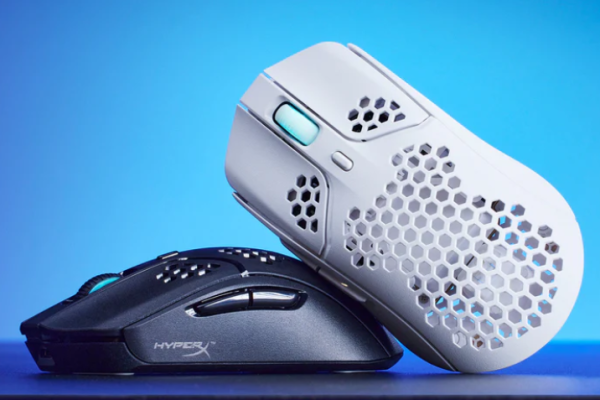
Immediately the PHW commands attention with it’s honeycomb shell that assists in keeping the weight down to 61 grams which is impressively low compared to other wireless mice. The lower profile design also gives the user a very natural hand to wrist position that helps keep the dreaded carpal tunnel pain at bay.
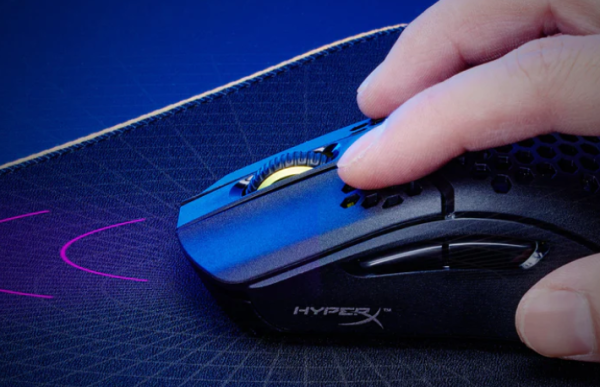
Professional grade 2.4GHz wireless connectivity fine tuned to deliver a 1ms report rate gives the PHW the confidence to never lag or miss a beat when jumping into a firefight.
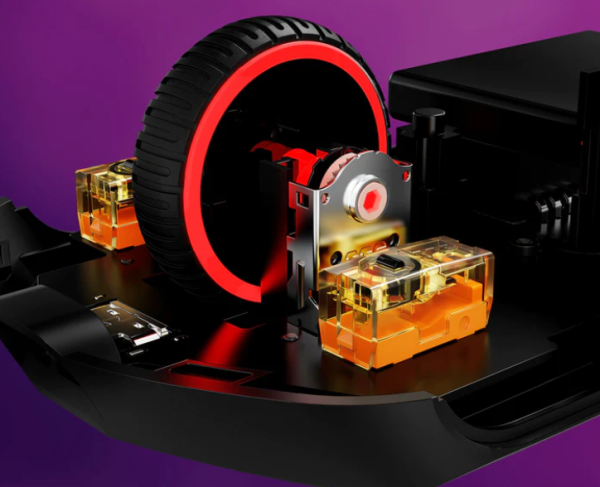
Having a skeletonized shell can easily become a dust bunny’s paradise but thankfully these TTC gold switches are protected with an anti-dust coating which keep them clean as they deliver accurate and fast in game action. You also will never have to worry about missing a trigger pull with these 80 million click rated switches.
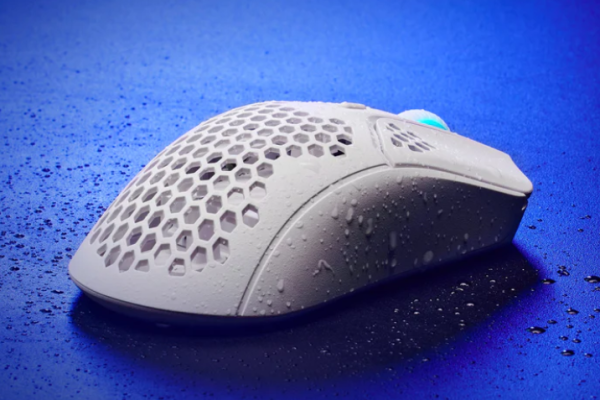
One noteworthy feature on the PHW is the IP55 rated dust and water resistance that gives this mouse added protection against any elements that you come across. I’ve been a victim to many spills and have been left with a box of destroyed electronics. Bravo to HyperX for providing this added benefit to an already epic mouse.
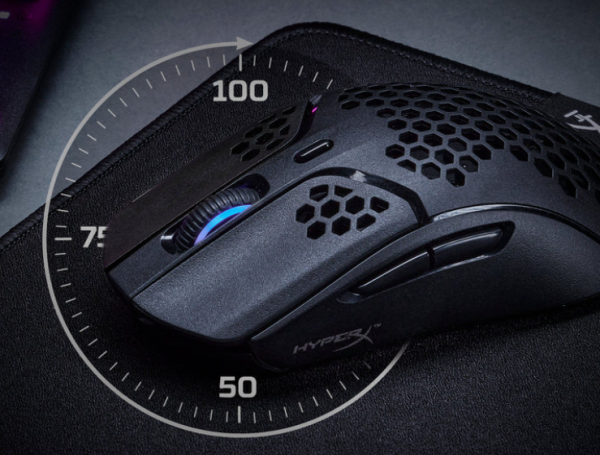
The PHW is blessed with 100 hours of battery life, which is very impressive considering its petite size and ridiculously low weight. HyperX was even able to squeeze in some RGB lighting into the mouse wheel to appease the RGB junkies in us all.
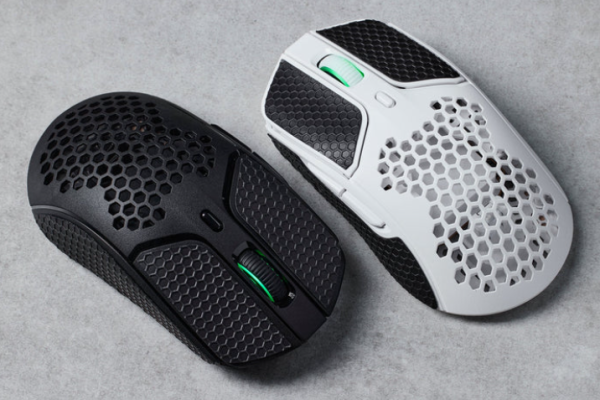
If you’re not psychotically critical about weight, HyperX includes, for free, grip tape for the buttons and both sides of your PWH. Yes, you add a few grams but it could be worth it if your palms get sweaty in the heat of battle. Application is easy on and easy off.
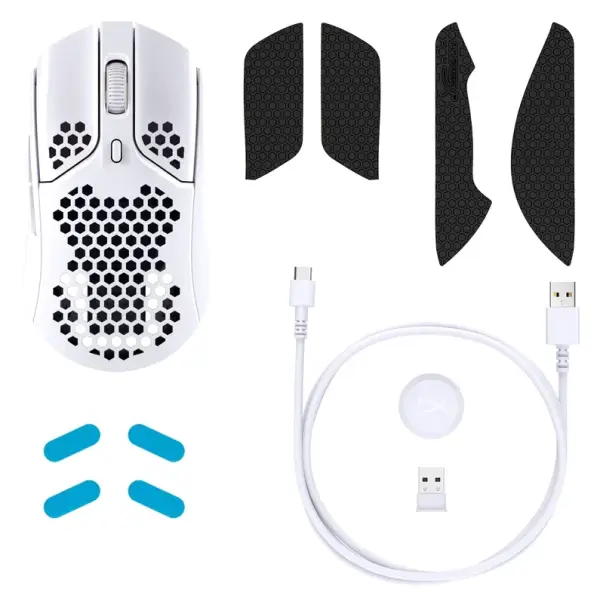
HyperX continues the generosity on top of the free set of grips by also including an extra set of pure virgin grade PTFE skates FOR FREE!!! A tip of the hat to HyperX for showing so much love to their customers.
DUOCAST MICROPHONE (USB) – $89.99:
HyperX’s DuoCast (DC) microphone is the perfect addition to bridge the audio gap between the entry level SoloCast and the flagship QuadCast S in their line of USB microphones.
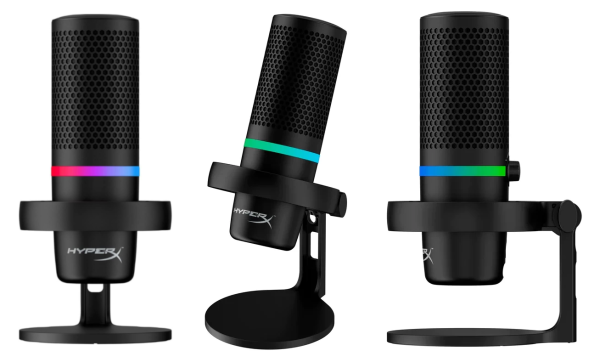
Immediately the DC scores points in the design category with its functional design, solid construction and refined lines. I appreciate that this $99.99 microphone doesn’t look like a budget friendly mic. HyperX even snuck in a clean and sophisticated RGB lighting element, which I feel works well.

keycap customization is now available on the new Vulcan II Mini
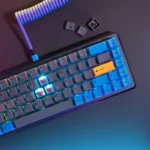
now you can swap the ABS keycaps for PBT to really create the keyboard aesthetic you want
One of the coolest features built into all HyperX microphones, except the SoloCast, is the anti-shock elastic suspension mount. I loved how well the shock mount performed on the QuadCast S, featured in last year’s guide (check it out here). So I was pleasantly surprised to see that the DC delivered form and function with this stealthy suspension shock mount hidden in the center ring of the mic stand.
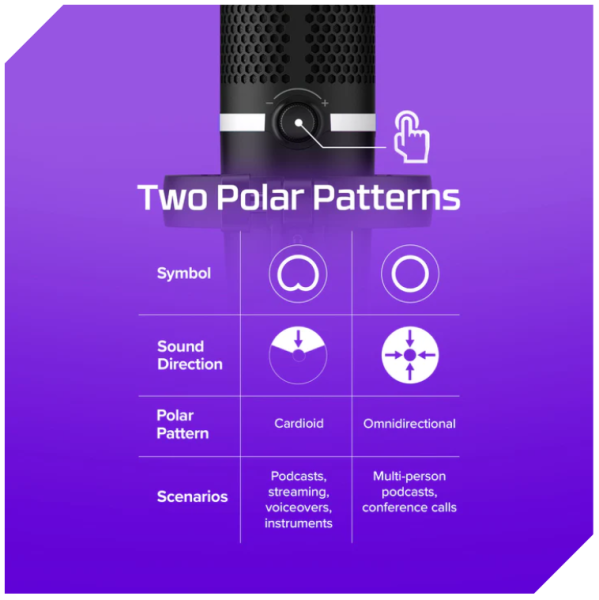
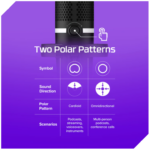
As the name states the DC is a two pattern (cardioid and omni directional) microphone offering Hi-Res 24-bit and up to 96kHz sampling rate. The DC utilizes two electret condenser capsules and is powered by USB-C. Switching between polar patterns is made easy with just the touch of a multifunction button located on the control knob on the back above the shock mount.

Like its QuadCast S sibling, the DC is equipped with an internal pop filter beneath it’s black mesh case. While decent with stopping unwanted “P” pops and hisses, I recommend using an additional external pop filter which are really cheap on Amazon. The DC also ships with a quality mount adapter that will allow you to easily mount the DC onto a boom arm.

Like the QuadCast S, the DC has a touch sensor mute button located on the top of the microphone. Unfortunately activating mute while broadcasting translates as feedback and should only really be used when necessary. Better move would be to mute using your console or computer. Gain control is easily accessible behind the microphone above the shock mount.
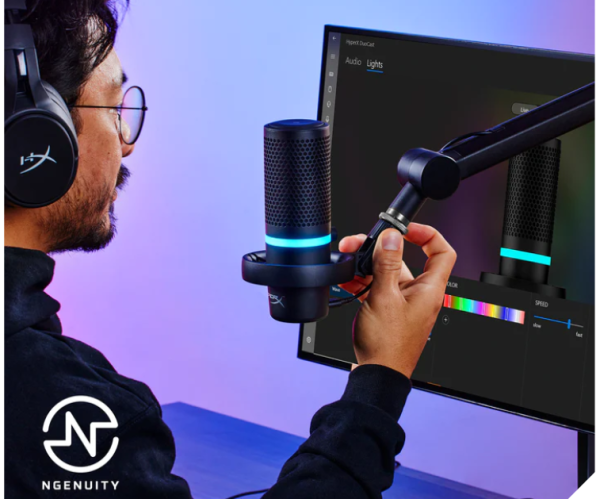
As with all HyperX devices, you’ll be able to tweak your RGB settings using the NGENUITY software.

The DC is compatible with PS5, PS4, Mac and PC only. At the time of release there is no Xbox compatibility.
JBL
QUANTUM 810:
JBL just dropped a new update to the featured packed Quantum 800, featured here in our 2021 guide. Introducing the Quantum 810 (Q810) ready to assume the thrown from its reigning older sibling.
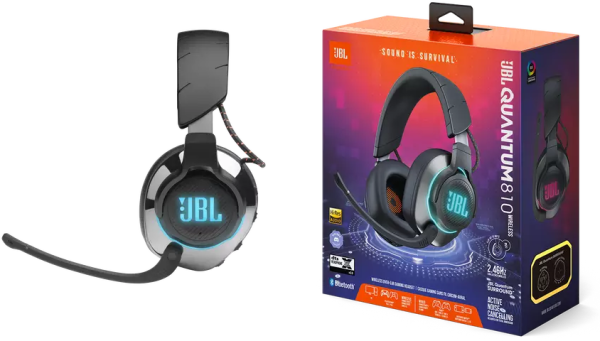
Last year I had the opportunity to feature the Q800 in our 2021 guide and I was really blown away by the amount of premium features it had. So I was really happy to learn that its successor, the Q810, would inherit everything great about the Q800 and improve on a few things along the way.
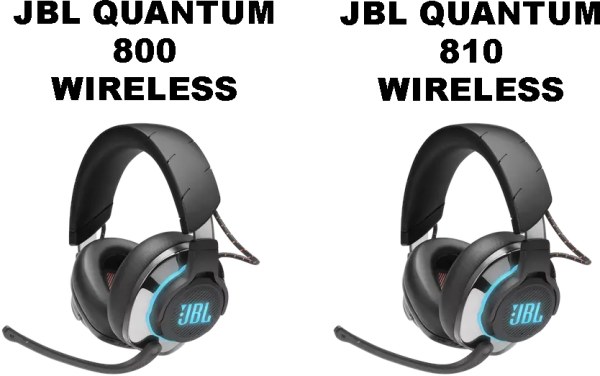
Yes the Q810 is identical with its predecessor in every physical way. There are no design changes, no branding or model number indicators, which can make it a bit confusing if you already own the older model.
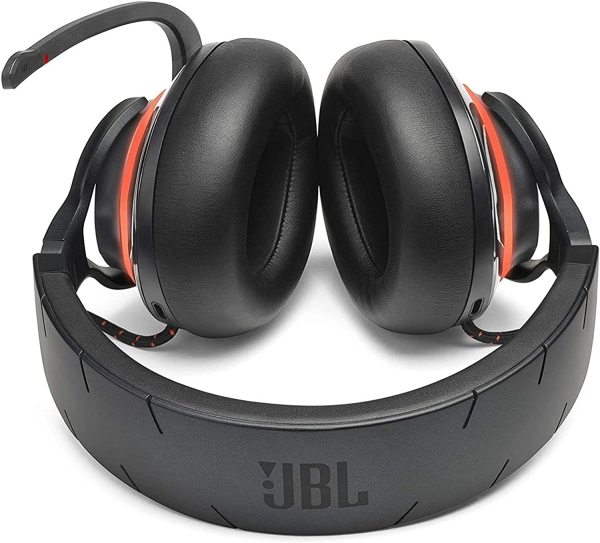
Left unchanged are premium features like 50mm tuned drivers that deliver rich deep bass with balanced mids and controlled highs. To compensate for its heavy weight the Q810 continues to offer large, fluffy leatherette covered memory foam earcups that do an amazing job at making you forget about the weight.

All top tier features are also back like Hi-Res certified JBL QuantumSOUND, DTS Headphone:X version 2.0, a wickedly strong 2.4GHz wireless connection with dual connectivity, mic-monitoring (aka “side tone”), ANC noise canceling and the most comprehensive list of cross play compatibility in gaming history.

And now to the Q810 upgrades starting with battery life. One of the biggest drains in any gaming headset depends on how much you have going on. The Q810 outshines the 800 with its 43 hours of game time over the 800’s paltry 14 hours. Unfortunately this new upgrade in power comes at a price in weight gain but the tiny 8 gram increase (Q810 – 418g vs Q800 – 410g) is well worth it in my book. Another feature is the Q810 now allows you to simultaneously play while plugged in for charging.
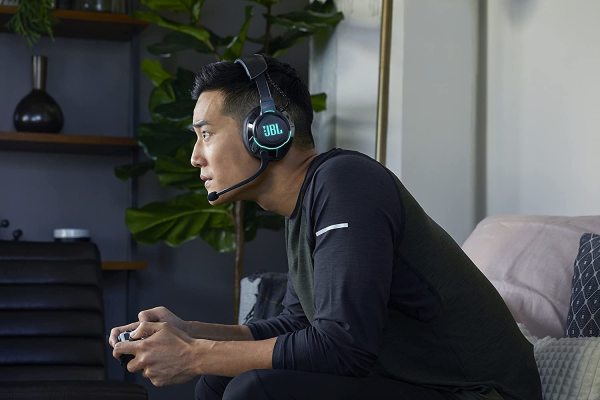
One of the greatest features of both the Q800 and Q810 is dual connectivity which gives you the ability to have both your console and your phone connected at the same time. This year the Q810 gets an upgrade in Bluetooth connectivity to 5.2 translating to stronger connectivity with your phone and other future BT devices. The Q810 now supports Sony’s 3D audio which used to be exclusive to the horrifically bad Sony Pulse 3D headset but not anymore.

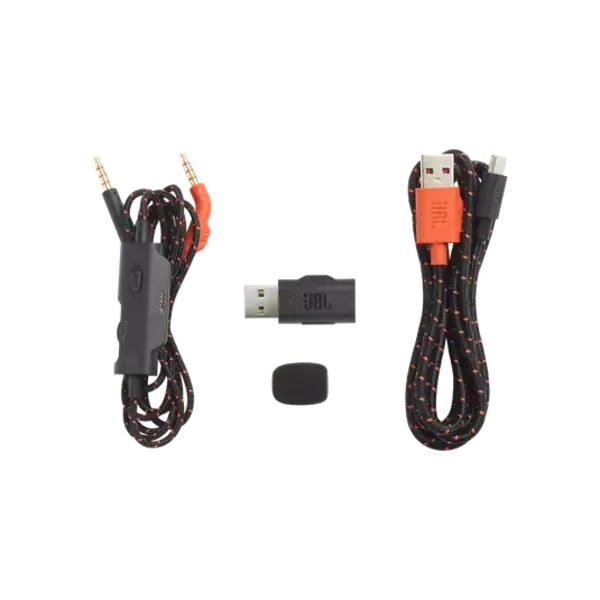
The Q810 now has a 50% smaller 2.4GHz dongle for connectivity but still retains the long range and surprisingly now comes with upgraded premium tangle-free cables, which is a nice touch on such a solid headset.
And finally, the greatest upgrade bestowed upon the Q810 is the OUTRAGEOUSLY discounted price that it is selling for RIGHT NOW!!! Presently, for a limited time, you can find the Quantum 810 discounted by $100 and priced at $99.95
SAMSUNG
55″ ODYSSEY ARK 4K:
Is it a TV? Is it a monitor? Or is it the greatest versatile piece of visual equipment designed to elevate all creative and gaming minds into another stratosphere? Trick question, because it IS all of the above!
Samsung announced the Odyssey Ark (Ark) last year and the world, including me, lost their minds about what was to come. Now the Ark is available and it is EVERYTHING that it claimed to be and more.
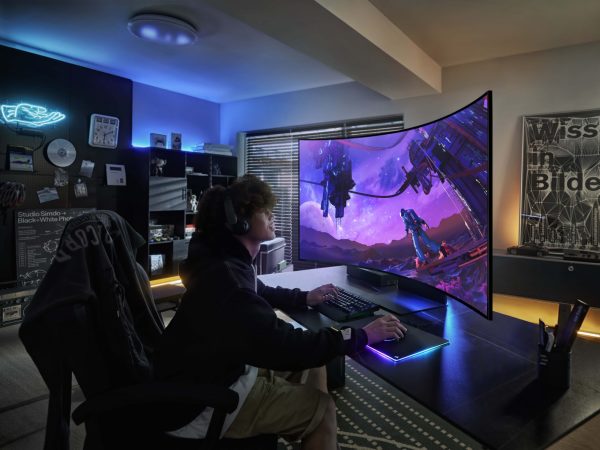
The Ark is a powerhouse of productivity and entertainment bursting at the seams with the most advanced technology and features available today. The most jaw dropping feature of the Ark is a 55″ curved 4K display that rotates on command with the twist of the wrist.
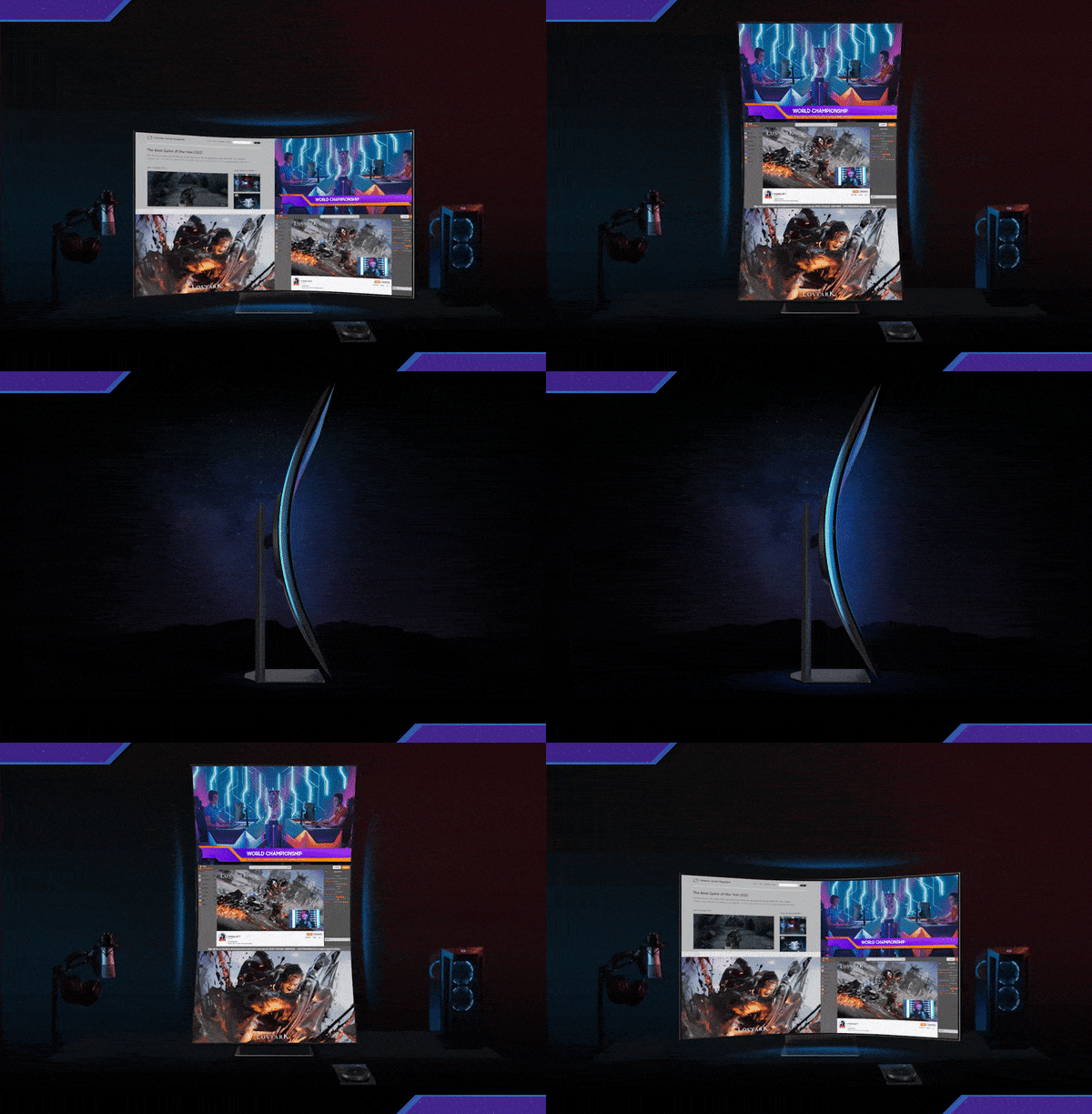
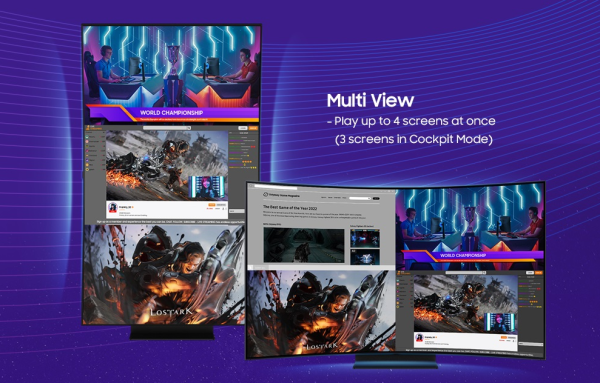
With the Ark in action, many multi-monitor gamers, streamers and even day trading stock market players can do away with cumbersome spider arms clamped to your desk, trying to hold bouncing shaky monitors. No sir! All you need is one Ark which will provide three to four different screens on one curved 4K 165Hz panel.
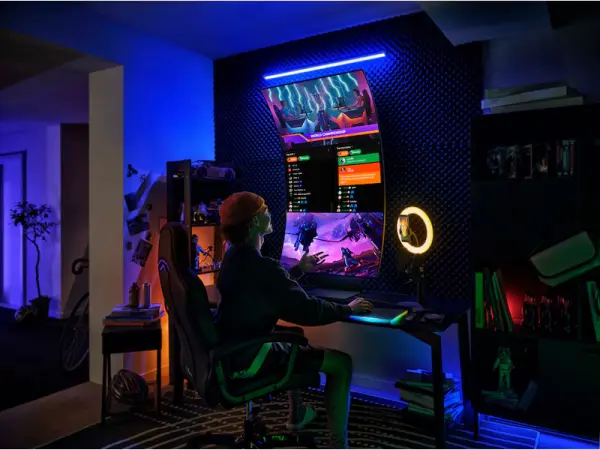
In “landscape” mode, users can chop up the Ark into 4 independent monitors with bezel-free integration. This means you won’t lose your mouse when crossing over to the next monitor, while in “portrait” or Samsung’s befitting term, “cockpit” mode, gaming pros can easily split the elongated screen into 3 bezel-free 27″ widescreen environments that can hold Discord, Twitch or YouTube stream chats above, game play in the middle and YouTube walk-through videos when you get stuck.
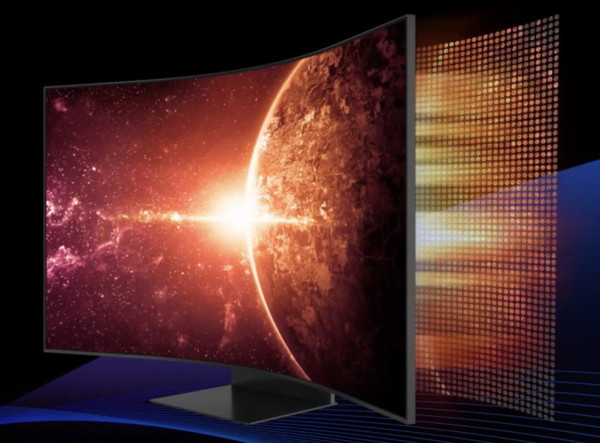
Utilizing Samsung’s proven and excellent Quantum Matrix Mini LED display technology with adaptive luminance. Revolutionary Quantum Matrix Technology with Quantum Mini LEDs provides controlled brightness and perfect contrast for refined definition. The advanced 14-bit back light unit allows detailed HDR control which creates unmatched picture quality.
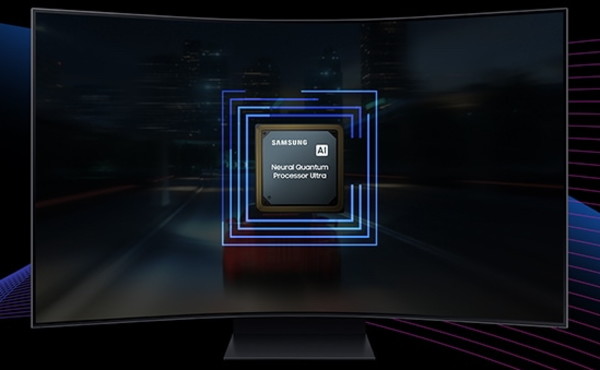
Neural Quantum Processor UltraEnjoy is the powerhouse CPU that delivers eye popping cinematic experiences. By combining 20 multi-layer neural networks, the AI-Powered processor cleverly analyzes images to restore every detail, pixel by pixel. Automatic brightness adjustment, contrast amplification and enhancements upscale resolutions of whatever you’re watching and playing.
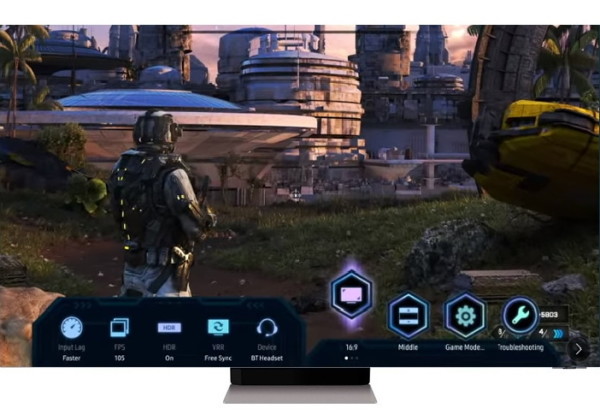
To make gaming a breeze, the Game Bar, featured in last year’s QN90A (featured below) gives the Ark an on-screen menu that lets you make real-time adjustments to screen ratio, input lag check, FPS, HDR, wireless headset settings and more.
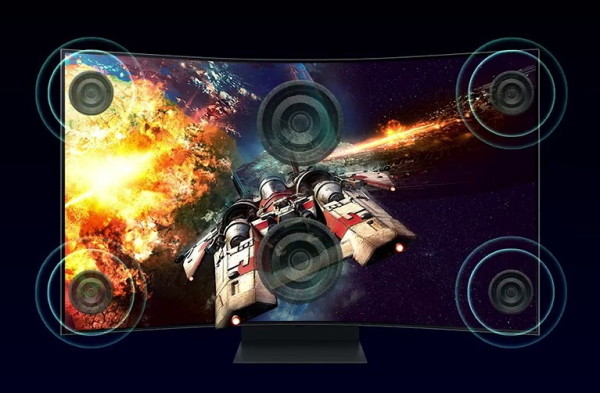
To further help with reducing tech-clutter and unnecessary equipment, Samsung’s new Sound Dome technology incorporates 4 speakers at each corner of the panel with 2 central subwoofers that produce a solid 60w 2.2.2 channel with the lowest 45Hz notes of any gaming screen or soundbar. Toss in AI Sound Booster and Dolby Atmos Sound Dome technology and open the door to a surrounding 3D soundscape.
Surprisingly, the Ark does not appear to be too bulky with dimensions coming in at 45.2 in. x 21.15 in. x 16.4 in. (WxHxD) which also convert to 21.15 in. x 45.2 in. x 16.4 in. (WxHxD) when rotated.
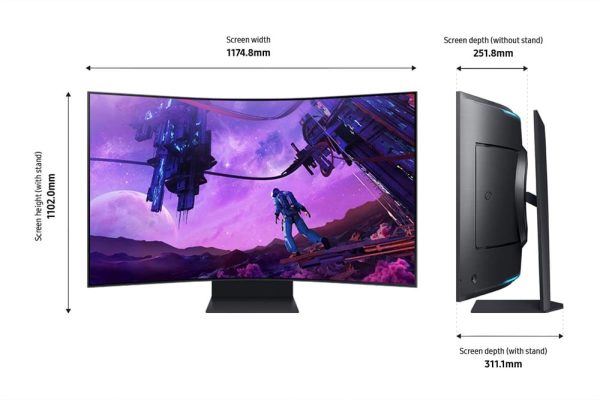
With an eye watering MSRP of $3499.99 the Odyssey Ark and all of its technological wonder, still commands a wallet smashing price meant for the PewDeePie wealthy to afford but at the time of this publication’s release Samsung is offering a $1,000 discount dropping it down to the more obtainable price of $2,499.99 (buy it here).
CIRCUITMESS
CircuitMess is one of the most innovative and creative STEM learning companies that I have ever come across in my years of all-things-tech. They are a subscription based service that provides many creative electronic builds for children of all ages. The greatest thing about CircuitMess is that they are geared towards enriching the scientific, technological, engineering and mathematical curiosities of young and old minds with DIY kits that you build, program and have fun with. Below are three of our favorite picks.
JAY-D – $129.99:
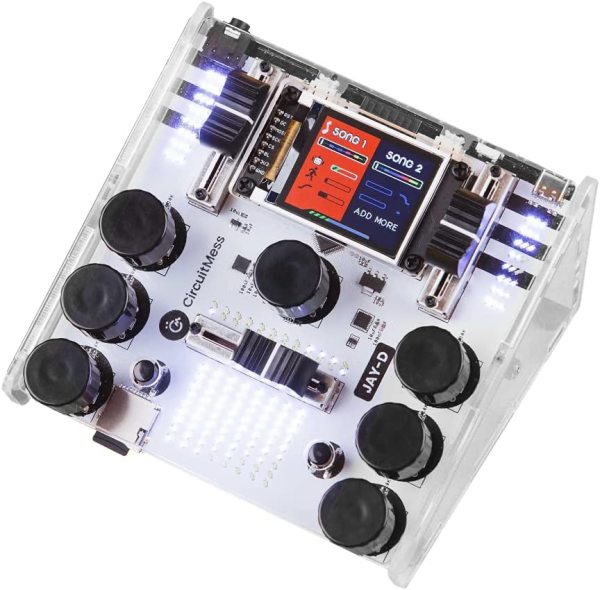
Meet Jay-D, a DIY DJ mixer designed to teach children ages 11+ how to actually build an entry level basic functioning music mixer from a box of parts, bags of screws and some circuit boards.
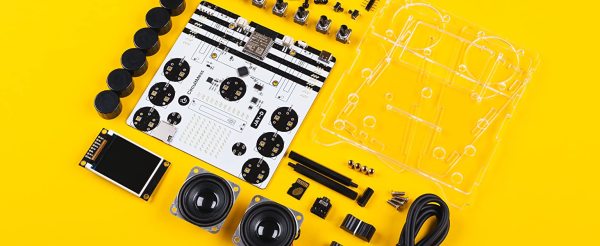
Jay-D comes to you in a box with all the necessary components and easy to understand instructions to start your child on their journey to building this unique little mixer. During the build your child will learn essential building skills, become familiar with electronic components and learn how to solder onto circuit boards.
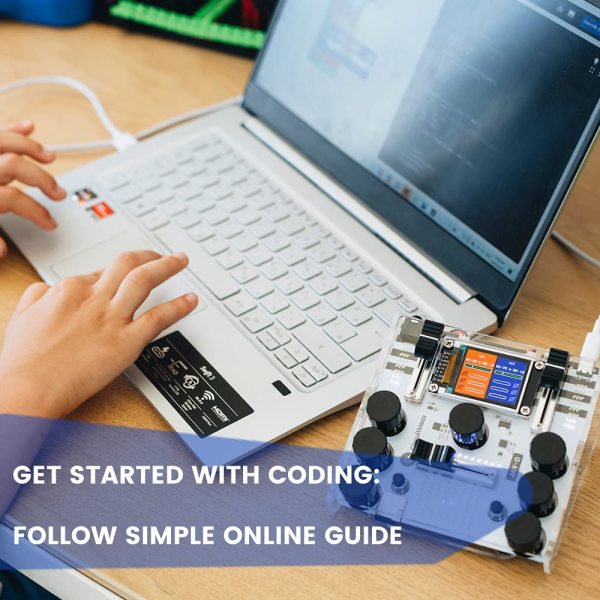
Not only will your child learn valuable skills from building Jay-D but now it’s off to the software side where they will be exposed to basic programming tasks learning about soundwaves, digital audio systems and microcomputers. Jay-D can even be customized with sound effects and light shows via easy to learn programming skills.
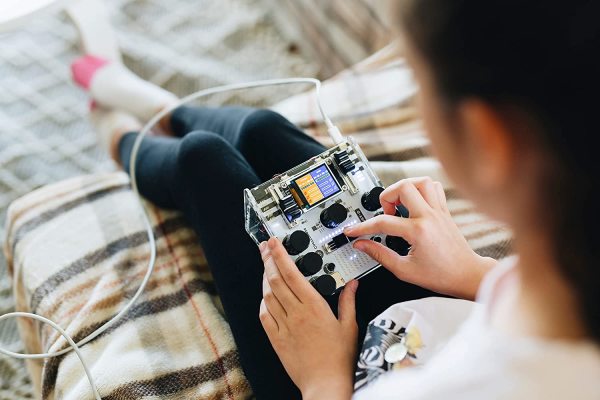
Now that Jay-D is ready to go, load up a micro-SD card with your favorite tracks and let your child channel their inner Tiesto or Colette and mix multiple tracks together, fade songs in and out and much more.
If you get stuck, not to worry because CircuitMess have so many tutorials that are excellent with clear instructions to guide your child past any hurdles he or she may encounter.
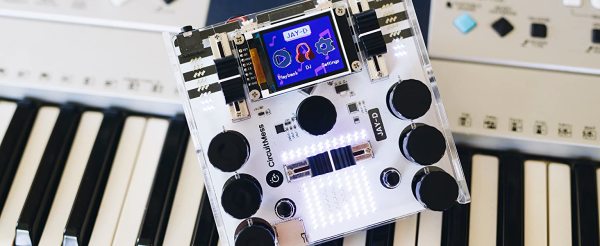
The Jay-D may be tiny but it’s a powerhouse that can actually perform many basic functions of a professional mixer. Equipped with two playback slots, your child can learn how to queue songs up and how to mix them together. Working EQs and sound effects add to the fun along with built in speakers to let the world hear your newest mix. If the speakers are too loud there’s also an aux headphone jack.
SYNTHIA – $119.99:
Say hello to Synthia, a STEM DIY project that combines the functions of a sampler, drum machine, sequencer & synthesizer all in one tiny little package that your 11+ child can build.
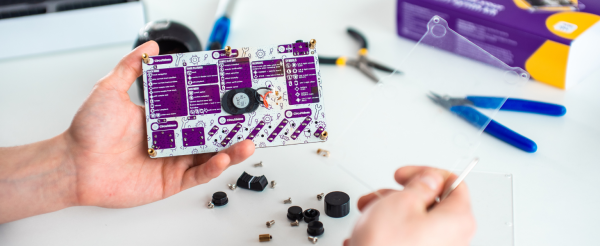
Inside the box, your child will get all the components with easy instructions to build Synthia. Synthia will require some soldering of electronic components and will be a learning experience for your possible future electrician.

Once Synthia is complete, it’s off to the computer to learn the basics of programming and also to learn about soundwaves, digital samplers and digital-to-analog signal conversion. Your child will also learn how to create a beat and/or customize a light show to be played on Synthia’s onboard 121 LED screen.
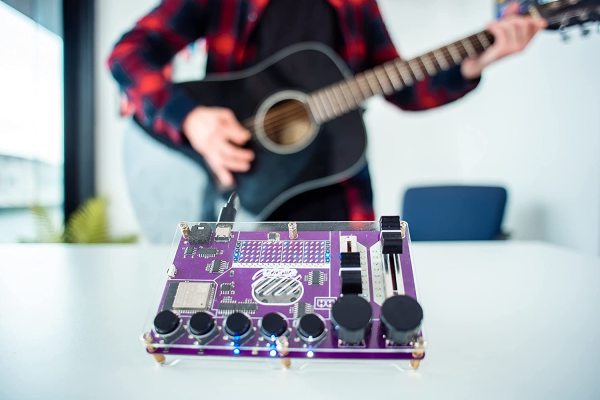
Music creativity is the key and once Synthia is programmed, your child will be able to produce original music by making funky beats and creating many other musical arrangements. Synthia can also record your voice the built in MEMS mic that you’re child will install.
CIRCUITPET – $119.99:
In the late 90s to early 2000s Tamagotchi ruled the lands and people young and old were fascinated with raising and caring for little digital LCD pets. It’s true! I had one, actually two for a short time, attached to my rave backpack. Sadly those days ended in the mid 2000s and the digital pets never really resurfaced until now.
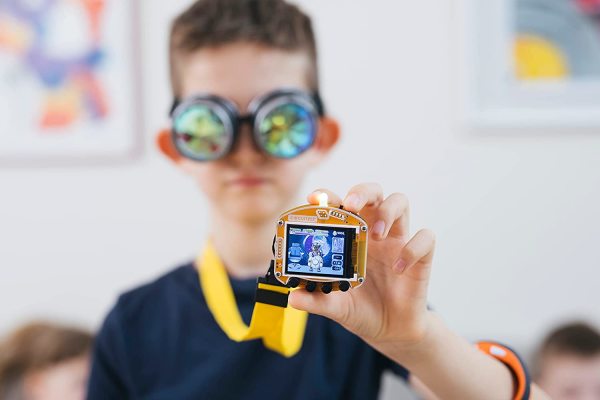
Introducing CircuitPet from CircuitMess a modern day Tamagotchi-like digital pet that your 11+ children can build from a box of parts, program, customize and care for every day.

Coming to you in a box filled with everything you need, your child will get the chance to learn valuable building skills along with basic soldering skills.
NYC’s Anthony Naples dropped “Swerve” this past June and it stuck around closely for the rest of the year. The hoover fills are absolutely infectious while the speedy 130 bpm tempo helped it land in the box of many newer DJs who are challenging the norms by pushing the tempos.

Kicking the door open on 2022 back in January was Darius Syrossian with “To The Groove.” Another absolute floor weapon that we’re calling the banger of the year. Add this to his collection of bangers along with “Danzer” from 2018 and of course, “Who’s The Douche” from back in 2013. What will he surprise us with in 2023?!